Wall Street Journal, Ford, Sony, Katy Perry, GigaOM, CNN. Well-known brands. What do they all have in common? Although you probably won’t find this tagline on their sites anymore, under the hood they are “Powered by WordPress”.
As we all know, WordPress is the world's most popular publishing platforms that powers more than 17% of the web - a figure that rises every day.
WordPress combines simplicity for users and publishers with under-the-hood complexity for developers. This makes it flexible while still being easy-to-use.
It's highly customisable, very easy to use and, probably the best part, it's completely free.
Because of its huge popularity, today we have listed 50 useful WordPress tutorials for designers and developers.
For beginners
01. WordPress - getting started
Get started with Wordpress Quickly and Easily. It's a fairly simple application that does a decent job of running a website.
02. WordPress cheat sheet
Learn how to start your own personal blog.
03. Beginner's guide to WordPress menus
Paul Kaiser explains the menu system basics and how to start using them on your site.
04. Shortcodes - a complete guide
05. How to learn WordPress in one week
A step-by-step guide to WordPress for beginners
06. Mastering the WordPress visual editor
07. The WordPress community offers advice to beginners
08. Deleting images
Using featured images can provide artistic value to your website and place specific emphasis on your content.
For your site's design
09. WordPress for designers
10. Build custom widgets for Wordpress
11. How to make a featured post carousel
12. How to choose a great colour scheme
This tutorial explains the three main considerations when choosing colours for your website.
13. WordPress Post Formats made easy
14. The complete guide to custom post types
How to add images to your site
15. How to add author's images to your blog
16. How to create additional image sizes in WordPress
17. How to create a photo album gallery in WordPress
18. Better image management with WordPress
19. How to get perfect blog images
How to create a WordPress theme
20. How to code a WordPress theme from scratch
21. How to build a basic portfolio WordPress theme
Follow this tutorial and you'll be able to build a basic portfolio site like this
22. How to create a WordPress theme
With 11 lessons, this WordPress tutorial will show you how to create a theme.
23. Designing for WordPress: complete series
24. Create a typography based WordPress blog theme
Create your own personalised portfolio site with WordPress
25. Improve And Refine Your Theme Development Process
How to integrate social media
26. Integrate Facebook, Twitter and Google+ in WordPress

27. How to add Pinterest 'Pin it' button in your blog
28. Beginners guide to adding Twitter cards in WordPress
29. How to create email newsletters in WordPress
How to customise your Wordpress website
30. Customise the WordPress admin area

31. Create a WordPress custom post type
32. Implement Google Custom Search into WordPress
33. Add icons to WordPress custom menus without plugins
34. Build a multilingual site with WordPress
35. The WordPress Theme Customizer
How to Use and implement plugins
36. 5 free essential plugins for your first WordPress blog
37. How to display your latest Spotify activity in WordPress
38. How to create your very first WordPress plugin
39. Require or recommend plug-ins with a WordPress theme
40. How to create an embeddable content plugin
How to secure your WordPress site
41. Protect your WordPress site with .htaccess
42. Common WordPress malware infections
For Advanced Wordpress users
43. Master the WordPress loop
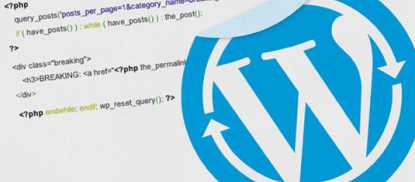
44. Get to grips with shortcodes in WordPress
45. User-friendly custom fields with Meta Boxes
Ryan Taylor explains how to add metadata to a post by creating and adding Meta Boxes and improving the usability of custom fields.
46. Getting WordPress to play nice with responsive images
Frontend designer David Smith explains how to make images on your WordPress site adapt to different devices and screen sizes.
47. What You Need To Know About WordPress 3.5
48. Inserting widgets with shortcodes
49. Using WP_Query In WordPress
50. Add subdomains and add-on domains to your hosting account