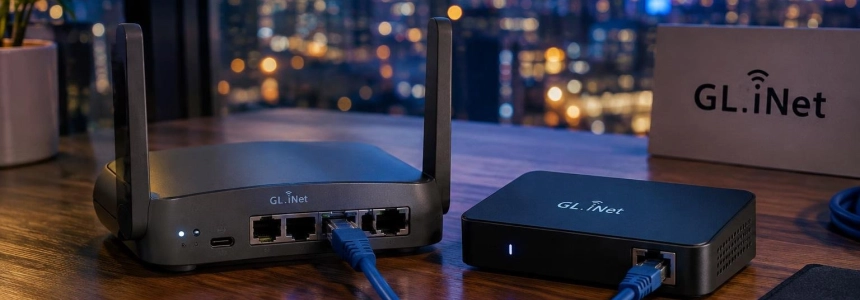
GL.iNet confirmed that an attacker exploited a vulnerability in its cloud remote management services to install malicious software on some routers and KVM devices. The company says it blocked the access vector, but that does not clean devices that are already infected; moreover, computers connected to affected KVMs may also have been exposed.
The issue affects owners of GL.iNet routers and KVMs, particularly those who manage them through GoodCloud. The company has not disclosed how many customers were affected or which models were compromised. GL.iNet recommends checking devices and installing the latest stable security firmware for each model, even if the check finds no signs of infection.
1. Gather evidence before rebooting
If you suspect a device was attacked, do not reboot or update it before checking it. RemoteToHome Consulting warns that some traces of remote access disappear after a reboot; preserving logs and evidence can help establish what happened. If you have already rebooted it, traces that survive a reboot may still remain, but the absence of temporary indicators does not prove that there was never an intrusion.
GL.iNet's official check looks for a process whose details contain exactly crond -i /tmp/.log. The company says that if it appears, you should treat the device as infected. If it does not appear and there is no other reason for suspicion, GL.iNet says you do not need to reset it or perform any other cleanup; it still recommends installing the stable security update.
2. Check the router with the official tool
In the router's administration interface, go to System → Advanced Settings and open LuCI. Then go to Status → Processes. Search for tmp/.log with Ctrl+F; on macOS, use Command+F. Check that the matching process shows the complete indicator, crond -i /tmp/.log.
The official alternative is to connect to the router over SSH and run:
ps | grep tmpLook for the specified process in the output. A line that shows only the grep command itself does not count as a detection. If you cannot complete the check or do not know how to interpret the result, GL.iNet asks you to contact [email protected].
3. Check a KVM from its own terminal
On a GL.iNet KVM, open Toolbox → Terminal → Access in the device's web interface. Run the command in the KVM's terminal, not on the connected computer. For the RMQ1 model:
ps -a | grep tmpFor other KVM models, GL.iNet specifies:
ps -aux | grep tmpIn both cases, look for crond -i /tmp/.log; a match that corresponds only to grep is not a confirmed infection.
4. Interpret the result with caution
GL.iNet's check is an initial screening step, not a guarantee that the device is clean. RemoteToHome Consulting says it did not find this indicator on the routers it examined, including devices with other signs of compromise. It also warns about traces that disappear after rebooting. Therefore, a negative result does not rule out all infections, especially if there is unusual activity or prior reason for suspicion.
BleepingComputer reported backdoor processes and reverse shells with remote access on compromised routers. It also reported concerns from GL.iNet forum members who question whether the official check detects every case. If the check does not finish, the result is uncertain, or the device shows other suspicious behavior, ask support for help before considering it clean.
5. If the indicator appears, contain the threat and recover
If you find crond -i /tmp/.log, GL.iNet recommends treating the device as infected. The company says its KVMs can install a security beta version for their model or be reset to factory settings; a reset erases the configuration and requires setting the device up again. In either case, also install the stable security firmware when it becomes available for that model.
RemoteToHome recommends preserving evidence before resetting or reinstalling firmware and not reloading potentially infected configurations. It warns that malicious files stored in configuration directories may survive a routine update. If there is a well-founded suspicion, do not restore a questionable configuration backup; ask GL.iNet for instructions on the appropriate recovery process.
If the device may have exposed passwords or access keys, change them and revoke any keys that may have been leaked. GL.iNet recommends rotating credentials and access keys that may have been compromised. For a KVM, also check the connected computer: GL.iNet advises looking for unknown programs, browser extensions, or user accounts; unexpected changes to startup items or scheduled tasks; and unusual network activity. Run a full scan with up-to-date security software.
6. Install the firmware specified for your model
GL.iNet scheduled the release of stable security firmware for routers and KVMs for November 22, 2026. The company recommends installing the latest stable version intended for the specific model, even if the inspection does not detect malware. For KVMs, its notice also lists available beta versions: differences between models make it necessary to check the official guide before updating.
| KVM | Beta version specified by GL.iNet |
|---|---|
| RM10, RM1, RM1V2, RM1PE and RM4PE | 1.10.2 beta or later |
| RM10RC | 1.10.2 beta or later |
| RMQ1 | 1.8.6 beta or later |
The versions in the table are from GL.iNet's November 20 notice; for the stable fix, the company's instruction is to use the latest update available for the model. Do not apply a version intended for another device.
Mistakes that can complicate the response
Do not confuse an update with cleanup: GL.iNet says closing the vulnerability prevents new infections through that vector, but does not remove malware that has already been installed. Also, do not interpret the official indicator as an exhaustive test; other signs described by researchers do not necessarily appear as this process.
Avoid rebooting before preserving evidence if you believe there was unauthorized access, and do not blindly restore old configurations after an intrusion. If the check is inconclusive, do not perform cleanup actions you do not understand: contact [email protected]. GL.iNet plans to notify customers it identifies as affected by email, but says you do not need to wait for that message to check your device or install the update.
Sources: BleepingComputer, GL.iNet, Spectrum Delta Research Team, GitHub