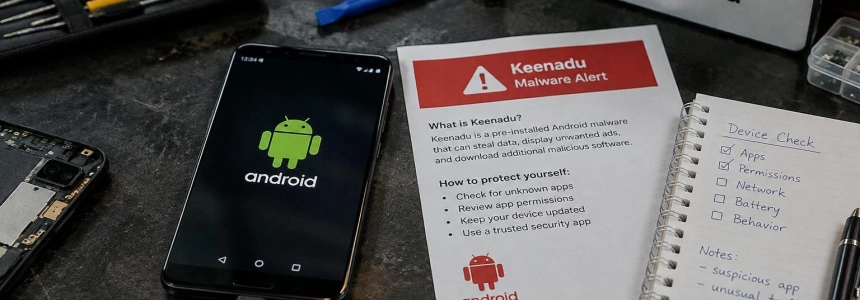
Keenadu, a backdoor that can be embedded in the firmware of an Android device, appeared on more than 220,000 devices during the first ten months of 2026, according to Kaspersky. It mainly affects phones and tablets; other preinstalled malware families have also been found on children's smartwatches and TV boxes.
Who should check their devices
Pay attention if you use a newly purchased Android phone or tablet, especially if a security tool detects Keenadu or Triada. Kaspersky has also observed preinstalled malware on children's smartwatches and TV boxes, although the current advisory focuses on phones and tablets. The campaign can enter through the manufacturing supply chain—for example, through firmware tampered with by a supplier or compromised components.
In the attacks analyzed, Keenadu could remain inactive for around two and a half months after contacting its command-and-control servers. The absence of symptoms, therefore, does not prove that a device is clean.
The threat's capabilities go beyond advertising fraud: Keenadu can download modules and inject them into applications. Kaspersky says that known cases have mainly focused on generating fake clicks. In a corporate environment, potential consequences include account or data theft and the use of a phone as a proxy or as part of a botnet.
Steps to check for and contain the risk
Identify your device and where it came from. Note the manufacturer, model, and place of purchase, and keep the receipt. Check whether the phone, tablet, or TV box is new or has recently received a firmware update. This information can help you explain the case to the seller, manufacturer, or IT team; it does not prove that the device is infected. Kaspersky has documented Keenadu on devices from several manufacturers in previous investigations, but that does not mean a specific model is affected now.
Check alerts with a security tool. For corporate devices, Kaspersky describes detections of Keenadu or Triada using Android protection and recommends combining it with centralized device management. If a security solution flags an infection, record the exact detection name and report it to the administrator. Do not dismiss an alert just because the device is new: detections on devices fresh out of the box have prompted organizations to contact Kaspersky.
If it is a corporate device, notify IT immediately. Depending on the organization's procedures, the administrator can block the device's internet access, lock it, or erase its data. Kaspersky also recommends changing passwords if there is a risk of exposure. Do not continue using the phone to access corporate resources while IT assesses the detection; compromised firmware can affect system apps and apps installed by the user.
Protect the accounts you used on it. If you signed in to messaging, social media, or work services from a device with a detection, change your credentials from another device you consider safe, and follow your organization's instructions for work accounts. The reason is straightforward: the analyzed malware families can steal credentials or compromise applications. Do not reuse an exposed password on other services.
Ask the seller or manufacturer about the firmware. Report the detection, model, and firmware version shown on the device, if you can check it, and ask for instructions from a trusted source. Do not download a firmware image from an unfamiliar website. A previous investigation into Keenadu recommended installing clean firmware from a trusted source and considered replacing the device if that option was not safe or possible; first follow the manufacturer's or service center's guidance.
If you are buying for a business, test units before placing an order. Kaspersky recommends inspecting and testing a sample before purchasing a large batch, and deploying protection on every device that will be used. The initial test is not enough: a dishonest supplier could send clean units for inspection, and the update system can also be attacked. In organizations, mobile device management helps enforce policies and control app installation, but it does not replace detecting malware already present in the firmware.
“Even if the tests come out fine, an unscrupulous supplier may have deliberately sent clean units for inspection.”
— Kaspersky researchers
Mistakes that can leave the problem unresolved
Do not assume the phone is clean after a reset. Keenadu and Triada can reside in the system partition. Kaspersky warns that in such cases, neither antivirus software nor the operating system itself can remove the malware; even reinstalling the firmware may not be enough. Deleting apps or data is not the same as replacing compromised firmware.
Do not confuse management with protection. A policy that prevents the installation of unauthorized apps reduces certain risks, such as installing a malicious APK, but it does not remove a threat that arrived with the firmware. Corporate devices need both management and detection controls, along with a response plan to isolate or block devices that trigger alerts.
Do not wait for symptoms to appear before taking action. The Keenadu variants examined by Kaspersky could delay activation by around two and a half months. If there is a detection, prioritize containment and consultation with IT or a trusted service center, even if the device appears to be working normally.
Do not rely solely on a pre-purchase test. Inspecting samples reduces the risk of buying an infected batch, but does not guarantee that every unit is clean or protect against attacks on the update system later on. For a fleet, monitoring must continue after delivery.
Sources: Help Net Security, Securelist, /, The Record, SecurityWeek