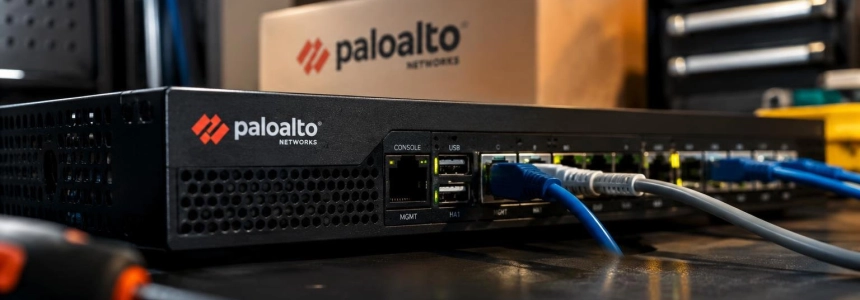
Palo Alto Networks has confirmed attacks against PAN-OS devices whose management interface was accessible from the internet. The observed attack chain combines PHP2Shell, which allows remote code execution, with Fragnesia (CVE-2026-46300), a kernel vulnerability that can elevate privileges to root. PHP2Shell patches block this known attack path; even so, the company also recommends installing the Fragnesia fix.
First, check the management interface on each PAN-OS firewall, including any dataplane interface with a management profile attached. If it can be reached from the internet, Palo Alto Networks urges you to update immediately and restrict access. The fact that a device is a firewall is not enough: exposure of that interface is the factor seen in the observed attacks.
Which devices should be addressed first
Internet-accessible devices are the priority if they can be reached through their management interface or through a dataplane interface with an enabled management profile. Palo Alto Networks says all the exploitation activity it observed targeted devices configured this way. If the interface is restricted to trusted internal IP addresses, the risk is significantly reduced, but the company recommends updating during the next maintenance window.
The Fragnesia vulnerability affects the Linux kernel and allows a local attacker with low privileges to elevate them to root. In the attacks described, PHP2Shell provided the initial remote access, and Fragnesia was used to escalate privileges. Dream Research identified 25 compromised systems: 24 firewalls and one internal firewall management server.
Also check whether the device is already running a build patched for PHP2Shell. Palo Alto Networks says its earlier patches for that vulnerability block the observed path to Fragnesia in PAN-OS. However, applying that fix does not replace the update that fixes CVE-2026-46300.
Steps to reduce risk
Identify PAN-OS devices exposed to the internet. Inventory your firewalls and determine which have a management interface that can be reached from the internet. Include dataplane interfaces with an associated management profile. Any device with public access is a priority; do not assume the configuration is closed without checking.
Restrict public access as soon as possible. Palo Alto Networks recommends allowing management access only from trusted internal IP addresses. SecurityWeek also reports the recommendation to limit access to the management network or route it through a VPN. If the device is exposed, apply this restriction as well as updating it: the patch fixes the vulnerability, while access controls remove the described exposure.
Check the installed build against the official advisory. Find the PAN-OS version on each device and compare it with the fixed build for its branch in PAN-SA-2026-0015. Do not rely on the major version number alone: the fix depends on the branch and build suffix. The advisory also considers versions later than those listed to be fixed.
| PAN-OS branch | First fixed build listed |
|---|---|
| 10.2 | 10.2.7-h41 |
| 11.1 | 11.1.4-h40 |
| 11.2 | 11.2.4-h25 |
| 12.1 | 12.1.4-h15 |
| 12.2 | 12.2.4-h3 |
These are the first fixed builds listed for each branch; the Palo Alto Networks advisory lists other later builds within those branches and notes that all subsequent versions are also fixed. Confirm the exact suffix in the advisory before deciding whether a device is up to date. Do not assume a fix for one branch applies to another.
Install the patch for the applicable branch. If the management interface was accessible from the internet, Palo Alto Networks recommends updating immediately. If it was already restricted to trusted internal IPs, still schedule the update for the next maintenance window. Follow the PAN-OS update process applicable to your devices, then verify that each one is running a fixed build.
Check PHP2Shell status separately. The observed chain also requires the PHP2Shell vulnerabilities CVE-2026-109618 and CVE-2026-109619. Make sure the corresponding fix has been applied to the devices. Palo Alto Networks says running a build fixed for PHP2Shell protects against the known exploitation path, but it still recommends installing the Fragnesia patch.
If there was exposure, review historical logs. ThaiCERT recommends inspecting logs and systems for webshells or other signs of unauthorized access. Prioritize devices that were accessible from the internet and consider how long that configuration was active. If you find signs of compromise, treat them as a potential intrusion, not as a routine update.
Mistakes to avoid
Do not assume the risk is resolved just because an older patch is installed. The PHP2Shell fix blocks the known exploitation path, but Fragnesia has its own fixed build in PAN-OS. Check both conditions: that the initial access path is fixed and that the device has also received the CVE-2026-46300 update.
Do not leave the management interface open while waiting for a maintenance window if you can restrict it sooner. Palo Alto Networks' recommendation is immediate for interfaces accessible from the internet: update and limit access to trusted internal IPs. For interfaces that are already restricted, the update can wait until the next scheduled window.
Also, do not interpret the absence of another known method as a guarantee that every configuration is safe. Palo Alto Networks states that the only known way to exploit Fragnesia in PAN-OS first requires exploiting PHP2Shell through a management interface exposed to the internet, and that it is unaware of any other exploitation method. The practical steps remain to close that exposure and apply both relevant fixes.
Finally, do not check only the main interface: include dataplane interfaces with management profiles and confirm the build on every device, not just a representative one. The advisory lists fixes for PAN-OS 10.2, 11.1, 11.2, 12.1, and 12.2, with different builds for each branch.
Sources: BleepingComputer, Infosecurity Magazine, SecurityWeek, Palo Alto Networks Product Security Assurance, Thailand Computer Emergency Response Team (ThaiCERT) -