Jagex confirmed that an intrusion into its systems may have exposed email addresses, authentication tokens, and encrypted passwords belonging to RuneScape and Old School RuneScape players. The company recommends changing your login password as soon as possible; its initial investigation indicates that no in-game data or payment information was exposed.
The login servers were taken offline on November 28 as a precaution after unauthorized access was detected. Jagex says the situation is contained and both games are back online. Its recommendations apply to all players, not just those who have noticed unusual activity on their accounts.
The company confirmed that email addresses were exposed and said that information about authentication tokens and encrypted passwords may also have been accessed. The tokens have been reset. In its initial assessment, Jagex says no in-game data, payment details, or other sensitive data was exposed.
What to do to regain control of your account
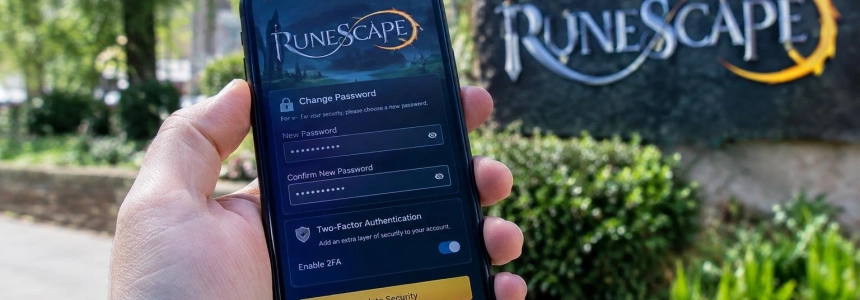
Change your RuneScape password as soon as possible. Go to the RuneScape website and change it there. Don’t use a page you reached through an unexpected message: Jagex recommends handling any sensitive information directly through its own website. Changing your password is advisable even if you haven’t received any alerts or noticed an unrecognized login.
Check where you reused that password. Also change the password for any other account that uses the same or a similar password along with the same email address. Jagex explicitly includes those other accounts in its recommendation. If you use a different password for each service, focus on RuneScape and any accounts that do share credentials.
Complete email verification. Since Jagex reset all authentication tokens, you will need to enter a code sent to your associated email address when you log in again. Make sure you can access that inbox and use the code during the login process. Verification does not mean your previous token is still active: Jagex has invalidated them.
Set up authentication again. After logging in and verifying your identity, visit the RuneScape website to set up your authenticator again. Jagex says this step is necessary after the tokens were reset. Don’t assume your previous setup is still in place just because you still have the authentication app installed.
Be wary of messages about the breach. Jagex warns of possible impersonation attempts and advises handling sensitive information through its website. If an email or message asks for your password or directs you to a login page, don’t enter your details through that link. Open the RuneScape website yourself and take care of things there.
Contact support if the process fails. Jagex has enabled a dedicated contact option on its support site for problems logging in, changing your password, or updating your authenticator. Use it if you can’t complete any of these steps, rather than sharing credentials with someone who contacts you through another channel.
«Stay alert!»
— Jagex
Mistakes to avoid
Don’t wait until you notice a problem before changing your password. Jagex recommends that all players update their credentials as soon as possible.
Don’t reuse your changed password on other services associated with the same email address. Jagex says to also change identical or similar passwords on those accounts. Updating RuneScape but leaving those other combinations unchanged would leave part of the recommended action incomplete.
Don’t confuse the email code with the authenticator. The code you receive when logging in verifies access after the tokens have been reset; you must then set up authentication again through the website. If login or the update doesn’t work, Jagex’s recommended channel is its support contact option for this incident.
Jagex’s investigation is ongoing. For now, the company says the incident is contained, the login servers are available, and its initial findings do not indicate that in-game or payment information was exposed.
Sources: Eurogamer.net, PCGamesN, Gamereactor