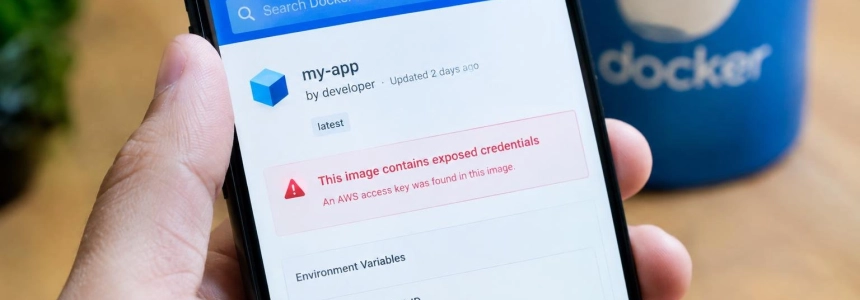
An AWS key embedded in a decoy Docker Hub image received its first call 7.86 seconds after publication. In an experiment by two researchers from Stony Brook University, all 100 planted AWS keys were used within 15 minutes; the test balances associated with OpenAI and Anthropic keys were also exhausted.
The risk affects anyone who has published container images to a public registry and included API keys, cloud credentials, SSH keys, or database passwords in them. Exposure can persist in a layer even if the file no longer appears in the current version. The research observed that scanners typically read layers or query the registry API without running the container.
1. Find public images that may have exposed secrets
Inventory the images your team published to Docker Hub and other public registries. Include older and updated versions: the experiment covered eight registries and detected AWS activity mostly on Docker Hub, although abuse was also recorded on Harbor.
For each image, identify who published it and what credentials may have been available during its build. Review the configuration and environment files that were included, as well as build arguments that may have contained sensitive values. Protect.Computer’s guide also recommends checking the image layers; don’t limit your inspection to the filesystem of the version running today.
2. Treat any secret you find as exposed
If you find a key or password in an image that reached a public registry, assume it may have been extracted. The time observed on Docker Hub was less than eight seconds for the first call to an AWS key, and the median was 51.19 seconds. No one needs to run the image for its credentials to be accessible to a scanner.
Identify which account or service controls each secret and who can authorize its replacement. Record the affected resource and coordinate revocation and the issuance of new credentials with the responsible team. BleepingComputer warns that revoking leaked keys can require work and coordination; it’s therefore a good idea to first compile a list of secrets and their dependencies, without delaying the revocation of any credential that remains active and exposed.
3. Revoke and reissue the credentials
Invalidate the compromised credentials with the service that issued them and replace them. Deleting the file, variable, or image is not enough: that change does not revoke a key that has already been copied. The research found that AWS keys received calls to check whether they worked, query resources, and, in some cases, consume them. OpenAI and Anthropic keys were used to exhaust the test accounts’ balances.
Update the services that depended on the replaced credential so they use the new one. Verify that the old credential no longer grants access and that the required applications work with its replacement. Don’t reuse the leaked key or copy it into another image; the goal is to retire the exposed credential, not just hide where it was.
4. Review account activity
Check the access and usage logs for the services associated with each secret. Look for calls you don’t recognize and activity around the time the image was published. Protect.Computer recommends checking for unknown source addresses around that time; the research counted more than 140,000 calls to the AWS API from 5,000 unique IP addresses.
Also check API account usage and the operations performed with the credentials. If you find unauthorized use, preserve the available data and follow your organization’s and the affected provider’s incident response procedures. The experiment does not identify real victims, so its figures describe the decoy images, not the impact on any particular company.
5. Remove the exposed image and fix the publishing process
After invalidating the secrets, delete or replace the affected public images and fix the process that generated them so it won’t include credentials again. Checking only the latest artifact does not solve the problem if other public versions retained the secret in their layers.
Check the images you publish after making the change. The researchers recommended that Docker Hub scan images for secrets before making them public and notify the people who publish them; they also proposed limiting or restricting access to the public stream of newly published or updated images. The researchers proposed these measures for Docker Hub.
“The scanners interacting with our images overwhelmingly do so through static analysis, e.g., unpacking image layers or querying the registry API to extract filesystem contents, without ever instantiating the container,”
— the researchers
Mistakes to avoid
Deleting the image and considering the incident closed leaves active a credential that may have been copied before removal. Revoke it and issue a new one; then delete or replace the exposed artifacts.
Checking only the running image can miss secrets retained in earlier layers. Inspect public images and their layers, including older versions your team has published.
Waiting to see a container running also creates a false sense of security. The experiment’s monitoring rarely detected anyone starting the decoy images; the researchers concluded that scanners extracted credentials through static analysis or registry queries.
Assuming all keys will be used the same way can obscure different impacts. In the test, AWS calls checked keys and queried resources, while OpenAI and Anthropic keys exhausted test balances. Review the service and activity for each credential, not just the registry where the image appeared.
The researchers reported their findings to Docker in May; according to BleepingComputer, they received an acknowledgment and no further response. A small-scale test conducted in August found no changes to the platform’s defenses.
Sources: BleepingComputer, ACM SIGSAC, ACM SIGSAC, ATLABYTE, Protect.Computer — Simple Security for Everyone