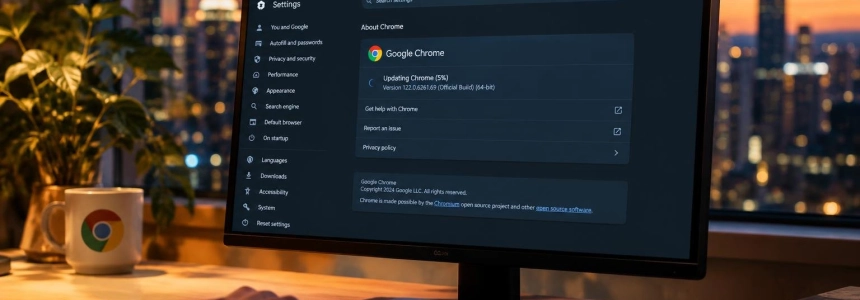
Google has released an emergency update for Chrome desktop that fixes CVE-2026-125350, a flaw in the XML component that was already being exploited in attacks before a patch was available. The vulnerability affects Windows, macOS, and Linux; if you use Chrome on one of these systems, check your version and update as soon as possible.
Who should check Chrome
The alert concerns the stable channel of Chrome for desktop. The Canadian Centre for Cyber Security identifies versions earlier than 157.0.8103.50/.51 on Windows and Mac, and earlier than 157.0.8103.50 on Linux, as vulnerable. According to the alert, Google confirmed that CVE-2026-125350 was being exploited.
The subsequent update described by Malwarebytes brings Chrome to 157.0.8103.78/.79 on Windows and Mac and 157.0.8103.78 on Linux. The rollout may take several days or weeks to reach everyone, so don’t assume that the browser has already updated automatically.
The flaw is a use-after-free: the browser attempts to use a memory area after it has been freed. Google classified it as high severity and has restricted some technical details while the fix is being rolled out. No details have been released about the attacks detected.
How to check and update
Open Chrome’s information screen. In the browser, go to “About Google Chrome” from the Settings menu or the Help menu. Malwarebytes says Chrome checks for available updates there.
Let the check finish. If Chrome finds an update, allow it to download. The version number may vary by operating system: Malwarebytes’ report cites 157.0.8103.78/.79 for Windows and Mac, and 157.0.8103.78 for Linux.
Restart Chrome if prompted. Click “Relaunch”—or the equivalent option shown by your browser—to apply the update. Malwarebytes notes that a restart may be required to complete the process.
Check the installed version again. Return to “About Google Chrome” and confirm that the browser shows the updated version. For this fix, the versions listed by Malwarebytes are 157.0.8103.78/.79 on Windows and Mac, and 157.0.8103.78 on Linux.
If the update doesn’t appear, try again later. Google is rolling out the patch in stages. Close and reopen Chrome, then check “About Google Chrome” again; don’t assume that being on the stable channel means you’ve already received the fix.
If you manage multiple devices, check each one. The Canadian Centre for Cyber Security alert applies to stable Chrome for desktop and recommends that users and administrators install available updates. Check Windows, Mac, and Linux separately.
Mistakes to avoid
Don’t postpone the restart if Chrome requests one after downloading the update. The download alone doesn’t confirm that the browser has applied the patch; complete the restart and check the resulting version.
Don’t confuse automatic installation with an immediate update. Chrome may update automatically when restarted, but the rollout takes time, and Malwarebytes warns that keeping the browser open or an interfering extension may delay the update. If you need to check now, look for the update manually.
Don’t use the wrong version threshold. The Canadian alert cites versions earlier than 157.0.8103.50/.51 for Windows and Mac, and earlier than 157.0.8103.50 for Linux, as affected. Malwarebytes, meanwhile, lists .78/.79 and .78 as the versions in the subsequent update. Check your operating system and the version shown in Chrome, not just the first numbers.
Don’t interpret the type of flaw as proof of an intrusion. “Use-after-free” describes a memory-management error; Google confirmed active exploitation but did not publish details that would make it possible to determine whether a specific device was attacked. The practical step is to install the fix, not to conclude that the browser has already been compromised.
Don’t wait for more technical details. Google is restricting some information about CVE-2026-125350 while the patch is being rolled out. If Chrome doesn’t show the update yet, check again later and restart when it becomes available.
Sources: Computer Hoy, Malwarebytes, Chrome Releases, Canadian Centre for Cyber Security