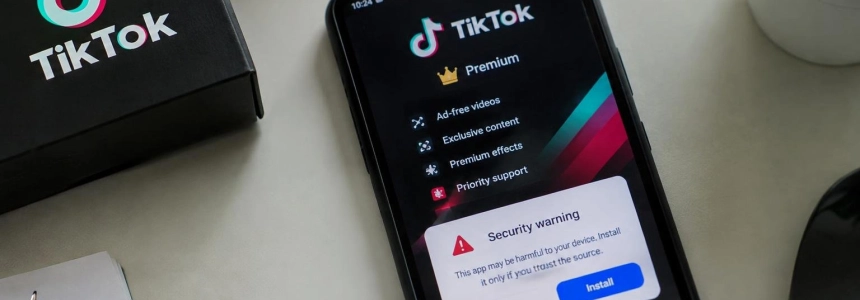
ThreatFabric discovered Bazuka, an Android malware that can record what you type, intercept SMS messages and verification codes, and display a screenshot of your home or lock screen while it operates in the background. One of the identified lures is a fake premium version of TikTok: the initial app can download other malicious components.
Who should check their phone
The risk described affects people who installed that fake app or a related installer, not everyone who uses TikTok. ThreatFabric identified a dropper with the package name com.tiktok.premium; one variant downloads another app, com.tiktok.premium.pro, which acts as an intermediate stage. The other variant downloads the main payload directly.
Look for those names if your Android device lets you view the package name in the app information. If it does not appear, check the list of installed apps and pay attention to any supposed premium or adult version of TikTok that you do not remember installing. The legitimate TikTok app is not the lure described: a similar name alone is not enough to conclude that an app is Bazuka.
The observed installer asked for permission to install apps from external sources before downloading components. That permission alone does not prove an infection; it is more relevant if you granted it to an app you do not recognize or one that promised a premium version of TikTok.
What to do if you find a suspicious app
Check the installed apps in your phone settings without opening the suspicious app. Review any you do not recognize and, in particular, look for
com.tiktok.premiumandcom.tiktok.premium.proif you can check package names. Note the visible name and any unusual permissions before taking action, in case you need to describe it to your device support team or bank.Review Accessibility access in your system settings. ThreatFabric says Bazuka abuses these services to automate actions and obtain permissions. If an unfamiliar app has this access, disable it. Do not grant the permission again just because the app displays instructions or a screen that looks legitimate.
Try to uninstall the app from the system app list if you do not recognize it. Bazuka includes a module called
uninstall_shieldto make uninstalling or force-stopping more difficult; therefore, if it does not work the first time, that does not rule out a problem. Do not follow the app's own instructions to re-enable permissions or install components.Run Google Play Protect and check that it is still enabled. Wccftech notes that it also scans apps installed outside the Play Store. A scan with no detections does not by itself confirm that the phone is clean: Bazuka can hide actions behind an image of the home or lock screen.
Secure linked accounts if you entered passwords or codes on the phone after installing the app. Do this from another device you consider safe: change the affected passwords and contact your bank if you used a banking app there or entered payment details. Bazuka can capture text, SMS messages, and one-time codes; it can also record unlock credentials.
Monitor transactions and messages from your financial services and accounts. Its ability to intercept SMS messages and replace cryptocurrency addresses copied to the clipboard makes it especially important to verify that unsolicited codes and transactions match what you did. If you see a transaction you do not recognize, contact the relevant institution.
Avoid installing suspicious APKs while you investigate. ThreatFabric describes droppers distributed through lures and fake websites; the identified app imitated a premium version of TikTok. Do not download it again from the link that led you to install it, even if the page or name seems familiar.
What a normal-looking screen can hide
Bazuka can capture the phone's own home or lock screen and place that image over activity it carries out in the background. So, seeing a familiar screen on the device is not a reliable sign that everything is fine. The malware can also record typed text and display phishing overlays when it detects the right moment.
Its structure includes a core component and 23 modules. The capabilities described include controlling the device, accessing files and contacts, intercepting SMS messages, capturing unlock credentials, and accessing the camera or microphone. ThreatFabric also found functions for control through Android Debug Bridge and for enabling Wireless Debugging; you do not need to try to reproduce those settings to check your phone.
Mistakes to avoid
Do not mistake a name for proof: package names can help guide your search, but a resemblance to TikTok alone does not prove that an app is malicious. Conversely, a screen that imitates the home screen does not prove that the phone is free of hidden activity.
Do not grant Accessibility permissions or authorization to install other apps to a lure you do not recognize. Also, do not assume an app is safe just because Play Protect has not shown an alert: the tool scans apps, but a clean scan is not confirmation that there is no infection.
Finally, do not assume that Bazuka was distributed through Google Play. Wccftech said ThreatFabric had found no evidence that the malware was distributed there during its investigation. The documented lure was a fake premium TikTok app; even if you do not remember installing one, check any apps and permissions you do not recognize.
Sources: The Hacker News, Wccftech