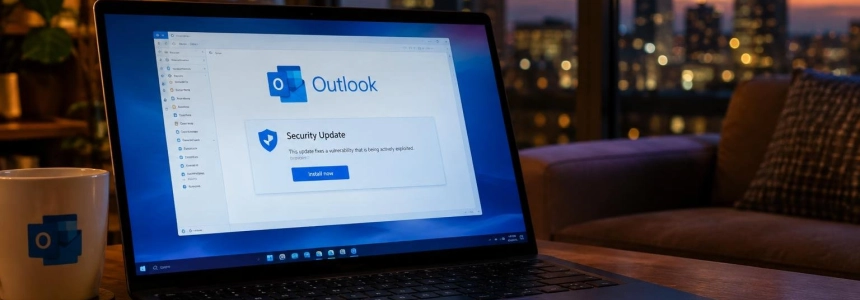
Microsoft’s November security update fixes CVE-2026-124194, an Outlook spoofing vulnerability being exploited to steal NTLM authentication hashes. The published figures for the total number of flaws fixed do not match: TecnoAndroid reports 1,094 and BleepingComputer reports 1,235; both identify the Outlook flaw as actively exploited.
The specific risk arises when someone sends a message file crafted to make Outlook connect to a network location controlled by the attacker. That connection can reveal authentication information, including the NTLMv2 hash, which could be used to impersonate the user. The update also fixes flaws in other components: BleepingComputer counts 1,235 vulnerabilities in its tally, while TecnoAndroid counts 1,094.
Check whether your computer needs attention
The vulnerability is especially relevant to people using Microsoft Outlook in a vulnerable version who may receive malicious message files. According to Microsoft, the attack is not triggered simply by receiving the file: the person must open it, and network connectivity must be available. The usual warning about external content would not appear in this case.
The overall Patch Tuesday counts differ between the two publications. You should not infer from the total whether your computer has the fix: check the updates installed in Windows and apply any that are pending.
| Detail | TecnoAndroid | BleepingComputer |
|---|---|---|
| Flaws fixed in November | 1,094 | 1,235 |
| Exploited Outlook vulnerability | CVE-2026-124194 | CVE-2026-124194 |
| Type of Outlook flaw | Spoofing | Spoofing |
What to do, step by step
Identify your version of Windows. Press the Windows and R keys, type
winver, and confirm. The window shows the version of Windows installed. Make a note of it if you need to contact support or check which update applies to your system.Open Windows Update from the Settings app and check for updates. Install the security updates available for your computer. The report refers to Microsoft’s November package; it does not provide a build number that would let you verify the patch using a specific version alone.
Restart if Windows asks you to. Then return to Windows Update and check whether any updates are still pending. Do not consider the process complete while the system itself is still offering a security update that has not been installed.
Update Outlook too using the update mechanism for your Office installation. The flaw is in Outlook; confirm that the update process has finished before opening any message files you were not expecting to receive.
Handle email attachments with caution, especially message files you did not request. If you do not recognize the sender or were not expecting the file, do not open it; verify that it was sent through a trusted channel before interacting with it.
If you have already opened a suspicious file, do not open it again, and notify your organization’s support or security team. The risk described is that the connection may reveal authentication information; the reports do not detail a response procedure that would ensure specific actions can reverse a possible exposure.
Mistakes that can leave you exposed
Receiving the file is not the same as opening it, but that does not make the attachment safe. The attack described requires interaction: Outlook may try to connect to a network location controlled by the attacker when the crafted file is opened.
Do not assume Outlook will always show the usual external-content warning. With this vulnerability, the connection may occur without that warning. If the file is unexpected, do not open it to see what it contains.
Also, do not use the total number of flaws as proof that your computer is protected, or confuse the two published counts. What you can check directly is whether Windows Update offers pending updates and whether you have installed them.
Finally, do not treat the update as something that concerns only people who use corporate email: the vulnerability affects Outlook and can expose the user’s authentication information. The step Microsoft describes as necessary for the attack is opening the malicious file; the November patch is the immediate measure to apply.
Sources: TecnoAndroid, BleepingComputer