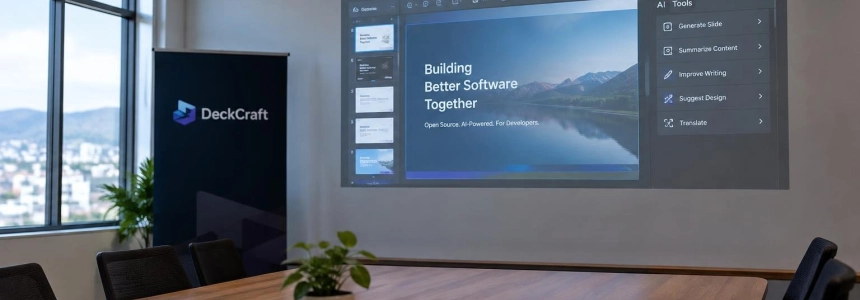
DeckCraft opens and saves .pptx files and adds design and AI automation tools in a free, open-source application. The offering is part of ArtCraft, a suite created by the ArtCraft team, and combines a slide-editing interface with commands that can be controlled by external assistants.
- Developer: ArtCraft team
- Platforms: Windows, macOS, Linux, FreeBSD, and web
- Price: free
DeckCraft is not an alternative that automatically generates presentations from a prompt. It does not include its own AI: instead, it exposes its actions through an MCP server, a JSON control interface, and a CLI. XDA explains that an assistant such as Claude or a local model can open a presentation and perform actions equivalent to those a person would carry out in the interface.
An alternative that works with PowerPoint files
Compatibility with Microsoft formats is one of the most concrete aspects of the offering. DeckCraft natively opens and saves .pptx files and imports older .ppt presentations; these are saved under a new name rather than overwriting the original. XDA notes that the team recreated PowerPoint's functionality without using Microsoft's code or resources.
The application includes slide masters and eleven layouts, whose text boxes can inherit changes to fonts or spacing. It also offers eight themes and lets users organize their work into sections and add speaker notes, according to Layer3Labs. For presentations, there is a presenter view, timers, and rehearsal timings; XDA adds that it includes the Morph transition.
Export options are not limited to PDF. XDA mentions pages with notes, handouts, PNG or JPEG images, and animated GIFs. Layer3Labs describes the PDF output as vector-based and confirms image and handout exports. These options are useful for sharing the result, although they do not guarantee that every element of a complex presentation will retain its appearance when moved from one application to another.
More manual control than ready-made templates
In terms of design, XDA finds a clear difference compared with Canva: DeckCraft does not have a template library with finished layouts. Its starter presentations are basic canvases with colors and sample text, not complete designs with bands, images, and graphic treatments. For someone who wants to start from an almost blank slide, this may matter less; for someone who relies on templates, it is an obvious limitation.
The trade-off is greater control over elements. The application offers more than 150 preset shapes with adjustment controls, connectors that stay attached to shapes, and operations for combining shapes, such as union and intersection. XDA also highlights gradients, patterns, shadows, and reflections, as well as decorative text with six styles and options for charts, tables, and diagrams.
Layer3Labs expands on the animation options: in addition to Morph, it lists entrances, emphasis, exits, and motion paths, with paragraph-level animation. Its guide also describes pen drawing tools in presenter view. XDA, meanwhile, considers the manual editing deep enough to compete with Canva's design options, though not its template catalog.
AI depends on external tools
Integration requires more setup than simply pressing a button. You have to start the MCP server from the terminal before an assistant can control DeckCraft; XDA says the command is in the GitHub README. You can also restrict accessible directories so the agent cannot browse other folders on the computer.
Layer3Labs puts the number of available automation commands at more than 200 and mentions a standalone command-line tool, deckcraft-cli. The guide proposes using the CLI, JSON channel, or MCP to build presentations from data. This is not a built-in generation feature: the cost of using AI depends on the connected service, while a local model might add no usage cost, according to XDA.
This approach contrasts with Claude Design, which generates presentations from prompts, as XDA describes. DeckCraft works directly with .pptx, while Claude Design produces presentations in HTML and converts them on export. The flexibility to connect models is an advantage for those who already work with agents; the reliance on the terminal means it is not an equally simple experience for everyone.
Compatibility remains the main caveat
XDA places the product in alpha and reports that its developers consider it approximately 55% ready to replace PowerPoint for real-world work. The analysis itself advises keeping important copies elsewhere. Layer3Labs identifies DeckCraft as version 0.5.0 and also describes it as “In development.”
The guide recommends caution with presentations that rely on SmartArt, embedded audio or video, and complex charts. It also points out that there is no published list of unsupported .pptx features or enough detail to consider that kind of content fully supported. As a result, it recommends testing your own presentations first and checking fonts, positions, connectors, and animations after opening and saving them.
Layer3Labs also notes that the product page does not identify an open-source license, so it advises checking the repository's license text before redistributing or integrating the code. This does not change the fact that the application is presented as free and open source, but it does leave a practical question for those who want to reuse the software beyond installing it.
Agreement on potential, caution about replacement
Both reviews agree that DeckCraft already brings together editing, .pptx compatibility, and automation in an alternative with no subscription. XDA focuses on manual design and the ability of an agent to control the application; Layer3Labs details its automation interfaces and installation options. Neither presents compatibility as a sufficient reason to abandon PowerPoint without testing.
The difference lies in their emphasis: XDA sees a particularly appealing tool for people who create slides from scratch and are comfortable with the terminal; Layer3Labs highlights compatibility limits and the lack of information about advanced features. For teams with critical presentations, the latter recommends keeping PowerPoint during a pilot. For those who prioritize graphic control and automation, DeckCraft already offers plenty to experiment with, with the caveat that it is still in development.
Sources: XDA, Layer3Labs