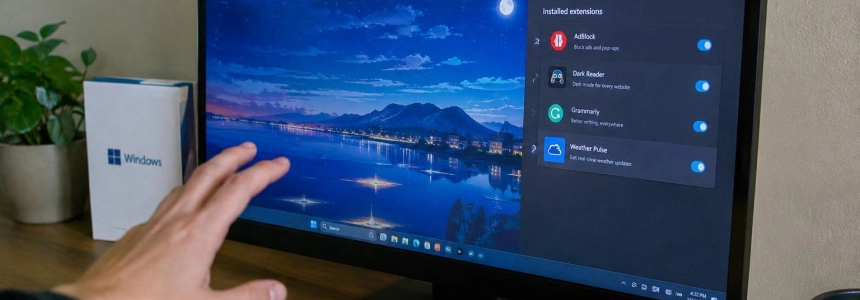
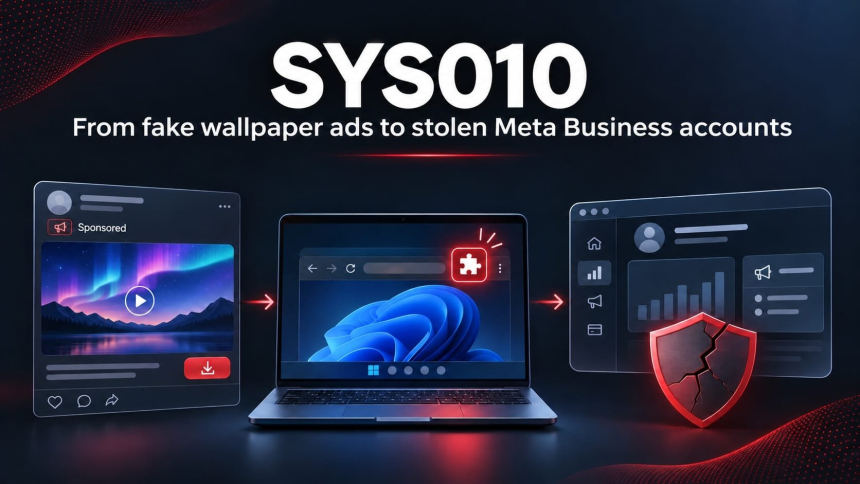
An animated wallpaper app can install and work as promised while running SYS010 in the background. Bitdefender identified the campaign’s first malicious ad on October 16, 2026: the ads impersonate apps such as Wallpaper Engine and Lively Wallpapers and lead to downloads that may end up installing extensions capable of stealing cookies and Meta account data and, in Chrome, reading or deleting recent Gmail and Outlook emails. The wallpaper may look legitimate.
Who may be affected and what signs to look for
The campaign targets Windows users who download animated wallpapers from ads and sites that imitate official pages. Bitdefender observed activity in different regions; its analysis indicates that the ads were not limited to one country. The risk is especially relevant to small businesses and creators who use Meta pages, professional accounts, or advertising tools, because the extension can collect data from these resources, including information about spending and payments.
The fact that the wallpaper works is not enough to rule out an infection: the lure really does provide the advertised feature. A clearer sign is Windows repeatedly displaying User Account Control prompts to grant administrator permissions. Bitdefender describes attempts to keep prompting users up to 99 times; do not accept repeated requests if you do not understand why the program needs them.
It is also worth checking if a personal browser says it is managed by an organization when that is not expected. SYS010 abuses management features to force extensions onto Chrome, Edge, or Firefox and make them harder to remove. In Chrome, the extension can read recent Gmail and Outlook messages and permanently delete some of them; security alerts that disappear or recovery emails you can no longer find are reasons to investigate, although they do not by themselves prove an infection.
What to do if you may have installed it
Stop the administrator requests. If the wallpaper program asks for permissions again without a clear reason, cancel the request, as Bitdefender recommends. Do not keep accepting prompts just to get the app to work. If the computer belongs to your company, consult its IT team before changing management settings.
Use another trusted device. If you suspect the computer is compromised, do not rely on that browser to protect your accounts. From a different, trusted device, review active sessions and email recovery options, as Cyber Security News advises. If you find unfamiliar activity, make sure to secure your mailbox too: it may receive codes and messages used to recover other accounts.
Check your email and its alerts. Review recent Gmail or Outlook messages and look for security alerts, sign-ins, or changes you do not recognize. The Chrome extension described by Bitdefender can read recent messages and delete ones selected by the attackers; Cyber Security News’s analysis adds that it can retrieve up to 50 messages at a time, including messages in spam. If alerts you expected to receive are missing, do not simply assume they are delayed.
Inspect your Meta resources. If you use pages, Business Managers, or advertising accounts, look for unfamiliar users or partners, ads you did not create, unexpected spending, and changes to payment methods. SYS010 may exploit an already-open Facebook session to obtain data from the advertising accounts, pages, and Business Managers accessible to the user, including spending and payment details.
Confirm whether the browser should be managed. If a management notice appears on a personal computer and you do not know who configured it, investigate. On a work computer, first confirm with IT that the management is not legitimate; Cyber Security News recommends not changing it without consulting them. SYS010 can use management mechanisms to install extensions, so an apparently normal list of extensions is not enough to rule out the problem.
Avoid returning to the suspicious download. Do not use the ad or the site it took you to to reinstall the wallpaper or look for an update. Bitdefender recommends getting these types of programs directly from the provider or from a trusted store, and avoiding software downloads promoted through social media ads.
Mistakes that can leave your account exposed
Do not confuse functionality with security. The animated wallpaper may display correctly while other components run in the background. The app’s normal appearance does not rule out SYS010, and deleting only the visible program does not confirm that the extensions or browser settings it imposed have disappeared.
Do not grant permissions out of frustration. The campaign may keep displaying administrator prompts when they are rejected. Accepting one may allow the malware to configure the browser; cancel repeated requests and seek help from IT if the computer is managed.
Do not check Facebook alone. A compromised email account can expose recovery messages and alerts, as well as allow some of them to be deleted. Check both your Meta accounts and the associated mailbox and its recovery options from a trusted device.
For future downloads, Bitdefender’s recommendation is clear: avoid social media ads as an installation source and go directly to the provider or a trusted store. If the computer shows unexpected management or the accounts have unfamiliar activity, confirm the situation with the IT contact when appropriate.
Sources: Computer Hoy, Bitdefender Labs, Cyber Security News