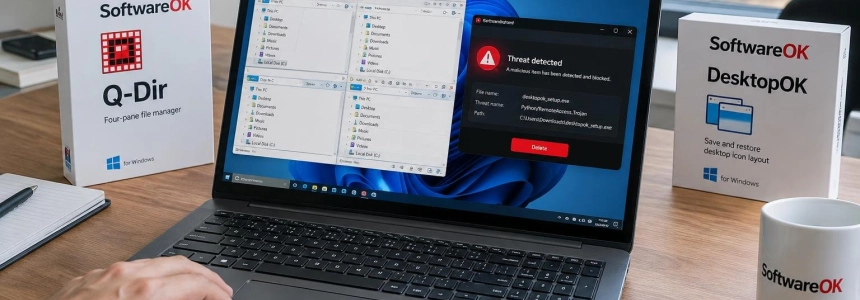
The Q-Dir and DesktopOK installers distributed from the official SoftwareOK website were tampered with to download a Python remote access trojan. AhnLab found that the attack could also affect updates to legitimate installations; if you recently installed or updated either program, treat your computer as potentially compromised.
The malware can execute commands and Python code, transfer files, and capture screenshots. It also collects information about the system and active security products, and creates a scheduled task to persist on the computer.
Who should check their computer?
Check your computer if you recently downloaded Q-Dir or DesktopOK from SoftwareOK, or installed an update. AhnLab received user complaints dating back two weeks before it published its findings, but could not determine how long the tampered installers had been available.
The versions identified are 12.83.0.0, 12.84.0.0, and 12.85.0.0 of Q-Dir, and 12.82.0.0 and 12.85.0.0 of DesktopOK. Not all downloads of those versions were infected: AhnLab published SHA-256 hashes to distinguish legitimate files from tampered ones. Therefore, the version number alone does not confirm an infection.
| Program | Versions identified |
|---|---|
| Q-Dir | 12.83.0.0, 12.84.0.0, and 12.85.0.0 |
| DesktopOK | 12.82.0.0 and 12.85.0.0 |
The installer could open the legitimate application while downloading and running the RAT in the background. According to The Hacker News, the chain used a legitimate 7-Zip tool to extract the malicious package, which included a Python environment. The scheduled task disguised itself as Microsoft Edge and ran the script py_client_dsv2.py.
“Users who are currently using Q-Dir or DesktopOK, or who have recently installed or updated these programs, should verify the hash values of the downloaded files and check their systems for any traces of RAT installation or execution”
— AhnLab, quoted by The Hacker News
Steps to check and respond
Identify what you installed and when. Check whether you have Q-Dir or DesktopOK, and recall whether you recently installed or updated either program. Note the program name and the version shown by the application or installer, if you can check it. If it matches one of the versions in the table, that’s a reason to check the file and your computer, but it does not by itself prove that the download was tampered with.
Locate the downloaded installer. Find the file you used to install or update the program. If you no longer have it, you won’t be able to compare that specific file; don’t download the same installer again just to check it. ASEC recommends comparing the SHA-256 of the file you received with the value published on SoftwareOK’s official download page.
Calculate the file’s SHA-256. In Windows, you can get it with PowerShell. Replace the example path with the actual location and name of the installer:
Get-FileHash "C:\ruta\instalador.exe" -Algorithm SHA256Compare the resulting value with the corresponding hash published by SoftwareOK. If they don’t match, don’t run the file; delete it. A match lets you verify that installer against the published value, but AhnLab recommends checking the system as well if you have already run the program or updated it.
Update your antivirus and scan your computer. The Hacker News reports AhnLab’s recommendation to update the antivirus engine and perform a full scan. Don’t just scan the installer: the RAT may have been installed separately and could still be active even if you delete or reinstall Q-Dir or DesktopOK.
Check scheduled tasks and Python. AhnLab recommends looking for suspicious scheduled tasks, Python runtimes, and files related to the infection. The task described by The Hacker News disguised itself as Microsoft Edge and launched
py_client_dsv2.py. If you find items you don’t recognize, don’t delete them blindly: note their names and ask your security team or an experienced support professional for help.Check for signs of external activity. ASEC advises looking for traces of external network communication related to the RAT, in addition to suspicious tasks and files. The malware may communicate with a command-and-control server to receive instructions.
Reinstall only after checking. If the installer doesn’t match the official hash, delete it. Seoul Economic Daily reports the recommendation to remove the existing program and reinstall the latest version if the hash doesn’t match. But do this as part of your response, not as the only solution: reinstalling does not ensure that the RAT is removed.
Mistakes that can leave the RAT behind
Relying only on the program’s name isn’t enough: the legitimate application could open normally while the installer downloaded the malware in the background. Seeing an affected version in the list isn’t enough either, because AhnLab warns that not all copies of those versions were infected.
Uninstalling and reinstalling without scanning may leave components that are independent of the application. ASEC says that removing Q-Dir or DesktopOK does not guarantee that the RAT will be removed; you must also check for suspicious scheduled tasks, files, and Python environments, and run a full scan.
Finally, don’t interpret the hash as a check of your entire computer: it is used to compare a specific file with the published value. If you have already run a tampered installer, checking the system is still necessary.
Sources: BleepingComputer, The Hacker News, Seoul Economic Daily