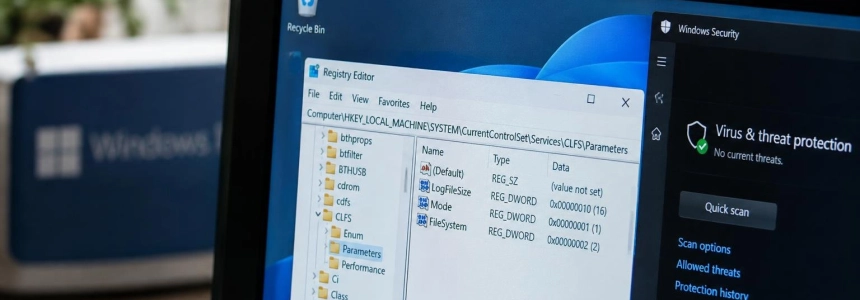
The public SignDrop exploit targets CLFS, the Windows logging system, and can elevate a local user’s privileges to SYSTEM, according to its author, security researcher Abdelhamid Naceri, known as Nightmare Eclipse. It has been tested on Windows 11 26H2 and experimental versions of Windows 11 and Windows Server 2025; Naceri estimates that it affects 80% of installations, an estimate Cyderes describes as unsupported. No fix was included in the November updates, according to The Hacker News.
SignDrop manipulates the creation of the .cnpf sidecar file when a privileged process opens a prepared log. In the published chain, Microsoft Defender is forced to perform this operation with SYSTEM permissions. SecurityWeek attributes to Microsoft the statement that Defender detects and blocks the exploit and that no real-world attacks have been observed; The Hacker News notes that no attacks using the exploit had been reported.
“Everything is done properly by Microsoft here but the logic allows abuse”
— Abdelhamid Naceri, security researcher
1. Check the CLFS authentication mode
The most direct check is to read the Mode value in the Registry. The Hacker News places the key at HKLM\SYSTEM\CurrentControlSet\Services\CLFS\Authentication: values 0 and 1 are within the scope described by the researcher. You can check it from a Windows console with:
reg query "HKLM\SYSTEM\CurrentControlSet\Services\CLFS\Authentication" /v ModeIf the result shows 0x0 or 0x1, treat the computer as potentially affected by SignDrop. According to The Hacker News, 0 corresponds to enforcement mode and 1 to learning mode. BleepingComputer also identifies both values as vulnerable.
A value of 2 or 3 means the mitigation is disabled and is outside the scope claimed for this exploit. That does not make the computer a safe option: disabling it allows CLFS to process tampered logs and re-exposes memory corruption flaws that the protection was designed to prevent. Do not change the value to try to neutralize SignDrop.
2. Keep Defender enabled
The proof-of-concept chain published by Naceri uses Defender’s antimalware process as the privileged process that opens the log. The Hacker News says that Defender must be enabled for that specific chain to work. SecurityWeek also reports a statement from Microsoft: Defender detects and blocks the exploit and generates alerts for the privilege escalation behavior.
Do not disable Defender or its tamper protection to try to avoid the vulnerability. According to BleepingComputer, the researcher claims the approach could affect the self-protection mechanisms of other antimalware engines, although The Hacker News cautions that this broader claim has not been tested. Keeping protection enabled is preferable to removing a defense without an alternative recommended by Microsoft.
3. Don’t run the PoC to check
BleepingComputer reports Naceri’s recommendation to run the proof of concept (PoC) to find out whether a device is vulnerable. But there is no need to run privilege escalation code on a work computer to check the mode: read the Registry value first and avoid running the published exploit as a routine diagnostic method.
The Hacker News reports that an independent test found that the exploit works, although not reliably enough for operational use. It also warns of visible effects: execution changes the UAC prompts for opening a standard console and a SYSTEM console, and prevents other actions. This is not a harmless test or a check to improvise on a production computer.
4. Watch for Microsoft updates
The Hacker News says the November security updates did not include a CVE, an advisory, or a patch for SignDrop. SecurityWeek, on the other hand, published a statement from Microsoft saying that the company was investigating the vulnerability and would take steps to update the affected products. Install official fixes when Microsoft releases them, and check its security advisories to confirm which update addresses the issue.
Until then, apply regular Windows and Defender updates, but do not assume that a general update already fixes SignDrop: check that Microsoft’s advisory says so explicitly. The existence of a public PoC does not mean that attacks have been confirmed; SecurityWeek and The Hacker News report that no real-world attacks using this exploit had been observed or reported.
Mistakes that can make the situation worse
Do not set Mode to 2 or 3 to move outside the described scope: you would disable CLFS authentication and reopen the class of risks that this mitigation is intended to prevent. Also, do not confuse “outside SignDrop’s scope” with “protected.”
Do not disable Defender, do not run the PoC on production systems, and do not treat the 80% figure as a confirmed measurement: it is Naceri’s estimate, which Cyderes considers unsupported. To prioritize a review, check Mode; to fix the issue, wait for an official Microsoft update and verify what it covers.
Sources: BleepingComputer, SecurityWeek, The Hacker News, Cyderes