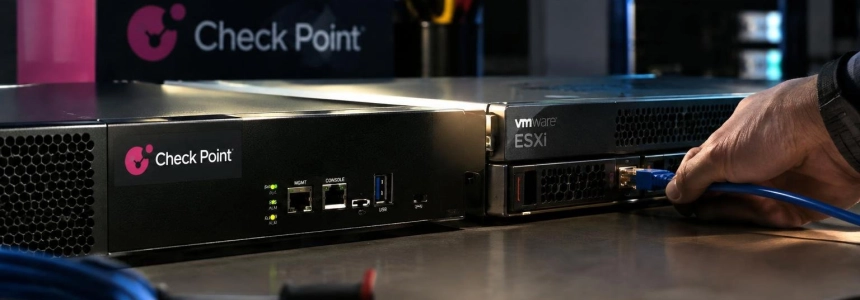
A campaign targeting Check Point gateways began on October 30, 2026: attackers broke in through vulnerable Mobile Access portals, escalated to root, and, in some cases, pivoted over SSH to VMware ESXi servers to run the destroy_v6 wiper. Check Point said it affected «a couple of dozen» customers; the first wave targeted Israeli organizations, and another, on November 2, reached companies in several countries and sectors.
Who should check their gateways
The campaign targeted unpatched Check Point Security Gateways, especially those exposing the Mobile Access portal to the internet. Check Point Research described a first wave on October 30 and another on November 2; it found no destructive activity in the second wave. The second wave also reached some Israeli organizations attacked in the first wave, as well as organizations in other countries.
The attack chain combined PHP2Shell, the flaws CVE-2026-109618 and CVE-2026-109619, with CVE-2026-123039, a local privilege escalation vulnerability in the Gaia OS DynamicCLI interface. After gaining initial access through the portal, the attackers obtained root access, installed web shells and the TSGA backdoor with the TSProxy component, and moved from some gateways to ESXi over SSH.
Check whether your environment includes Management Servers or Security Gateways and whether Mobile Access was reachable from the internet during the campaign. Network World also lists Firewall, Multi-Domain Security Management Server, Security Management Server, and Scalable Platforms among the products affected by CVE-2026-123039. The Hacker News also includes versions R82.20, R82.10, R82, R81.20, R81.10, and R81 in its list of affected versions.
What to do, in order
Install the November Jumbo Hotfix on all Management Servers and Security Gateways, prioritizing systems with Mobile Access exposed. Check Point says the update addresses PHP2Shell and the DynamicCLI flaw used in these attacks. Do not delay patching internet-accessible gateways while you review other systems.
Disable Mobile Access if it is not in use and keep management interfaces off the internet. If the patch cannot be applied immediately, Check Point advises stopping the dynamic_server process and preventing it from restarting. Network World warns that this mitigation may make some CLI commands unavailable.
Review exposed gateways from late October onward, including those that have already been updated. Look for PHP session files containing the
upload_progress_pwnmarker, unexpected CPconfigdaemon processes or binaries, and unexplained gaps in firewall logs. Check Point Research also observed repeated segmentation faults in the portal's Apache/PHP processes during exploitation.Look for signs of persistence on systems you can inspect. Check Point Research documents
zz*.tplfiles in the Mobile Access template directory, as well as/tmp/.bd.log,/tmp/.p_sock, and/lib/libcpfwcommon.so. It also describes TSGA asslot_CPconfigdaemonand notes that it can persist in backups and snapshots. These indicators warrant investigating the gateway; do not treat them as an exhaustive list.Correlate gateway and ESXi logs. Look for unauthorized SSH activity from the gateway to VMware hosts; investigators identified use of the
vpxuserservice account. On systems affected by the destructive phase, the destroy_v6 malware recursively deleted files and left notes namedDREAM_ANNEXATION.txt.Cut off the trusted path to ESXi from any suspicious gateway. Network World recommends separating the firewall from the hypervisor: a potentially compromised gateway must not retain a trusted path to VMware ESXi. Also review network segmentation to limit lateral movement between the two environments.
Send logs off the gateway to a system that the device itself cannot modify. TSGA can alter the firewall's binary logs, so a local log with no apparent gaps does not by itself rule out an intrusion. Preserve and compare external telemetry with logs from ESXi and other systems on the network.
Rebuild compromised systems from trusted images when the investigation confirms an intrusion or cannot rule one out. Erik Avakian of Infotech warns that applying the patch does not evict attackers who have already established persistence. Network World's recommendation is to investigate and, when necessary, rebuild affected systems.
Mistakes that can leave an intrusion unresolved
Assuming the incident is resolved once the patch is installed is the first mistake. The update fixes the vulnerabilities, but it does not remove an already-installed backdoor or prove that the gateway is clean; review previously exposed systems even if they already have the hotfix.
Relying only on local logs is not enough either: TSGA can manipulate the firewall's binary logs. Do not use the absence of local alerts as proof that no access occurred, and compare activity with logs sent to another system and with ESXi logs.
Finally, do not leave Mobile Access or SSH unnecessarily exposed, or allow a suspicious gateway to retain trusted access to the hypervisor. The most concrete indicators to prioritize during the review are the session marker, unexpected CPconfigdaemon processes, and SSH connections from the gateway to ESXi.
Sources: Network World, BleepingComputer, The Hacker News, Check Point Research, Secure Blog