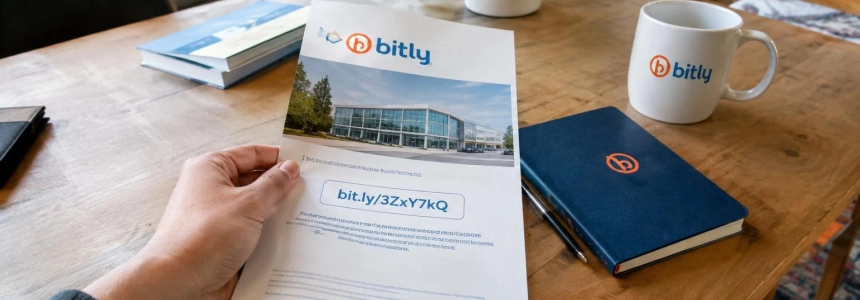
Bitly links in old posts from McDonald’s, Burger King, and public accounts were reused to lead to pages unrelated to the original content. Bitly said it had suspended the accounts involved and was disabling the affected links; the problem could affect anyone who still encounters those links in old posts, documents, or materials.
Known cases include links to Wikipedia pages about the September 11 attacks and Nazi concentration camps, as well as other destinations unrelated to the messages. The scale has not been quantified for all Bitly links: an analysis cited by IlSoftware.it examined a specific sample of Donald Trump posts, not the service as a whole.
1. Decide whether a link needs checking
Treat Bitly links in old posts with caution, especially if the post is from a corporate or political account and the link has been circulating for years. The reported redirects affected X posts from previous years, including those from McDonald’s, Burger King, and Donald Trump; cases involving other public accounts were also reported.
The post may still be authentic even if its link has changed. In the incidents described, there was no need to modify the posts or access the brands’ social media accounts: the destination associated with inactive shortened links was changed. That is why the age or official appearance of a post is not enough to validate its destination.
2. Examine the destination without opening it directly
On a computer, hover over the link to see the address it hides. If a Bitly link appears, that only confirms that it is a shortened link; it does not reveal where it will take you. Avoid clicking until you have checked the destination.
You can also copy the link without visiting it: right-click and choose the option to copy the link address. Malwarebytes recommends pasting it into its free Scam Link Check tool, which analyzes the site and its redirects and provides a result with next steps. No download, payment, or sign-in is required.
3. Check Bitly’s information page
For a link in the format bit.ly/identifier, IlSoftware.it says you can add a plus sign at the end: bit.ly/identifier+. The resulting information page lets you examine the destination and, when available, the link’s creation date.
Compare that date with the date of the document or post containing the Bitly link. A date later than the original content is a reason to be suspicious, according to IlSoftware.it. This does not by itself prove what happened to the link, but it does justify not opening it and finding the destination another way.
If the information page does not show a date or you cannot establish when the content was published, do not assume the link is valid. Use the recommended checking tool or access the service mentioned in the message by typing its known address into your browser.
4. If the link asks you to take action, use the official route
If the message asks you to sign in, pay, or resolve an account issue, do not follow the shortened link. Open the official app or type the site’s known address yourself; check there whether the request is genuine.
Stop as well if the page you reach does not match the content of the post. Do not download files or enter personal information, credentials, or payment details on an unexpected page. The fact that a recognizable brand published the link does not validate its current destination.
Do not treat the padlock or HTTPS as proof of legitimacy, either. Malwarebytes notes that HTTPS encrypts the connection but does not certify that a site is authentic; a phishing page can also use it.
5. If you manage an account or archive, review old links
Those who administer business accounts should inventory published Bitly links in archives and old posts, check their destinations, and remove references that have been altered. IlSoftware.it recommends reviewing shortened URLs preserved in the organization’s archives and replacing those that no longer point to the intended content.
The review should not be limited to posts still visible on social media: links may also remain in newsletters, PDFs, help pages, or printed QR codes, according to IlSoftware.it. If the material is still in circulation, correct or remove the link when you cannot confirm its destination.
For new links, IlSoftware.it suggests using a short domain controlled directly by the organization rather than relying on identifiers from an external service. This option requires maintaining control of the domain and its DNS configuration; it does not, by itself, make old links safe.
“Nossa equipe de Confiança e Segurança está trabalhando para resolver o problema e reforçar as proteções contra usos indevidos semelhantes no futuro”
— Bitly
Mistakes to avoid
Do not trust only who published the post. The reported cases show that a destination can change without the original post being edited. Check the link even if it comes from an official account and the text seems consistent.
Do not confuse a short link with a verified one. Seeing it in a post, document, or QR code does not tell you its final destination. Inspect it first; if the result is unexpected, do not proceed.
Do not use HTTPS as a safety verdict or enter information just because the page looks professional. If you are asked for credentials or payment, leave the link and check the request through the official app or website.
Malwarebytes said that the link in a McDonald’s tweet led to an error page after Bitly began disabling it. If you find a link that does not work, locate the content through the official website or account that published it.
Sources: Malwarebytes, IlSoftware.it, Yahoo Tech, CNN Brasil