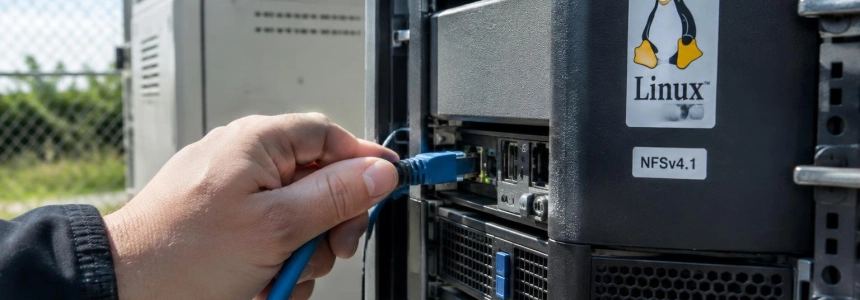
The NFS2ROOT (CVE-2026-99362) flaw, present in the Linux kernel since 2014, may allow a remote attacker with no account or password to obtain root privileges; OpenSec says it may also allow arbitrary code execution. It affects the NFS server built into Linux when it offers NFSv4.1 or NFSv4.2; Red Hat warns that systems that do not run as NFS servers are not exposed.
Which machines should check for NFS2ROOT
The risk is concentrated in machines that export NFS shares: servers, NAS devices, and other Linux systems that share files over a network. It is not enough for a machine to run Linux or have NFS clients installed; the vulnerability is in nfsd, the server service. Red Hat says its default configurations do not run or enable this service, and that the issue affects systems configured to offer NFSv4.1 or NFSv4.2 shares.
The vulnerable request can arrive over the network without authentication and is not dependent on the permissions configured for each shared directory. Red Hat describes the result as an out-of-bounds buffer write, which can cause memory corruption and a system crash or, potentially, code execution. IlSoftware reports a CVSS score of 9.8; Red Hat publishes 9.4 for its products and lists 9.8 for cve.org.
Run these checks on every Linux server or NAS that may share files, including those accessible only from an internal network. IlSoftware notes that a compromised device inside the LAN could also serve as a starting point. If the machine does not offer NFS, the described exposure does not apply to that system.
Steps to check and reduce exposure
Check which kernel is running. In a terminal on the machine, run:
uname -rCompare the result with your distribution’s security advisories, not just with a list of mainline kernel versions. The fix may have been backported to a kernel with an apparently older version number. IlSoftware recommends checking the vendor advisories, and Red Hat maintains its own information for CVE-2026-99362.
Check whether nfsd offers the affected versions. Run:
cat /proc/fs/nfsd/versionsIf the output shows
+4.1or+4.2, those versions are enabled on the server and you should continue checking. The presence of these options does not by itself confirm that the service is accessible from other machines, but it does identify a configuration that needs attention.Check whether it is listening on the NFS port. IlSoftware suggests checking TCP port 2049 with:
sudo ss -ltnp 'sport = :2049'A response may indicate that a process is listening on that port. Accessibility from other machines also depends on firewall rules and the network: local output alone does not prove that the port is reachable from the Internet or the entire LAN.
Look for your distribution’s update. Install the patched kernel package appropriate for your system and follow your vendor’s instructions. As mainline kernel references, Debian lists fixes in the 6.12, 6.18, and 7.3 branches, as well as 7.4-rc1. For Debian, its tracker lists different fixed package versions depending on the release:
Debian branch or package Fixed version listed Mainline kernel 6.12 6.12.117 Mainline kernel 6.18 6.18.61 Mainline kernel 7.3 7.3.2 Debian trixie, linux package 6.12.117-1 Debian bookworm, linux-6.12 package 6.12.117-1~deb12u1 Debian trixie, security update 6.12.118-1 The Debian versions are package versions, not a universal list applicable to other distributions. The tracker itself shows different statuses for each release; confirm the fixed version for your system before considering the issue resolved.
Reboot after installing the kernel. The fix does not become active until the system boots with the updated kernel. IlSoftware says to reboot the machine after applying the update. Then run
uname -ragain and compare the active kernel with your vendor’s guidance.Limit access while you update. If the NFS service must remain operational, use your system’s firewall to restrict access to TCP port 2049 to trusted clients or networks. Red Hat recommends allowing only trusted hosts or networks. Make sure the rule is compatible with the clients that need to mount the shares; everyone else will lose access.
Disable NFS if you do not share files. If the machine does not need to act as a server, stopping and disabling nfs-server reduces the attack surface. Red Hat warns that stopping the service interrupts active NFS sessions and client operations. Use the service administration procedure documented for your distribution; do not apply commands from another platform without verifying that they are appropriate.
Consider temporarily disabling NFSv4.1 and 4.2. IlSoftware says they can be disabled in the
[nfsd]section of/etc/nfs.confby settingvers4.1=nandvers4.2=n, and then restarting the service. This measure may terminate active sessions and affect features such as pNFS. First confirm that your configuration and clients can tolerate the change; it is not a substitute for installing the update.On a NAS, check the manufacturer’s firmware. IlSoftware recommends checking whether a firmware update is available for Linux-based NAS devices.
Mistakes that can leave the server exposed
Do not rely on uname -r alone. Distributions may backport fixes to earlier kernel versions; a number lower than that of the patched mainline branch does not prove that the system is still vulnerable. Use your distribution’s advisory and security package as the basis for your assessment.
A protected folder does not fix nfsd. The vulnerable processing may occur before authorization checks for shared files. It is also not enough to ensure that the service is not exposed to the Internet: check access from relevant internal networks and apply the update.
Do not assume that disabling the server is harmless. It may interrupt active clients and operations. Likewise, restricting the firewall blocks clients that are not explicitly allowed, and disabling NFSv4.1 or NFSv4.2 may affect sessions and pNFS. If you cannot update right away, choose a mitigation compatible with the server’s actual use and plan to apply the permanent fix.
The priority is to identify machines that offer NFSv4.1 or NFSv4.2, update the kernel through your distribution’s channel, and confirm that the system has booted with the patched version.
Sources: IlSoftware.it, Red Hat, Debian Kernel Team, Debian Security Tracker