13 malicious NuGet packages posed as WinUI 3 and WPF controls and were distributed through fake job assessments for Windows .NET developers. Socket describes payloads that could activate when a project was built or run, download files from GitHub, and prepare a DLL sideloading technique using osk.exe, the Windows On-Screen Keyboard. If you built or ran an assessment received from a recruiter or client, check the project and your computer before continuing to work with them.
Who should check their computer?
The campaign targeted Windows .NET developers with hiring assessments. The lure was an assessment project to improve a file control and handle exceptions; it included NuGet dependencies and asked recipients to build or test the solution. Socket was unable to determine how the assessment reached its recipients.
The risk is not limited to those who ran the final application. In the path Socket described, an MSBuild package included a task that ran after every build; another control launched osk.exe when it was created. A different package downloaded an executable when a WUIButton control was created. So if you built or ran a suspicious project, treat it as a possible exposure even if you do not remember opening the finished application.
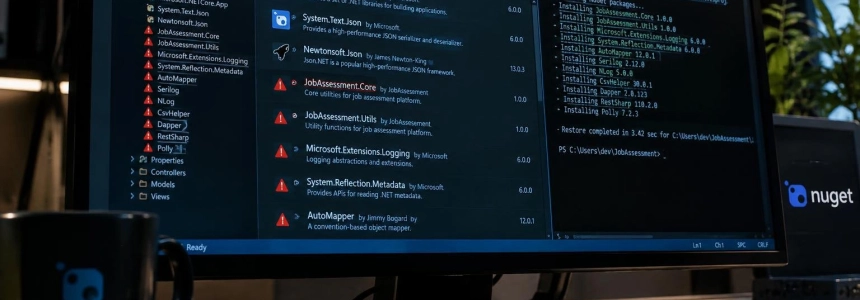
The identified names are WinUI.Button, VS_Builder.MSBuildAnalyzer, VS_Builder.WinUI3Controls, HappyOne.MSBuildAnalyzer, HappyOne.WinUI3Controls, Web3TotalButton, RevertButtonIcon, WinUI3IconButton, WindowsAccentColorName, SetButtonColor, InitializeCustomButton, StyledAppButton and StyledComponent. Socket noted that some were linked through dependencies or the assessment, even when they were not the main package used as the lure.
“In the versions we analyzed, building or running a project that uses them downloads files from GitHub, stages a DLL sideloading pair around the Microsoft On-Screen Keyboard (osk.exe), or downloads and runs an executable.”
— Kush Pandya, Socket security researcher
What to do, step by step
Stop building and running the suspicious project. Do not open it again to “check” whether it works: Socket describes tasks that activate during a build and a control that triggers a payload when initialized. Keep the project and related files for review, but avoid interacting with them further on the affected computer.
Check the project file and its declared packages. Look for the identifiers above in the
.csprojfile and solution files, as well as references to local package sources. Socket found aPackagesfolder inside the assessment repository, with.nupkgfiles included directly in the project and a configuration that made NuGet restore packages from there.Also check whether the project mentions
RestoreAdditionalProjectSources. In the assessment analyzed, this property added the local folder as a package source. The presence of a package folder in a repository does not by itself prove an infection, but it warrants attention if it contains the suspicious packages or the project arrived as an unexpected job assessment.Look for the path identified by Socket:
%LOCALAPPDATA%\osk\OskSupport.dll. The analyzed variant downloaded a DLL there and copied anosk.exefile alongside it. Also check whether%LOCALAPPDATA%\osk\osk.exeexists; Socket describes this file as the copied executable that the FileButton control could launch.Checking for these names is an indicator search, not complete proof that the computer is clean. Socket documented other infection paths: some packages downloaded executables to the temporary folder and ran them. If you find the files or cannot determine what was executed, stop using the computer to access sensitive accounts and request a security review.
Review the project's activity history: which solution you opened, which packages you restored, and whether you built or ran the application. The assessment examined included the packages
VS_Builder.MSBuildAnalyzerandVS_Builder.WinUI3Controlsfrom a local source; Socket also described download behavior inWinUI.Button. Note the file names and actions you remember before deleting or modifying anything.If the computer may have been compromised, access your accounts from another trusted device and change any credentials you used on it, starting with those that could provide access to work repositories or services. Socket found a program in repositories related to the operation that stole Google Chrome profiles and uploaded them to GitHub. The investigation does not claim that every infection path stole credentials, but it does document that component among the related artifacts.
Escalate the case with evidence if you find these files, ran the project, or cannot rule out an infection. Share the repository, NuGet identifiers, suspicious files, and when you restored or built the project with your security or support team. Do not upload suspicious DLLs or executables to public repositories or open them to inspect them.
Verify the packages' status before reusing any dependency. On November 23, Socket reported that NuGet had removed 12 packages and that
WinUI.Button 1.0.0was still listed. The Hacker News later reported that all had been removed from the gallery. Since the published statuses differ by date, do not use current availability as your only criterion: confirm that the identifier is not in the project and avoid restoring it.
Project indicators you should not overlook
The assessment was designed to look like a routine task: a public GitHub repository proposed a three-to-four-hour test involving a WinUI 3 control. However, Socket found NuGet packages inside a folder in the project itself and a build configuration that activated the malicious logic. Review the repository's contents too, not just the dependencies listed in a gallery.
In particular, look out for a local package source, .nupkg files added to the repository, and references to VS_Builder.MSBuildAnalyzer or VS_Builder.WinUI3Controls. Socket analyzed a version of the lure that used the packages VS_Builder.MSBuildAnalyzer 1.2.7 and VS_Builder.WinUI3Controls 1.0.7; those versions were in the project folder, had no NuGet catalog entry, and lacked the signature NuGet adds to packages served from its gallery.
Mistakes that can turn a review into another risk
Do not rebuild the project to see if you can reproduce the behavior. The malicious MSBuild task Socket described ran after the build and repeated on every build; in another path, FileButton initialization launched the copied executable.
Do not trust a package based only on its name, description, or listed author. Socket noted that one package presented itself as an MSBuild compatibility analyzer and that some controls imitated WinUI 3 or WPF buttons. Check the full identifier and associated dependencies.
Finally, do not assume the computer is clean just because you cannot find OskSupport.dll. The campaign included different paths: downloads to the temporary folder, executables disguised as project files, and artifacts related to stealing Chrome profiles. If you built a suspicious assessment, combine a file review with the project history and a computer check before using it again for sensitive work.
Sources: The Hacker News, Socket, Socket, Perceptive Security Early Warning, ATLABYTE