On November 12, 2026, the FBI warned about FaceStealer, a scam that impersonates known contacts in fake video calls and ends up installing malware. The campaign, attributed to North Korean hackers, has stolen more than $400 million in cryptocurrency over the past 18 months, according to the United States Department of Justice.
Who FaceStealer targets and what signs to look for
The FBI describes targeted attacks primarily against people in the cryptocurrency and Web3 sectors. Developers and maintainers of open-source software have also been targeted, with the aim of accessing their computers and the repository accounts they control. The Department of Justice puts the number of webcam videos of victims seized by the FBI at more than 900.
The invitation may come from a real Telegram, LinkedIn, Slack, or Discord account that has been stolen. The message usually fits an existing relationship or conversation and suggests discussing a collaboration or investment. A familiar sender is not enough: attackers may have accessed their messages and contacts.
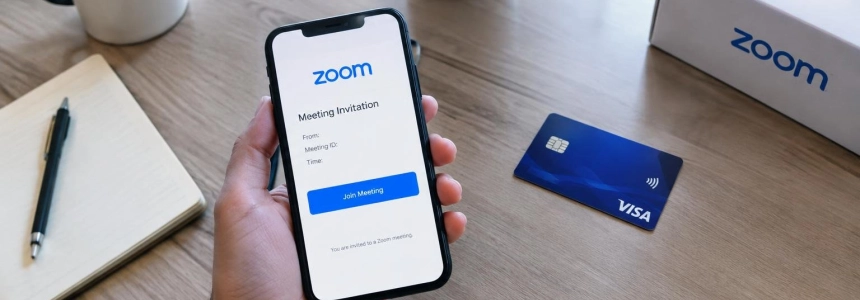
Another warning sign is a link that appears to lead to Zoom, Microsoft Teams, or Google Meet but opens a fake site with an address almost identical to the real one. Someone you know may appear in a recording during the meeting. Then comes the pretext: the audio is not working, and you need to run a command, paste code, or install a supposed update. That fix is the trap: it can install malware that steals passwords, captures the screen, and provides remote access to the computer.
The theft does not have to happen during the call. The Department of Justice says that in several cases, attackers have stolen cryptocurrency and hijacked communication accounts months or more than a year after compromising a device. So, closing the meeting without losing money does not rule out the possibility that the device was exposed.
What to do before and during a suspicious meeting
Confirm who sent the invitation through a channel other than the invitation itself. Call the person or message them in a separate conversation to check that they organized the meeting and expect you to attend. The FBI recommends verifying separately; do not reply in the same compromised chat to validate the message.
Check the link before joining. Do not open a link directly from a message. Join the meeting through the official app using an invitation code, as the FBI recommends. If the page has a strange address or one almost identical to that of a familiar service, do not proceed.
Wait until you identify the host before turning on your camera. The FBI advises keeping your video off until you can clearly see and hear the person who organized the call. If only a recording appears, there are unexpected participants, or the conversation does not match what was agreed, end the meeting and verify the situation separately.
Reject any technical “fix” that asks you to run commands, paste code, or install an update during the call. Do not follow on-screen instructions or links to fix the audio. The fake malfunction is the step attackers use to install malware.
Enable two-step verification on Telegram, WhatsApp, and Slack. The FBI includes this measure among its recommendations because attackers can exploit stolen accounts and conversations to target your contacts again. If you maintain open-source software, pay particular attention to any unexpected request involving your computer or repository accounts.
If you already joined or followed the instructions
Treat the device as compromised if you ran a command, pasted code, or installed something at the meeting’s direction. Do not continue using that session to manage your digital assets: malware can capture what appears on the screen and allow remote access.
Move your cryptocurrency to another wallet created on a different device if you think the computer was infected. This is the specific measure the FBI recommends for anyone who fears they may have been a victim. Do not create the new wallet or make the transfer from the suspicious device.
Notify your contacts and employer so they do not trust messages or invitations sent from your accounts. FaceStealer can access contact lists, social networks, and communication apps, and use those relationships to target other people. In particular, warn anyone who recently received an invitation or might have access to your work accounts.
Report the incident at IC3.gov and include the keyword “FaceStealer,” as the FBI advises. If the attack affects your accounts or software you maintain, also notify the people responsible for those accounts or the project so they can respond to possible unauthorized access.
Mistakes that can turn the call into an infection
Do not trust only the name or face shown on screen. Attackers use stolen authentic accounts and recordings of people you know; the Department of Justice also notes the use of deepfake videos to impersonate figures in the crypto sector. A familiar identity does not verify the link or prove that the person is participating live.
Do not assume a meeting is legitimate just because the message sounds like the contact’s usual writing style. Access to previous conversations makes it possible to imitate that context. And do not download a supposed installer to fix the audio: in this scam, the malfunction is a pretext to get you to install malware, not to repair the video call.
Finally, do not confuse FaceStealer with the separate Binance theft mentioned by the Department of Justice. Authorities said the two campaigns likely involved different North Korean actors and announced actions involving more than $1.2 billion in stolen cryptocurrency. The practical response to a suspicious invitation remains the same: verify it through another channel and do not run anything you are told to during the call.
Sources: Webnews, U.S. Department of Justice, Nextgov/FCW