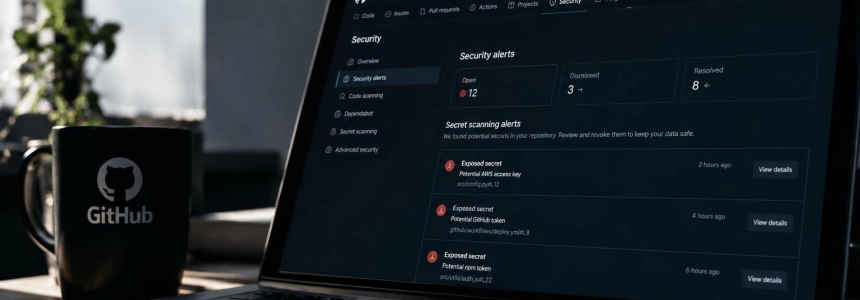
The wfx-loot campaign used 4,837 already-compromised GitHub accounts to open pull requests in 61,764 repositories starting November 10. Aikido identified at least 1,835 repositories where a payload that stole GitHub Actions secrets and cloud credentials was executed; the code could also reach published packages through automation.
Repositories that a compromised account could write to are potentially affected, including those accessible through collaboration or an organization even if they did not belong to that account. The first sign may be a pull request titled docs: dependency audit notes, from the wfx-docs branch. Aikido warns that this pull request was a permissions probe: to determine whether theft occurred, also look for subsequent changes and signs of execution.
First, determine whether it was executed
Search repositories you can access for pull requests with that title, as well as branches named chore/ followed by eight random characters. Also review commits titled ci: refresh build cache, chore: add ci helper, or chore: add dependency audit workflow. These are indicators described by Aikido; their presence warrants investigating the repository, but a probe pull request alone does not confirm that credentials were exfiltrated.
The payload was inserted in three ways: by modifying an existing GitHub Actions workflow, adding a script with an npm installation hook, or creating a new workflow on a temporary branch. Look for changes to workflows and scripts, including ones that have already been reverted. The attacker could delete the execution workflow and its logs in less than a minute. Aikido notes that a missing run number in the history may be a clue; the absence of logs, artifacts, or summaries does not prove that no theft occurred.
If the workflow ran, do not limit your review to the variables shown in the repository code. The payload could collect Actions secrets and variables, run tokens, cloud credentials, configuration files, SSH keys, .env files, and credentials for development and AI tools. Consider everything accessible to the affected workflows and the runner they ran on exposed.
Steps to contain the incident
Identify the scope of write access. Review your own repositories and those the account could access as a collaborator or through organization membership. Aikido counted 10,431 pull requests in repositories the compromised account did not own. Include projects with publishing automation: the campaign reached one Packagist package and two tags of a Go module.
Preserve anything that still exists. Save the pull requests, branches, commits, and available logs for each suspicious repository before cleanup. Record the changes and the times observed. Do not rely on the run history: the attacker could delete it, and a missing run number may be the only trace that the workflow ran.
Revoke and rotate accessible credentials. If you confirm that the payload ran, treat the secrets and credentials available to those workflows as compromised. Include cloud and service credentials, not just GitHub Actions secrets; prioritize those the affected workflows could use.
Check AWS and Azure for persistence. The payload had functions to expand and maintain access: it could modify an AWS role's trust policy and add federated identity credentials to Azure applications. Check for unauthorized changes to those permissions and configurations. Rotating a key is not enough if the way access is granted was also changed.
Inspect affected runners. The script could read the runner's environment and process memory; on self-hosted runners it also searched for credentials and container state. Investigate the runner on which the workflow ran and the credentials available to it. If a suspicious package was installed, consider the machine compromised, following Aikido's specific guidance for Packagist.
Check affected packages. Aikido identifies
digitalelvis/neuronai-studioon Packagist, version3.14.3, and tagsv1.0.278andv1.0.280ofgithub.com/onuragtas/docker-env. Aikido recommends treating any machine that installed or opened the Packagist version as compromised. In the Go tags, the payload was only in a GitHub Actions workflow file: Aikido says the source code and published binaries were unchanged, though it recommends removing those packages.Expand the investigation across the organization. Check whether the same account opened pull requests in multiple repositories and whether the associated tokens had broader permissions. SecurityWeek reports that the attackers used valid tokens belonging to developer accounts and bots; they did not exploit a GitHub Actions vulnerability. If you see activity across multiple projects, also review their integrations and available cloud credentials.
Repeat the search after cleanup. Once access has been revoked and changes reviewed, check branches, pull requests, workflows, and cloud configurations again. Aikido describes mechanisms designed to persist beyond credential rotation; therefore, the response does not end when the malicious file is deleted or the pull request is closed.
Mistakes that can leave a door open
Do not confuse a probe with execution. The test pull request sought to confirm that the token had write permission; Aikido says it was only the initial phase. But do not dismiss it as harmless either: look for commits and workflows that may have followed it, and check for signs of execution.
Do not take missing logs as reassurance. The attacker reverted changes and deleted runs and logs. According to Aikido, it is also not enough to find no wfx-loot artifacts, cache entries, or summaries containing WFX-BEGIN: those channels were disabled in the observed configuration. An apparently clean history does not rule out theft.
Do not limit your search to your own repositories. The compromised accounts could write to third-party projects through collaborator or organization access. Review all repositories those credentials had permission to access, including ones that automatically publish packages.
Do not rotate secrets without reviewing permissions. Aikido documents functions for modifying trust configurations in AWS and Azure. Check for persistent changes in those environments as well as revoking tokens and rotating secrets; otherwise, additional access could survive the rotation.
The practical threshold is clear: if the payload was executed, treat every secret the workflow could access as exposed and review the associated cloud permissions. If you find only the probe pull request, continue investigating subsequent changes before considering the case closed.
Sources: Help Net Security, MuySeguridad. Computer security., Aikido Security, SecurityWeek, TechRadar