Chrome 157 fixes 83 vulnerabilities on Windows, macOS, and Linux: five are critical and the other 78 are high severity. The desktop update is available as 157.0.8103.78 or .79 on Windows and macOS, and 157.0.8103.78 on Linux. If you use Chrome on a computer, check whether it is already installed and restart the browser when prompted.
Who is affected and how to check
The update described is for Chrome for desktop, on Windows, macOS, and Linux. Anyone using Chrome on one of these systems should check the installed version; the fixed builds are 157.0.8103.78/.79 for Windows and macOS, and 157.0.8103.78 for Linux.
The five critical vulnerabilities are use after free flaws affecting ServiceWorker, CSS, Layout, Skia, and Accessibility. SecurityWeek reports that the other 78 were classified as high severity; many affect V8, the JavaScript engine, and Skia, as well as components such as extensions, the PDF viewer, the password manager, the file system, and the GPU.
No active attacks exploiting these flaws have been reported in the SecurityWeek and WebUtility.io coverage. That does not remove the need to install the fix: the practical recommendation is to verify the build and restart if Chrome has already downloaded the update.
What to do to install and verify the patch
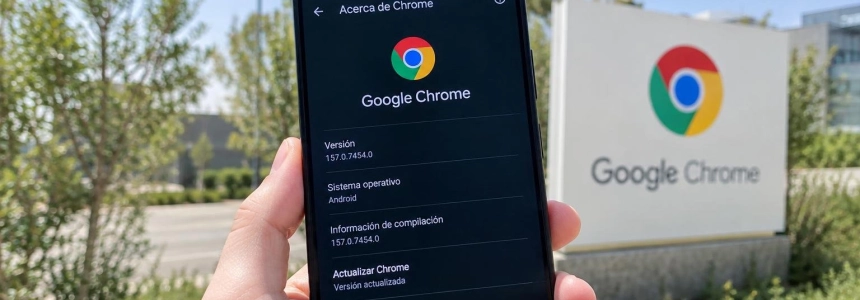
Open «About Google Chrome» in the browser. From the three-dot menu, select «Help» and then «About Google Chrome». WebUtility.io says Chrome checks for available updates from this page.
Let Chrome check for and download the package. If the fixed build is already available for your computer, the browser will start downloading it from that screen. The rollout may be gradual; if an older version is still shown and no update is offered, check again later.
Restart using «Relaunch» when the option appears. The download alone does not activate the patch: restarting is the step that applies the update. Save any work that depends on an open session first; Chrome may reopen your tabs, according to WebUtility.io.
Confirm the version after restarting on the same information page. On Windows and macOS, look for 157.0.8103.78 or 157.0.8103.79; on Linux, look for 157.0.8103.78. WebUtility.io notes that a later version also meets the verification criterion stated in its guide.
If you manage other Chromium browsers, check their own update notices. SecurityWeek discusses Chrome fixes; WebUtility.io warns that Edge, Brave, Opera, and Vivaldi may share flaws because they use Chromium code, but each browser distributes its fixes on its own schedule. Do not assume that updating Chrome updates the others.
On an organization's devices, verify the version in every Chrome installation you are responsible for maintaining, not just on your usual computer. Tenable provides a detection for Google Chrome versions earlier than 157.0.8103.78, but the available material does not detail a deployment policy or centralized management procedure; follow the update process already used by your organization.
Versions considered fixed
| System | Fixed version |
|---|---|
| Windows | 157.0.8103.78 or 157.0.8103.79 |
| macOS | 157.0.8103.78 or 157.0.8103.79 |
| Linux | 157.0.8103.78 |
The total is 83 flaws: five critical and 78 high severity. The critical vulnerabilities share the same type of memory error, but are not concentrated in a single function: they affect ServiceWorker, CSS, Layout, Skia, and Accessibility. The high-severity fixes also include issues in V8 and Skia and in commonly used features such as extensions, PDF, and passwords.
Mistakes to avoid
Simply leaving Chrome open is not enough and will not ensure that it updates. According to WebUtility.io, Chrome may download the package in the background, but it needs to be restarted to apply the fix. If you have been using the browser for a long time without closing it, check the information page and complete the restart if one is pending.
Do not confuse the version that fixes this batch with the previous Chrome 157 build. WebUtility.io reports an update from November 9, 157.0.8103.50/.51, which fixed nine flaws and included an actively exploited issue. The later batch, dated November 11 according to that publication, addresses the 83 flaws covered in this article; check the full version number, not just whether the browser says «157».
Do not assume the patch applies to other Google products or other browsers. The information here concerns the Chrome desktop update; for Edge, Brave, Opera, or Vivaldi, look for a separate update and confirm its version in the relevant browser. Also, do not interpret the absence of reported exploitation as a reason to postpone the fix.
Finally, do not treat an old version as fixed just because Chrome does not display a pop-up notice. The useful check is on «About Google Chrome»: confirm the number there, let it check for updates, and restart if «Relaunch» is offered.
Sources: TecnoAndroid, Chrome Releases, SecurityWeek, Tenable, WebUtility.io