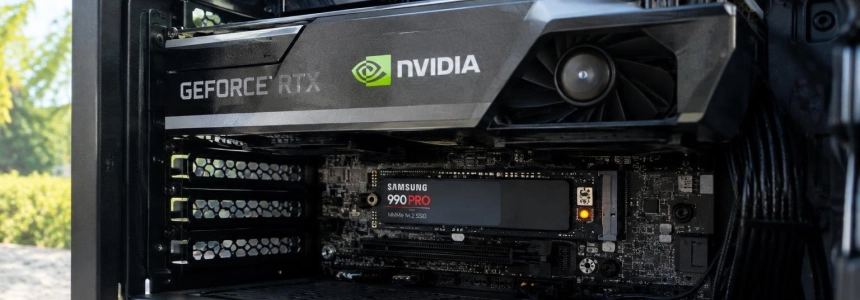
GeForce users have reported that NVDisplay.Container.exe can write up to 30 GB per hour to the SSD while the PC is idle. The cases point to the nvlog.nvlgstg log file and drivers 621.14 and 621.24, but the behavior does not occur on every system, and NVIDIA has not publicly acknowledged it.
The most useful indication is persistent write activity attributed to NVDisplay.Container.exe, not simply having an NVIDIA graphics card installed. Wccftech cites widely varying measurements: from about 3 GB per hour to 30 GB per hour; it also warns that Windows counters do not necessarily correspond to physical writes to the SSD's NAND memory.
“NVDisplay.Container.exe continuously rewrites the binary log file at C:\ProgramData\NVIDIA Corporation\nvtopps\nct\nvlog.nvlgstg, causing heavy SSD writes while the PC is idle.”
— User on the NVIDIA forums, quoted by Hipertextual
Check whether your system shows the symptom
Reports point to the NVIDIA Display Container LS service, which is associated with NVDisplay.Container.exe. Activity has been observed while the computer is idle, but that alone does not prove that every write by the process is abnormal: what matters is that it persists and targets the specified file.
Open Windows Resource Monitor. Press
Win + R, typeresmon, and confirm. On the “Disk” tab, check the activity attributed toNVDisplay.Container.exe. Wccftech recommends this method for investigating the writes.Look for the specific file. Check whether repeated activity targets
C:\ProgramData\NVIDIA Corporation\nvtopps\nct\nvlog.nvlgstg. A single write is not enough to conclude that you are affected: see whether the process continues writing, especially when you are not actively using the PC.Note the activity and driver version. Record the rate shown by Windows and check which GeForce driver version you have installed. Reports link the problem to 621.14 and 621.24, but experiences vary. One user quoted by Hipertextual measured 512 MB in five minutes with 621.14 and said they did not see the same behavior with 621.01.
Do not extrapolate a brief measurement into a daily figure. The reported rates are not consistent: Hipertextual cites about 3 GB per hour at idle, while Tom’s Hardware reports up to 30 GB per hour with 621.24. Wccftech emphasizes that process I/O counted in Windows does not necessarily represent physical SSD writes. Treat the reading as a signal to investigate, not as an exact prediction of wear.
What to do if you see sustained writes
The solutions described are temporary measures reported by users, not an official fix. The least intrusive option is to document the activity and consider rolling back to an earlier version; stopping the service may prevent NVIDIA applications from working properly.
First, try rolling back the driver. IlSoftware.it and Hipertextual identify version 621.01 as an alternative that reduced writes on some installations. This is not guaranteed to work on every system. Before changing anything, confirm which version you have and that the behavior persists in Resource Monitor.
If you choose to roll back, use the specified version. Hipertextual recommends downloading GeForce 621.01 from NVIDIA’s website and performing a clean installation with DDU, downloaded from Guru3D. Its procedure describes restarting in Safe Mode to run DDU, restarting Windows in normal mode, and installing the previous driver. This is a more extensive intervention than simply monitoring the process; consider whether you need to keep the current version.
Consider the service only as a temporary test. Some users say that stopping NVIDIA Display Container LS halted the process. However, Wccftech warns that disabling it permanently may prevent NVIDIA Control Panel and NVIDIA App from working properly. If you try stopping it, afterward check both disk activity and whether those applications work; do not treat this as a permanent solution.
Treat deleting the log as temporary relief. Hipertextual reports that stopping the service, deleting
nvlog.nvlgstg, and restarting the service reduced writes for some users. IlSoftware.it warns that the activity may return when the component starts again. Do not delete the file while the service is still running, and do not expect this operation to fix the driver.
Versions and measurements cited in reports
The figures come from user measurements and published tests, not a consistent result across all configurations. IlSoftware.it’s clearest comparison is between two installations, but it still does not prove that the change will have the same effect on every PC.
| Driver | Reported figure | Context |
|---|---|---|
| 621.01 | About 0.5 KB per minute | Clean installation described by IlSoftware.it; lower activity observed. |
| 621.14 | 512 MB in five minutes | Measurement by a user quoted by Hipertextual. |
| 621.24 | Up to 30 GB per hour | Estimate reported by a user and cited by Tom’s Hardware; other reports give lower figures. |
NVIDIA has not publicly acknowledged this specific problem, according to Wccftech, and the driver documentation cited by IlSoftware.it does not list it among known issues. The theory that automatic shader compilation causes it has also not been confirmed: IlSoftware.it presents it as an explanation proposed by users, not as an established cause.
Mistakes to avoid
Do not assume every PC with NVIDIA is affected. Wccftech cites users who found no suspicious writes; having a GPU or a recent driver does not confirm the issue.
Do not attribute all disk activity to the driver. Check that the process and file match the reports and that the writes persist. The available data does not establish a single rate or confirm physical wear based on the Windows counter.
Do not disable the service blindly or permanently. This may affect NVIDIA Control Panel and NVIDIA App. If you stop it to check for the symptom, keep this consequence in mind.
Do not mistake cleanup for a permanent fix. Deleting the log may temporarily reduce activity, but writes may return when the service restarts. Rolling back to 621.01 has also worked for some users, but it is not a confirmed official solution.
If you do not see sustained writes targeting nvlog.nvlgstg, these reports give no reason to change drivers solely because of the maximum figure being circulated. If you do see them, keep a record of the measurement and decide whether to monitor the activity or try rolling back to 621.01, bearing in mind that NVIDIA has not yet published an official explanation.
Sources: IlSoftware.it, Tom's Hardware, Hipertextual, TechPowerUp, Wccftech