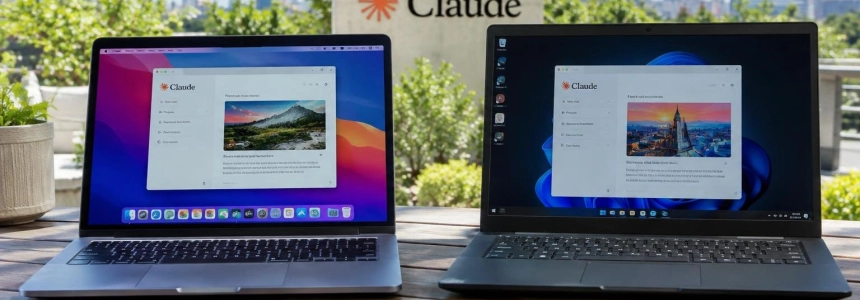
Claude artifacts can now be installed as desktop applications on Mac and Windows: each gets its own icon and window, and can be opened without first going to the conversation where it was created. Anthropic has launched the «Install as app» feature in beta for its plans, including free plans, although the applications still require a Claude account and an internet connection.
The change offers a more direct way to use small tools created in a conversation: instead of opening Claude and searching for the artifact, you can launch the application from the system. Anthropic presents the feature as a way to create and share work tools without packaging or signing them, and without needing an API key or a separate account.
From a conversation to its own window
Anthropic introduced artifacts in 2024. At first, they mainly served as shareable work outputs, such as charts or web pages; over time, users began using them as recurring tools. The company cites, for example, a page for preparing meetings that checks the calendar and email, or a tracker for orders that need to be shipped that day.
With «Install as app», the artifact is no longer confined to the panel next to the chat. The application retains the same artifact: if someone with permission to edit it makes changes in Claude, the installed version also changes automatically. You do not have to install it again after each edit, although permissions must be confirmed again after updates.
Installation requires the Claude desktop app for Mac or Windows. The help documentation specifies that version 6.28899.0 or later is required. To get started, open the artifact in Claude, choose «Install as app» from the Share menu —it is also available in the title menu or by right-clicking— and confirm the installation. The application is then available in its own window.
On macOS, you can open it from the Claude Apps folder inside Applications, from Spotlight, or from the app launcher; you can also keep it in the Dock. On Windows, it appears in the Start menu, under Claude Apps, or through a desktop shortcut. Claude's help documentation also describes how to open it from the desktop app's File > Apps menu.
What they can and can't do
Installed apps can use Claude and the connectors already used by the artifact. Depending on the level of permission granted, they can also send notifications, listen for global keyboard shortcuts, display windows that stay on top of others, or add an item to the macOS menu bar or the Windows system tray. Some can continue running in the background if they keep an item in those bars.
Anthropic has published examples to show the kinds of tools that can be created. Linnet is a layered image editor; Phosphor is a file manager with a cinematic set-design aesthetic; Sift organizes files using rules and uses Claude to classify them; Tern is a terminal with Claude assistance; and Vitals displays information about computer performance from the menu bar or system tray.
The feature does not turn these artifacts into fully autonomous programs. You need to be online and signed in to Claude Desktop to open them. Requests they make to Claude count toward plan usage limits, just like building the application. The available quota is lower on the free plan, so intensive use or sharing a tool with more people can affect usage.
The beta is not available on Linux, the web, or mobile devices. Older artifacts, live Claude Cowork artifacts, and those created from templates such as Docs, Slides, and Sheets cannot be installed either. Anthropic also excludes organizations with HIPAA-ready configurations, and full computer access is not available in Claude for Teachers or for K-12 organizations.
| Availability or limitation | Details |
|---|---|
| Supported systems | Mac and Windows; not Linux, web, or mobile. |
| Claude Desktop version | 6.28899.0 or later. |
| Excluded artifacts | Legacy, live Claude Cowork, and Docs, Slides, or Sheets templates. |
| Connection | You must be online and signed in to Claude. |

Three permission levels, including file access
Authorization is divided into three levels. The default limits the application to what it could do in a browser. App permissions enable specific system features, such as notifications, global shortcuts, or floating windows. The highest level, full computer access, allows the app to run programs and read, modify, or delete files without asking for confirmation each time.
Anthropic warns that it does not review applications before they are installed. The company therefore recommends granting full access only to trusted apps. In general, Claude does not allow an application to request this level if it contains code written by someone outside the organization or if it cannot determine who created it. On the Free, Pro, Max, and Ultra plans, anyone other than the account holder is considered external to their organization; on Team and Enterprise, full access can be granted to apps created by people in the organization.
Permission applies only to the current version: after an update, even one made by the user, Claude asks for authorization again. One exception deserves attention: if an application loads code from another website, that code can change without a new permission request appearing. If full access is revoked, the application may reload or close, but changes it has already made to the computer are not reversed.
Initial setup also varies by plan. In Team, the feature is enabled by default, but full access starts disabled until an administrator enables it. In Enterprise, the entire feature is turned off until an organization owner enables it in settings. Team and Enterprise administrators can manage advanced permissions for the organization.
A beta without Linux support
The absence of Linux marks a difference among the supported desktop systems. OMG! Ubuntu notes that Claude's help documentation says Linux is not supported at launch, but does not say whether it will be supported later. The feature is also unavailable on the web and mobile, so installing a browser shortcut is not the same as getting one of these applications: the help center clarifies that such shortcuts do not include the desktop features described here.
The beta is rolling out to the Free, Pro, Max, Ultra, Team, and Enterprise plans. In organizations with zero data retention for Claude Code, installation can be enabled if an owner enables Artifacts and «Install as app», but these applications are not covered by zero retention. The documentation also states that on macOS, Claude may see an installed application while using the computer, but cannot click or type in it.
The proposal reduces the steps needed to turn a written idea into a tool that opens like other applications on the computer. At the same time, it retains the dependency on Claude's service and leaves users to make trust and permission decisions that may affect their files. The feature is still in beta, and for now, the Linux desktop app is left out.
Sources: ZDNET, OMG! Ubuntu, SmartWorld, Claude, Claude Help Center, MacRumors