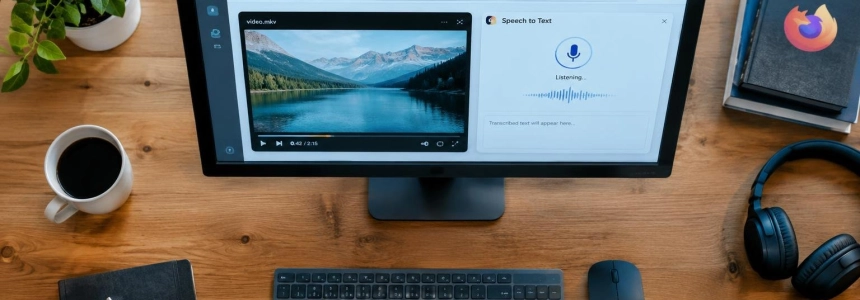
Firefox 160 adds speech recognition that converts speech into text directly on the device, with support for 40 languages. The feature arrives on desktop through the Web Speech API; it is not available on Android and does not offer remote cloud recognition, according to Mozilla's developer release notes published on MDN.
The stable version was released on November 10, 2026. Other visible changes include playback of MKV files with FLAC, MP3 or PCM audio, and Mini Windows, floating windows that keep a tab or selected element always in front of other applications.
On-device dictation and a caveat for Android
Firefox 160's speech recognition processes speech on the device itself and lets users get text in real time. MDN specifies that the feature is available on desktop computers and does not work on Android. A remote recognition service is not an option either: the version does not include that mode.
The feature is tied to the Web Speech API, so the change is of interest both to people who use websites that accept voice input and to those who develop such experiences. MDN's documentation describes the capability as on-device recognition; these notes do not specify which languages are available.
MKV with three audio formats
The update adds playback of MKV files—also known as Matroska—with audio tracks encoded in FLAC, MP3 or PCM. IT之家 notes that MP3 support was not on the Firefox team's plans a year earlier, but was ultimately included.
Compatibility expands the audio options for this container. Punto Informatico and IT之家 agree on the three supported formats: FLAC, MP3 and PCM. Neither source details any changes to supported video formats.
Mini Window and player settings
The most notable interface addition is Mini Window. From a page's context menu, Firefox lets users send either the entire tab or a selected element to a mini window. The resulting window stays in the foreground, even above other applications, according to Punto Informatico's description.
The Picture-in-Picture player adds a speed control. Playback can be adjusted from 0.25x to 2x, a range also reported by IT之家. The address bar also gets a more legible appearance: the contrast between the domain and the rest of the URL is increased.
There is another small change to the bar. If the clipboard contains generic text rather than a web address, the context menu offers “Paste and Search.” This distinguishes a text search from direct navigation to a URL.
Changes for websites and extensions
MDN's notes include updates for website developers. In CSS, Firefox 160 supports ::-webkit-input-placeholder as an alias for ::placeholder, so pages using the prefixed name can style placeholder text in <input> and <textarea> fields.
Several parts of WebTransport are changing as well. The WebTransport() constructor now accepts the headers option, which lets developers add custom HTTP headers to the Extended CONNECT request used to establish the session. Once the session is established, headers received from the server can be accessed through WebTransport.responseHeaders.
The WebTransport.exportKeyingMaterial() method has been updated to match the current specification: it now requires the context argument and adds outputLength, which determines how many bytes of keying material are derived. Previously, the method always returned 32 bytes; code that does not provide the required arguments will need to be updated.
Firefox also adds the incomingMaxBufferedDatagrams and outgoingMaxBufferedDatagrams properties to WebTransportDatagramDuplexStream. They replace the non-standard incomingHighWaterMark and outgoingHighWaterMark properties, which have been removed. The new properties specify how many incoming datagrams can be queued and how many outgoing datagrams can wait before backpressure is applied.
The API also supports datagramsReadableType in the constructor. When set to bytes, the incoming datagram stream becomes a readable byte stream, which can be read with a ReadableStreamBYOBReader and a buffer supplied and reused by the application. Properties and options are also supported to represent the maximum number of incoming unidirectional and bidirectional streams that the application expects the server to have open at the same time.
For extensions, runtime.PlatformInfo now returns arm64 in the arch property for ARM64 platforms; previously, it returned aarch64. MDN notes that the change aligns this value with the one returned by Chrome.
Android, experimental features and Firefox 161
On Android, the update enables Local Network Access restrictions by default for security reasons. It also automatically corrects addresses containing a space, reports Punto Informatico.
Firefox 160 also includes experimental features that are disabled by default. These include blocking rendering with the blocking="render" attribute on <link>, <script> and <style> elements, and lazy-loading video and audio with the loading attribute and the HTMLMediaElement.loading property. To try them, MDN says to find the corresponding preference in about:config and enable it.
The stable release of version 160 moves Firefox 161 to the Beta channel to begin its testing phase. Punto Informatico previews three planned changes: a keyboard shortcut to copy the active tab's URL, improvements to WebRTC video call support, and improvements to importing browsing history from Chrome. The final release of Firefox 160 on the official website was scheduled for the same day as the launch.
Finally, Firefox retains a recently discovered Easter egg: a Snake-style mini-game. To activate it, enter a mathematical expression whose result is 150 in the address bar and click the icon that appears.
Sources: Punto Informatico, MDN Web Docs, IT之家