Claude can add items to a Reminders list and use reusable instructions in Word, Excel, PowerPoint, and Outlook. These features don’t make ChatGPT a useless option: Tom’s Guide notes that it also has reminders, Apple Intelligence integration, Skills in some Office experiences, and design tools. The difference lies in how these workflows connect with the apps you already use.
Tom’s Guide’s comparison brings together five practical advantages of Claude: integration with iPhone apps, importing memories from other assistants, Skills available in all four Microsoft 365 applications, task recording to create Skills, and a reusable design system. Claude’s documentation spells out some conditions and limitations; it’s worth keeping them in mind before choosing.
What to compare before choosing
The most useful criterion is where the work ends up: whether the task ends on your iPhone, in Office, in a repeated routine on Mac, or in materials with a consistent visual identity. The decision also depends on your plan and how much control you want. On iOS, for example, Claude prepares messages for you to review and send; it doesn’t send them on its own.
| Workflow | Advantage Tom’s Guide attributes to Claude | Caveat or condition | When to choose it |
|---|---|---|---|
| iPhone apps | Direct access to Reminders and preparation of events, messages, and emails | In Reminders, it adds items to existing lists but doesn’t create or edit lists | When the result needs to be saved in an iPhone app |
| Importing memory | Dedicated workflow for transferring preferences and context from another assistant | Importing memories isn’t the same as moving your complete history; the feature is experimental | When trying Claude without starting from scratch |
| Skills in Office | Custom Skills are available in Word, Excel, PowerPoint, and Outlook | Skills require code execution to be enabled | If you repeat formats or criteria across multiple Microsoft 365 apps |
| Recording a task | Claude can suggest a Skill based on an on-screen demonstration | Recording in Cowork for Mac; available on Pro, Max, Ultra, and Team | If describing a repeated routine in writing is cumbersome |
| Design system | Claude lets you bring together visual references to maintain a consistent identity | ChatGPT can also follow brand guidelines and templates | If you work with recurring brand materials |
1. Actions connected to iPhone apps
The strength is taking action in system apps, not just drafting a response in chat. Claude can add ingredients to an existing Apple Reminders list, check calendar availability, and prepare events. It can also draft messages and emails and open them in the destination app, where the user reviews the content before sending it.
Anthropic’s documentation expands the scope to Messages, Mail, Calendar, Maps, Reminders, and location services. Claude can show places on a map and help with directions; access to location and calendar depends on permissions. For messages and email, it uses the device’s sharing system and doesn’t read existing messages or emails.
The practical limitation is with lists: Claude can add and manage Reminders items, but it can’t create or edit the lists themselves. According to Tom’s Guide, ChatGPT has its own reminders and Apple Intelligence integration; the advantage it highlights for Claude is more direct access to Apple Reminders. Choose Claude if your workflow ends in an Apple Reminders list; if you don’t need that specific connection, the difference may matter less.

2. Bringing context from another assistant
Importing reduces the cost of trying Claude when you’ve already taught another assistant your preferences, projects, or usual tools. The workflow is to ask the previous service to list what it remembers, copy the result, and paste it into Claude’s import option. It doesn’t transfer entire conversations: it brings over selected memories as context.
The feature is available on the Free, Pro, Max, Ultra, Team, and Enterprise plans, on the web and in Claude Desktop, according to Anthropic’s Help Center. The company cautions that importing is experimental and Claude may not incorporate all memories correctly. In addition, its memory focuses on work-related topics and may not retain personal details it doesn’t consider relevant.
Choose it to switch assistants with less friction, not as a complete backup of your history. If you need to keep past conversations, this feature doesn’t promise to do that. You can also export Claude’s memory, which is useful for keeping a copy or migrating it to another service.
3. Skills shared across four Office apps
A Skill lets you reuse instructions for a task: for example, applying a familiar format to proposals, organizing expenses, or responding to customers using specific criteria. Tom’s Guide highlights that Claude’s custom Skills are also available through its Microsoft 365 add-ins for Word, Excel, PowerPoint, and Outlook.
The comparison isn’t that ChatGPT lacks Skills: Tom’s Guide says it also offers this option in some Office experiences. The difference it points out is Claude’s presence in all four applications. Anthropic’s documentation adds a condition: Skills are available on the Free, Pro, Max, Ultra, Team, and Enterprise plans, but require code execution to be enabled.
Claude is a better fit if you repeat criteria across multiple applications and want to keep them available as you switch documents or tasks. For a single routine, a manual instruction may be enough; a Skill’s value comes when the same method is applied repeatedly. If your Office use doesn’t include recurring tasks, this advantage will be secondary.
4. Teaching a routine by recording your screen
Instead of describing every step, you can demonstrate it: Claude observes the screen, clicks, and what you type, then suggests a reusable Skill. Tom’s Guide gives examples such as organizing receipts, updating a spreadsheet, or gathering information from several websites. You review the suggestion before saving it, so recording doesn’t automatically turn it into a permanent instruction.
Anthropic places recording in Cowork, within Claude for Mac, and limits it to the Pro, Max, Ultra, and Team plans. It isn’t available in chat, on Windows, on Free, or on Enterprise. A session can last around ten minutes and requires accessibility and screen recording permissions in macOS. Voice is optional for explaining decisions that can’t be inferred from the image.
Don’t record passwords or private data: Anthropic warns that everything visible on screen during the session is captured. The video and audio aren’t retained after analysis, but screenshots associated with the Cowork task remain; deleting that task removes those screenshots. According to Tom’s Guide, OpenAI offers a similar feature, Record & Replay, through Codex; the difference it describes is that Claude integrates it into its general desktop assistant.
This option is useful if a task is repetitive and difficult to explain, and you work on a Mac with one of the compatible plans. If you prefer writing instructions or don’t want to record screen activity, Skills can also be created manually.
5. A reusable visual system
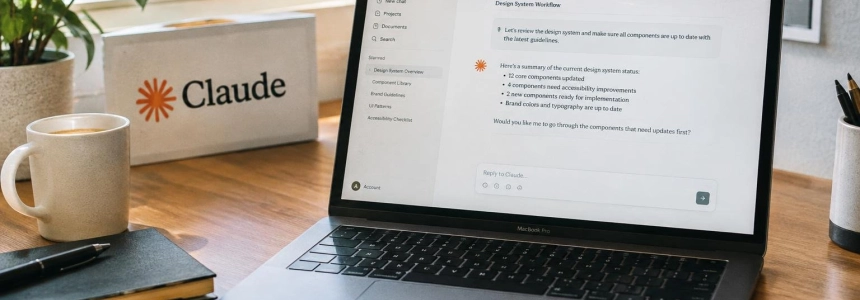
Claude can bring together logos, fonts, colors, and guidelines to reuse a visual identity across different materials, according to Tom’s Guide. This is useful for anyone preparing presentations, marketing materials, or web pages who wants to avoid re-uploading the same references and describing the aesthetic for each project.
ChatGPT can also follow brand guidelines and templates; the difference described by Tom’s Guide is that Claude offers a dedicated, more structured design system.
Choose Claude if visual consistency matters across projects; for generating images or maintaining voice conversations, Tom’s Guide recognizes advantages in ChatGPT. There’s no need to make this an all-or-nothing choice: each tool may work better for a different workflow.
Choose by workflow, not by brand
Claude stands out when it connects instructions with everyday tools: Reminders on iPhone, Skills that follow you through Office, or routines recorded on Mac. Importing memory makes the transition easier, although it doesn’t migrate your complete history and remains experimental. The design system targets another use case: reusing a visual identity across multiple materials.
To choose, simply identify where your current work gets stuck. If it’s copying data between chat and an iPhone app, try the mobile integration; if it’s repeating the same criteria in documents, evaluate Skills; and if it’s teaching a sequence of actions, recording can save you from writing out the explanation, provided your device and plan are compatible.
Sources: Tom's Guide, Claude Help Center, Claude Help Center, Claude Help Center