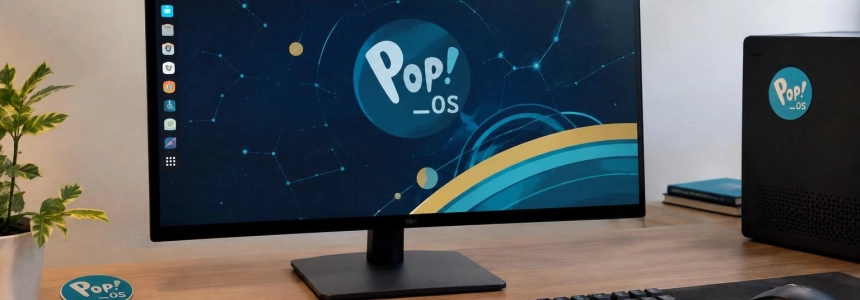
Pop!_OS 26.04 LTS is now available to install, bringing Constellations, a theme system that changes the wallpaper, accent colors, icons, and fonts of the COSMIC desktop all at once. System76 is releasing this version after nearly a year of development, based on Ubuntu 26.04 LTS.
A complete theme from Appearance
The practical difference with Constellations is that it brings together settings that were previously spread across several screens. To choose a style, simply open Settings > Desktop > Appearance and select a theme; there is no longer any need to separately adjust the wallpaper, panel, dock, or window management to create a cohesive look.
The system does not limit users to applying fixed theme packs. Each Constellation can serve as a starting point: nearly all of its elements can be modified, the Frosted Glass transparency effect can be added, and the result can be exported as a backup or shared with others. System76 presents it as a way to change the desktop's appearance with a single selection without giving up control over the details.
The selection also lets users choose between light and dark mode and enable or disable automatic switching between them. The setting is integrated into the same Appearance section, so the visual theme and these modes are managed in one place.
Ubuntu base and release components
Pop!_OS 26.04 LTS is built on Ubuntu 26.04 LTS and brings together the improvements System76 has been adding to COSMIC. According to System76's release notes, the distribution includes COSMIC Epoch 1.12, Linux kernel 7.2.15, Mesa 26.2.3, Wayland 1.26, and the NVIDIA 595.104.02 driver. The company notes that kernels and hardware support are updated continuously.
| Component | Version listed |
|---|---|
| Distribution base | Ubuntu 26.04 LTS |
| COSMIC | Epoch 1.12 |
| Linux kernel | 7.2.15 |
| Mesa | 26.2.3 |
| Wayland | 1.26 |
| NVIDIA driver | 595.104.02 |
The download page offers images for different devices: Pop!_OS 26.04 LTS, an NVIDIA edition, ARM versions, and an ARM version with NVIDIA, which includes Thelio Astra. System76 does not list file sizes on the page, so the news is the availability of these variants, not a difference in their sizes.
Graphics tablets, on-screen keyboard, and updates
The release adds graphics tablet support and pen input controls, including tilt sensitivity. System76 highlights uses such as graphic design, photo editing, animation, note-taking, CAD, and GIS. The distribution also includes an on-screen keyboard that supports touch and gamepad input; it can be useful on touchscreen computers and devices operated from the couch.
Another new feature is the option for automatic system and application updates. It can be enabled during initial setup or from Settings > System and Accounts > System and Application Updates. This means installation is no longer the only time to decide whether the system should download and install updates automatically.
The native app lineup is growing with COSMIC Viewer, COSMIC System Monitor, and a redesigned COSMIC Store. The official notes also mention that Popsicle, the utility for creating USB drives, has been adapted to libcosmic. The store's interface has been refreshed, and a gallery view can be opened after selecting screenshots.
More changes to accessibility, windows, and gaming
Accessibility improvements include the mouse-shake gesture to locate the cursor, pointer size options, scalable cursors, and an improved screen magnifier. System76's list also includes remote desktop support and the ability to configure cycling between workspaces.
Fullscreen use and gaming receive their own adjustments: fullscreen behavior has been improved, pointer constraints are available through the Wayland Pointer Constraints protocol, and changes have been made to improve the Steam Big Picture experience. On systems with hybrid graphics, COSMIC improves automatic GPU selection so video games use the appropriate graphics card.
The release notes list other changes across the desktop and its apps: per-application sound control, variable refresh rate support on compatible displays, Bluetooth device renaming, and improvements to touchscreen use. COSMIC Files lets users, among other things, change sidebar labels, navigate files with Page Up and Page Down, and access network locations from anywhere.
COSMIC Player features have also been updated, including playback controls, A-B repeat, frame stepping, and speed adjustment. In COSMIC Terminal, panel borders can be configured and tabs moved with keyboard shortcuts. The release shows that this is not just a theme update: it also includes desktop, accessibility, gaming, and application improvements.
What changes for people using Pop!_OS 24.04
Those already using Pop!_OS 24.04 LTS will be familiar with many of these features. COSMIC follows a continuous development model, and System76 has been distributing many of the new features through software updates before grouping them into the new release. The difference is that Pop!_OS 26.04 includes them out of the box in a fresh installation.
System76 and OMG! Ubuntu say that a direct upgrade from Pop!_OS 24.04 LTS will be enabled in December. Until then, the way to try the full 26.04 release now is to perform a fresh installation using the image published by System76. The company recommends this option for anyone who wants the complete experience of the new release.
The download is now available on the official Pop!_OS page, with images for standard computers, NVIDIA systems, and ARM devices. Those who would rather wait before reinstalling can use the upgrade from 24.04 planned for December.
Sources: XDA, Linuxiac, OMG! Ubuntu, System76 Blog, System76