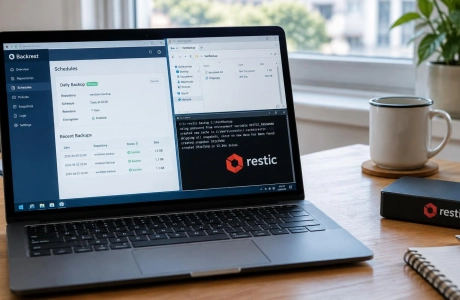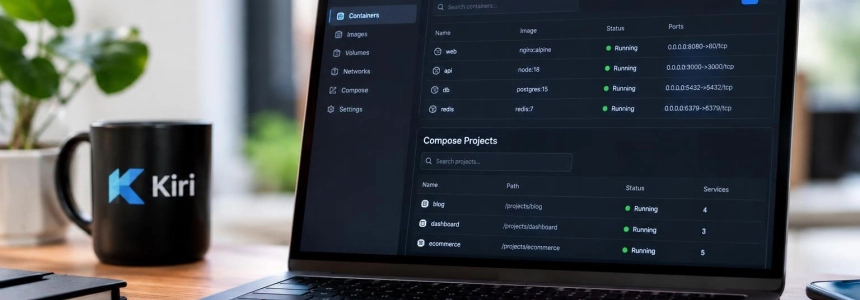
Kiri says starting a container with docker run takes 22 ms, compared with 178 ms with Docker Desktop, in a test run with both engines limited to 2 CPUs and 8 GB. The project presents its free application, still in beta, as an alternative to Docker Desktop on Mac, Windows, and Linux; the figures and features described here are those published by Kiri.
- Platforms: Mac, Windows, and Linux
- Price: Free
- Version: 0.2.1
The offering does not require giving up familiar tools: Docker CLI, Compose, and the Docker API work with Kiri. It also supports Dockerfiles, BuildKit, Docker Hub, and OCI images. On macOS, it can import images and volumes from Docker Desktop or OrbStack; the documentation explains that installing Kiri does not modify another Docker engine that is already installed.
A different engine behind the same commands
The technical difference Kiri highlights lies in how it starts containers. On macOS, it uses a Linux virtual machine and a single daemon; on Linux, the daemon works directly on the system kernel, and on Windows, it runs inside WSL2. Kiri says it does not maintain a helper process for each container.
In the comparison published by the project, Docker Desktop takes 178 ms to start the same container; Colima takes 152 ms, and OrbStack takes 279 ms. Kiri attributes its 22 ms result to a path using a single daemon. According to Kiri, Docker Desktop and OrbStack route each startup through five programs and sockets. These are Kiri's own measurements, made on an Apple Silicon Mac with the engines limited to 2 CPUs and 8 GB.
The application adds an interface for viewing containers, live logs, a terminal, files, images, volumes, and Compose projects. It also lets users build and scan images, start a k3s cluster with kiri k8s start, and create Linux machines. To share an application, Kiri offers a public HTTPS link on runkiri.cloud that can be disconnected from the window.
What changes depending on the operating system
On Mac, Kiri requires macOS 14 or later and works on both Apple Silicon and Intel machines. The application uses a Linux VM; amd64 images run through Rosetta on Apple Silicon, according to Kiri. During installation, it can configure local names for accessing containers, although enabling the .kiri.local domain requires an administrator password.
The Windows version is in beta and uses WSL2. Its initial setup may install WSL2 and request administrator authorization and a restart. On Linux, the service runs directly on the machine's kernel and requires systemd; packages are available for x86-64 and ARM. The interface is available in the full package for x86-64, while the lightweight variant includes only the engine.
These differences matter when assessing the promise of a consistent experience: the engine is the same, but its environment is not. Mac depends on a virtual machine, Windows on WSL2, and Linux needs neither. In addition, Kiri warns that the Windows installer is not yet code-signed, so the system asks for confirmation before running it.
What can be assessed and what remains to be verified
Compatibility with Docker commands and formats, along with importing from Docker Desktop or OrbStack on Mac, points to a less disruptive migration.
Speed, resource usage, and architecture are described through Kiri's measurements and claims. The project publishes startup figures and explains how its engine works, including the VM setup on macOS and direct use of the kernel on Linux.
What is clear, then, is the approach: reuse the Docker workflow and add an interface, Kubernetes, Linux machines, and shareable links. What cannot be established from these assessments is whether reviewers agree on its strengths or weaknesses, or where they disagree: that comparison requires opinions from people who have tried the product.
.