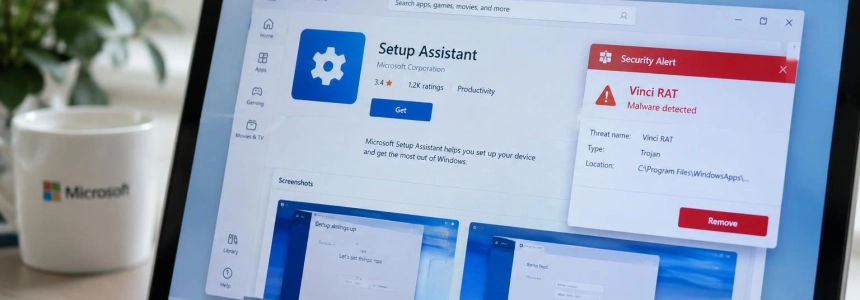
A Microsoft Store app called Setup Assistant, by ETPS Ltd, served as an entry point for Vinci RAT, a trojan capable of executing code and providing remote access to a computer. eSentire linked the campaign to an installer called Snipping-Tool.exe, downloaded from a fake website posing as a page for the Windows snipping tool; The Hacker News reported that Setup Assistant was no longer available in the store when it published its report.
The lure was a download of the supposed Windows Snipping Tool. According to eSentire, when users ran the Microsoft-signed installer, they were redirected to Microsoft Store to install Setup Assistant, an Electron-based app. If you only visited a page and did not download or run anything, the reported facts do not in themselves indicate that the RAT reached your PC.
Who should check their computer
Check whether you have or had Setup Assistant installed, especially if you searched for it after arriving from a snipping tool download page. The investigated installer was called Snipping-Tool.exe; running it led to the app being installed. eSentire identified the fake website as snipp.codes-team[.]com. The address is written with brackets in the investigation.
According to eSentire, Setup Assistant was not Vinci RAT itself: it functioned as a backdoor for downloading it. The app could communicate with command-and-control servers, monitor the Downloads folder, and execute PowerShell or JavaScript code supplied by the attackers. The Vinci RAT stager established persistence through a scheduled task and retrieved the RAT.
Vinci RAT could identify computer characteristics and security tools, open remote access or a reverse shell, deliver files, and execute EXE, DLL, PowerShell, or shellcode payloads. This does not mean that all these actions occurred on every computer: they are capabilities described by eSentire. The organization also observed that the configuration monitored names such as MSTeamsSetup.exe and Reader_install.exe; finding one of those files alone does not prove an infection.
“The application was heavily obfuscated, maintained communication with C2 [command-and-control] infrastructure, monitored the victim's Downloads folder, and supported execution of C2-supplied PowerShell and JavaScript,”
— eSentire Threat Response Unit
What to do if you installed Setup Assistant
Stop using the computer for sensitive tasks. If Setup Assistant was installed or you ran Snipping-Tool.exe, disconnect the PC from the network: turn off Wi-Fi or unplug the network cable. Do not use that computer to access email, banking, or work accounts while the incident remains uninvestigated. The campaign enabled remote execution and persistence, so do not assume the problem is resolved just because the app window has disappeared.
Write down what you remember before changing anything. Record the name Setup Assistant, the Snipping-Tool.exe installer, the approximate date, and the page you arrived from, if you still have it. If the computer belongs to a company, contact its support or security team from another device. Do not delete files or scheduled tasks yourself: eSentire documented persistence through a task, but does not provide general instructions for safely removing it from every computer.
Check whether the app appears as installed. In Windows, open Settings, then go to Apps and Installed apps. Search for Setup Assistant; if it appears, also note the publisher shown before taking action. eSentire identified ETPS Ltd as the publisher. Names can help identify the installation, but their absence does not rule out a previous infection or remove components that may have been downloaded separately.
Request a computer review, not just an uninstall. Explain that the investigated app could execute instructions received remotely and that the Vinci RAT stager established persistence through a scheduled task. Ask support to review the computer and decide how to clean or reinstall it as appropriate. The published investigation does not provide a universal command that can safely remove Vinci RAT from every affected system.
Change credentials from another clean device if you used important accounts on the computer after installing the app. If it is a work computer, prioritize the accounts your organization's support team identifies. Vinci RAT could enable remote access and gather computer characteristics; change credentials from a different device while the affected computer is still awaiting review.
Verify the source of future downloads. Open the store or official website by typing the known address yourself instead of following an ad or sponsored result. In this campaign, searching for a snipping tool led to a fake website; eSentire also found subdomains suggesting impersonation of Microsoft Teams and Roblox pages. Do not download installers from those domains.
Mistakes that can complicate the response
Do not assume that Microsoft Store guarantees an app is safe. Setup Assistant was distributed through the official store, even though the initial download came from a fake website. Also, do not mistake Microsoft's signature on the Snipping-Tool.exe installer for a guarantee about the behavior of the app that was ultimately installed.
Avoid simply uninstalling Setup Assistant and reconnecting the PC. The app was the access channel; the stager downloaded Vinci RAT and configured a scheduled task. Removing the visible app does not prove that those later components have disappeared.
Do not run suspicious files to see what they do, or look for “fixes” on unverified download sites. The Hacker News reported that Setup Assistant was no longer accessible in Microsoft Store when it published its coverage, but the investigation does not clarify whether Microsoft removed it or the attackers did. eSentire said it had reported the app through the store's abuse form on November 10, 2026, and received a response stating that it did not violate the store's terms.
If you do not remember installing Setup Assistant or running Snipping-Tool.exe, the information described here is not enough to attribute an infection to you. If you did, preserve the incident details and let support review the PC before reconnecting it.
####Sources: TecnoAndroid, The Hacker News, eSentire