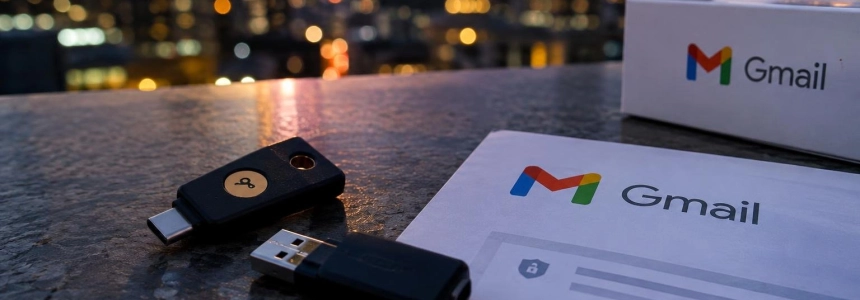
Remus Stealer advertises a feature that, according to its developers, allows it to read a compromised Gmail account even after changing the password or signing out of sessions. Hudson Rock has not verified this persistence in a controlled test: if you suspect your device is infected or detect access you do not recognize, recover the account from a clean device and check more than just the password.
Who may be affected and what signs to look for
The risk described applies to people whose Gmail account and device are already compromised. Remus is an infostealer: malicious software designed to steal information, such as credentials. Its operators promote a mailbox viewer in their panel, but this advertising does not prove that it can maintain access after the account has been fully secured.
Look out for sign-in alerts you do not recognize, unfamiliar devices or sessions, and changes you did not make to your Gmail settings. Reset or verification messages you did not request may also be indicators, especially if they come from services linked to that account. None of these signs, on its own, confirms that Remus is behind the problem.
Hudson Rock examined promotional material and spoke with the developer and a person who said they had used the feature. The latter claimed that access continued after closing the browser, resetting a session, and changing the password, but the details needed to validate the account were not documented. The investigation also did not include reverse engineering of the feature or a controlled recovery test.
What to do to regain control
Disconnect the suspected device from the internet. If you think it is infected, isolate it and do not sign in to your accounts from it again while it remains compromised. This helps prevent you from handing over new credentials from the same device that may be monitored.
Use another trusted device. Start account recovery from a clean device. Malwarebytes recommends doing this without delay and cleaning the affected computer before using it to access accounts again. If you cannot confirm that the device is clean, do not use it to change passwords.
Change your Google password. Do this from the trusted device, not the suspected one. Changing the password is still part of account recovery: Remus's claim that it can survive a password change does not prove that it can. Google documents that, as a general rule, password changes invalidate the access and refresh tokens used by apps with Gmail permissions.
Review security events and devices. Check the account's recent security activity and the devices that are signed in. Sign out of access you do not recognize and revoke suspicious sessions. Do not consider the review complete just because you changed the password.
Remove unfamiliar apps. Review which apps have access to your Google Account and remove any you do not recognize or no longer need. A stolen token alone does not prove that Remus retains access after a password change; that is why it is also a good idea to check the permissions granted to apps.
Inspect your Gmail settings. Look for forwarding rules, filters, and mailbox delegation that you did not set up. Also check whether your recovery email or phone number, or your verification methods, have been changed. If you find unusual changes, remove them from the clean device.
Clean the infected device. Run trusted security software to detect and remove the malware. Google also notes that resetting the computer and reinstalling the operating system is another option for dealing with harmful software. Do not use the device to access accounts again until it has been cleaned.
Protect linked accounts. Change the passwords for other important services that rely on this Gmail account to sign in or recover access, especially if you see verification or reset messages you did not request. Review those accounts from the trusted device and remove access you do not recognize.
Enable additional access protections. Information about Remus is no reason to abandon two-step verification. Hipertextual also recommends considering passkeys if you think the account may be at risk. Set them up from a clean and secure environment.
Mistakes that can leave a door open
Do not change your password on the infected device. If the malware is still active, your new credentials could be exposed. Isolate the device first and complete recovery from another trusted one.
Do not just sign out of sessions. Also check connected apps, filters, forwarding, delegation, and recovery information. Reviewing sessions alone may overlook changes to the mailbox or permissions granted to apps.
Do not treat Remus's advertising as a proven result. Hudson Rock did not confirm in a controlled test that the malware can retrieve new messages after a password change, session revocation, and removal of app access. It also did not confirm a Gmail zero-day vulnerability or a universal multifactor authentication bypass.
Do not forget accounts that depend on your email. An accessible mailbox may contain recovery links and verification codes for other services. If you detect suspicious activity, also review accounts that use Gmail to reset passwords or verify sign-ins.
Sources: Hipertextual, Malwarebytes, Tom's Guide, Yahoo Tech