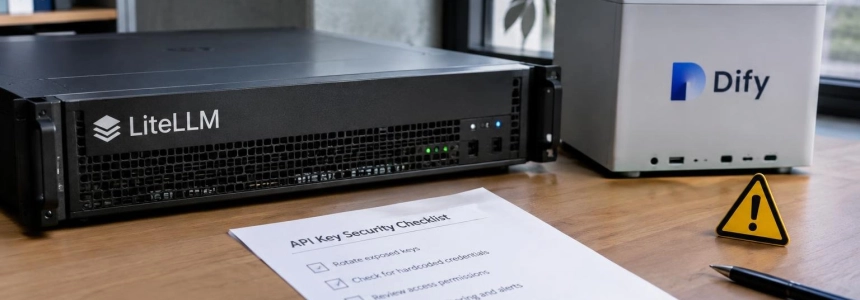
Amazon detected records of ARTEX agents searching for AI applications accessible from the Internet to steal API keys and reuse them to search for more credentials. Targets include LiteLLM, Dify, One API, Langflow, and RAGFlow; if you administer any of these tools, first check whether it is exposed and what secrets it holds. A valid key can provide access to models and generate usage charges on your account.
The risk affects teams operating model gateways, AI application builders, or related services, especially if they allow external access without adequate controls. The records describe searches for keys in configuration files, code, and other public artifacts, as well as attempts to exploit default credentials and unfinished installations. Exposure of a single interface can reveal keys from multiple providers.
Amazon warns that it could not verify the results agents claimed to have obtained from systems outside its decoy network. It did notify AWS customers who may have been affected. The practical recommendation is to check your own systems for the identified weaknesses, without assuming that an alert means an intrusion has been confirmed.

What to check first in your applications
Inventory applications accessible from the Internet. Include gateways and proxies such as LiteLLM, One API, New API, Veloera, and Sub2API, and platforms such as Dify, FastGPT, Langflow, RAGFlow, Open WebUI, LobeChat, and Ollama. Check which instances are publicly accessible and whether their administration interfaces, provider configuration pages, or inference endpoints require authentication. Amazon says the agents searched for management and configuration endpoints that did not require sign-in.
Remove default credentials and incomplete configurations. Change any administrator credentials that are still set to factory defaults, including the default LiteLLM master key mentioned by Amazon. Also check new or not-yet-configured installations: according to the team, some could be claimed by third parties if exposed before deployment was complete. Do not leave an administrative console open while you finish configuring the service.
Compare Langflow and RAGFlow versions against their advisories. Amazon says Langflow versions earlier than 1.3.0 are affected by CVE-2025-3248, an authentication flaw that allows remote code execution; 1.3.0 is listed as the fixed version. For RAGFlow, NVD considers versions 0.24.0 and earlier affected by CVE-2026-28797. The security advisory does not list a fixed version, although Amazon notes that 0.25.0 includes template rendering in an isolated environment, as recommended by the advisory. Confirm the installed version and consult each project's advisories before planning an update.
Review One API without assuming which versions are affected. The report describes an authentication bypass using the
isCliRequestheader in One API family systems, but does not identify vulnerable versions or a specific fix. Check whether your instance belongs to that family and examine its access controls and logs. Do not base an update or mitigation decision on a version that the advisory does not specify.Search for secrets everywhere code is deployed. Examine configuration files, environment variables, deployment scripts, CI/CD pipelines, and databases. Include repositories, container images, and published artifacts: the campaign also searched for secrets on GitHub, npm and PyPI packages, notebooks, model hosting spaces, paste sites, and Telegram channels. Amazon recommends continuing to scan repositories and images to detect exposed credentials.
Immediately rotate any credentials you find exposed. Revoke affected keys and replace them with new credentials; deleting the value from a file or repository is not enough if the key remains active. Review who or what can use it and which resources it can access. The records describe agents checking whether stolen keys worked and grouping them into a shared pool.
Restrict Cloudflare tokens used in CI/CD. Cloudflare observed a compromised account token that had no IP restrictions or rate limits. The company recommends setting an expiration date and restricting the authorized client IP addresses for tokens. It also notes that new tokens use the
cfut_prefix, which can help secret scanners find them.Look for signs of misuse and unusual usage. Compare AI service usage and spending with normal activity; Amazon recommends monitoring for unexpected consumption or unusual patterns. If you use Cloudflare, check whether Workers appeared with names beginning with
artex-,artex-pgrecon-,artex-pgw-, orartex-do-. Cloudflare also described activity exceeding 69 requests per minute and 400 database dump requests in one hour in a specific incident; these are details from that case, not a universal threshold.
Mistakes that can leave the door open
Do not assume a hidden key is still safe. The agents searched for secrets in code, public files, container images, and other artifacts, as well as scanning Internet services and certificate transparency logs. A credential that does not appear in the public interface may still have leaked through a repository, an old artifact, or a deployment configuration.
Do not confuse detection with confirmed theft. Amazon captured records sent to decoy servers that imitated language model services, but it did not directly observe all the activities agents described on other systems or verify their results. Review your own logs and credentials; do not conclude that an intrusion occurred just because you administer one of the applications mentioned.
Do not leave permanent tokens with broad permissions. Cloudflare linked several incidents to static CI/CD tokens that did not expire and provided broad access to cloud environments. In another case, the company said the compromised token had no IP restrictions or rate limits. Reduce those permissions and apply the restrictions available for tokens instead of keeping them indefinitely.
Do not consider a flaw resolved without validating the advisory. For Langflow, the report specifies 1.3.0 as the fixed version; for RAGFlow, it distinguishes affected versions from the reference to 0.25.0 and its template changes, but the cited advisory does not list a fixed version. For One API, it provides neither affected versions nor a fix. Check each case against information maintained by the project before marking a review complete.
Amazon summarizes the operational shift this way: “What AI agents change is the speed and persistence of the attacker,” its threat intelligence team said. For those responsible for these applications, the next step is to review exposure, authentication, secrets, and usage, starting with instances accessible from the Internet.
Sources: The Hacker News, Amazon Web Services, Cloudflare Blog