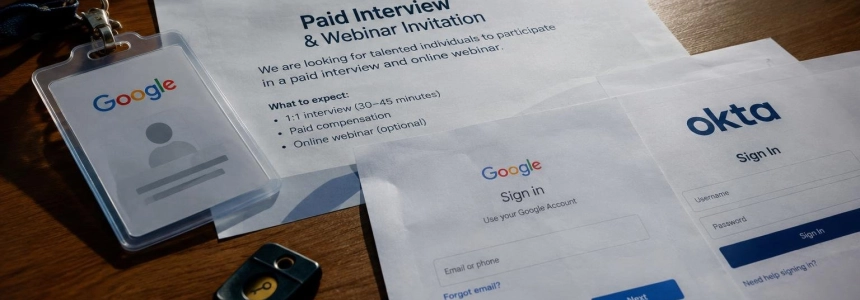
GoodGuys impersonates eight well-known brands with invitations to paid interviews, studies, and webinars to steal credentials for corporate Google and Okta accounts. Push Security has been tracking the campaign since October 13: offers may promise up to $600 for 45 minutes, and after sign-in, the fake page may also ask for verification codes.
The brands used as lures are Accenture, American Express, Coca-Cola, Culver’s, Google Cloud, Nvidia, SpaceX, and Spotify. The most useful warning sign is not just the sender’s name: the page eventually asks you to sign in with your corporate account to validate an invitation or take part.
How to tell if the invitation affects you
If you received an interview, opinion study, or webinar invitation attributed to one of those brands, carefully check the link and what it asks you to do. The scams imitate the company’s branding, display a CAPTCHA, and lead to a Google or Okta form. One observed example invited recipients to a Google Cloud webinar about bringing artificial intelligence applications into production.
The form rejects personal Gmail, Yahoo, and Outlook addresses and accepts work accounts. If, after entering your password, you are asked for an SMS code, authenticator code, number-matching confirmation on your phone, or Okta Verify notification, do not complete the verification: the kit may request these steps in real time so the attackers can reuse them.
An email arriving through HireVue, SendGrid, Mandrill, or Cvent does not make it authentic. Push Security says the attackers have abused legitimate email and event services to distribute links. It has also observed domains containing words related to interviews or studies, for example accenture.international-interviews.com and nvidia.feedback-study.com. Names can change, so do not use a domain list as your only test.
«Calling the page a “simulation” of a login for a made-up company is the kind of framing someone would use to get an AI coding assistant past its safety guardrails by asking it to build a phishing page. The label remained in every version we collected.»
— Push Security researchers
What to do, step by step
If you only received the email, do not open its link. Do not enter information or codes on the page. If the invitation seems relevant, confirm that it is real through a contact channel you already know or by finding the official website yourself; do not use the message’s details or links to verify it.
If you already entered your password, change it as soon as possible from a trusted device. Type the service’s official address manually or access it through an app you already use; do not return to the invitation link. If you used the same password for other services, change it there too.
Sign out of open sessions and review recent sign-ins in the account’s security settings. RedesZone recommends closing sessions to kick out potential intruders and checking the sign-in history. If you find activity you do not recognize, include it when reporting the incident to the security team.
If you shared a code, act as if someone attempted to access your account. GoodGuys may request SMS or authenticator codes, a Google number-matching confirmation, or an Okta Verify push notification. Do not approve any unexpected new requests. Change your password and review sessions and sign-ins even if the page ended by displaying an error or a thank-you message.
If it is a work account, notify IT immediately. State which account you used, what information you shared, and whether you approved a notification or entered a code. RedesZone recommends asking the team to revoke active tokens and audit your permissions; do not try to hide the incident or just change your password.
Ask about passkeys or security keys if your organization supports them. RedesZone recommends considering these methods: according to its explanation, they rely on cryptography between the device and the legitimate server, rather than SMS codes or push notifications that this attack can relay. Consult IT before changing the settings on a corporate account.
If you manage security, preserve the message and link so the team can analyze them and search logs for related activity. Push Security warns that the operators frequently change the page domains; their indicators are useful for investigating logs but may become outdated as a blocking method.
Mistakes that can make account theft easier
Do not trust the sender alone. Invitations may circulate through legitimate platforms and, in one case, the observed message came from a HireVue address. A familiar name and a polished-looking page do not prove that it is official either.
Do not provide verification codes to complete an unexpected invitation. GoodGuys does not just collect a password: someone can try it against the real service and make the fake page display the challenge Google or Okta requests at that moment.
Do not assume your account is safe because it rejected your email. The filter for personal Gmail, Yahoo, and Outlook addresses is part of the kit described by the researchers; it is not a legitimacy check. And if the page has already received a password or code, closing the tab does not revoke what you shared.
Push Security also found fake Coca-Cola invitations linked to a kit called Evilginx and targeting Google Ads accounts. The company could not confirm whether that operation and GoodGuys belong to the same group. If the invitation you opened mentioned Coca-Cola, notify IT as well and specify which account you used.
Sources: Hardware Upgrade, RedesZone, BleepingComputer, Push Security, Protect.Computer — Simple Security for Everyone