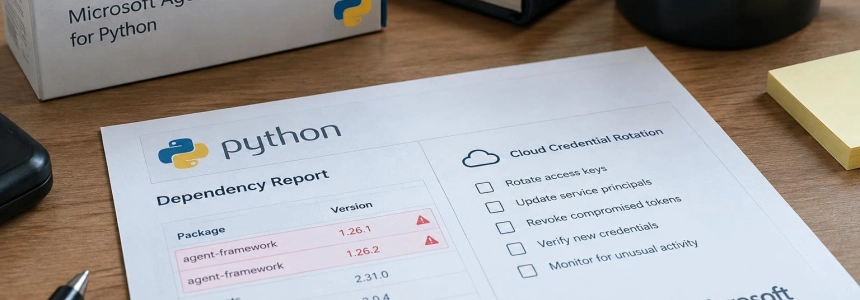
Versions 1.26.1 and 1.26.2 of agent-framework, Microsoft's package for building AI agents, were published on PyPI on November 17 with code that stole credentials. The stealer activated when Python started, even if the application did not import the package; teams that installed either version should therefore check their environments, especially those running CI jobs or workloads in Azure.
The malicious payload ran through .pth files during the interpreter's normal startup. Importing agent-framework was not necessary, and the package could continue working with its legitimate code, making the theft harder to detect. PyPI removed the malicious releases; the latest safe version listed by Wiz is 1.26.0.
Check which environments may have been exposed
Start with dependency manifests, lockfiles, build logs, virtual environments, container images, and CI caches. Search for agent-framework 1.26.1 or 1.26.2, not just installations that are still active: an image or cache created during the publication window could retain the compromised version.
The check should cover development laptops and automated systems. The code searched for secrets in environment variables, configuration files, and other processes' environments when permissions allowed; it also requested new tokens from cloud and CI services. A build runner counts too, even if the job has already finished.
| Version | Files associated with the mechanism |
|---|---|
| 1.26.1 | agent_framework_meta.pth and agent_framework_meta/_telemetry.py |
| 1.26.2 | af_runtime_diag.pth and af_runtime_diag.py |
Search for these names in the site-packages directory of suspected environments and on build agents. The indicators changed between versions: limiting the search to 1.26.1 files could miss 1.26.2. The absence of those files now also does not prove that the package did not run earlier; cross-check against installation logs and historical images.
Containment and response steps
Isolate the affected environment and stop jobs or runners that may still be using it. BleepingComputer recommends avoiding running Python or pip in the compromised environment until it is secured. Do not use a suspicious session to investigate its own files: preserve its logs and analyze copies or isolated systems.
Locate all installations of both versions in declared dependencies, lockfiles, CI logs, virtual environments, images, and caches. Include machines that built or reused those artifacts. Record which jobs used each environment and which credentials were available to them.
Check the startup files listed in the table, along with records of environment creation and use. In 1.26.1, the indicator includes agent_framework_meta.pth; in 1.26.2, the mechanism changed to af_runtime_diag.pth. If there is evidence that Python started with one of these versions, treat the environment as executed, not as an inert download.
Search for outbound connections to the specific indicator reported by Wiz and BleepingComputer: webhook.site/d381fd80-ec62-42ad-8f5c-d1b15103c9bb. Review proxy, DNS, and network egress logs, and distinguish completed requests from blocked ones. Wiz notes that an HTTP 200 response indicates the data was accepted; 410 or 429 suggest it was rejected. The webhook.site domain is a shared service: the relevant indicator is the UUID path, not the domain by itself.
Rotate accessible secrets from each host or runner that executed the package. Depending on what that environment could read, include credentials for Azure and Azure DevOps, GitHub, Git, Docker, npm, PyPI, NuGet, Hugging Face, OpenAI, and application secrets. Revoke or invalidate session tokens and CI credentials where possible; changing the dependency does not, by itself, invalidate anything that may already have been exfiltrated.
Review identities and cloud activity associated with affected machines and jobs. Security researchers describe requests for Azure managed identity tokens and Azure DevOps OIDC tokens; 1.26.2 also added GitHub Actions OIDC requests. Check sign-ins and activity for reachable identities, as well as workflows that had id-token: write enabled if they installed 1.26.2.
Remove and rebuild from a clean state the affected environments, using verified dependencies and an image known to be safe. Pin agent-framework to the safe version 1.26.0 cited by Wiz while a later version is validated. Also review lockfiles and caches: deleting the package from a machine does not automatically clean reusable artifacts or undo a prior leak.
Document the scope and verify remediation before reactivating jobs. Link each version found to its host, image, and available credentials; confirm rotation and search the relevant logs again for indicators. Preserve findings to help detect indirect installations or artifacts that reintroduce the dependency.
“That combination of passive theft and active token requests makes it especially dangerous in cloud build environments, because even short-lived tokens are useful when they're exfiltrated right away,”
— OpenSourceMalware researchers
Mistakes that can leave credentials exposed
Uninstalling the package is not enough: removing the files may prevent future execution in that environment, but it does not recover sent data or revoke tokens. The response must include secret rotation and activity review, as well as rebuilding the affected system.
Do not assume an environment is safe just because the application never imported Agent Framework or because it kept working. Python startup activated the code, and the malicious payload retained legitimate components of the package. Similarly, checking only current dependencies may miss an image or cache created during the exposure.
Finally, do not attribute every connection to webhook.site to this incident: the service is legitimate and shared. Search for the specific UUID path and check whether the request completed. Wiz reported that available logs included requests from tests and scans in addition to cases of exfiltration; an isolated network indicator needs host and timing context.
Sources: theregister, BleepingComputer, InfoWorld, Wiz, OpenSourceMalware