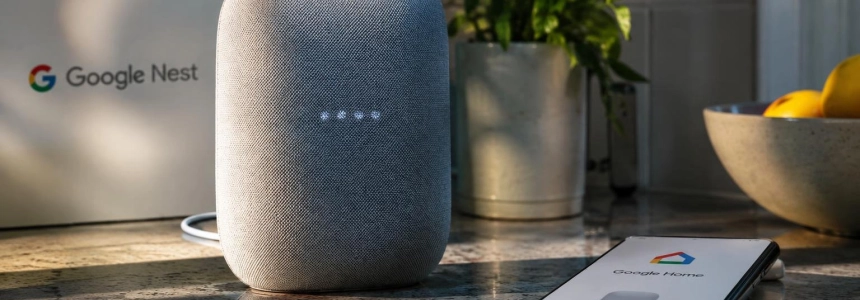
Google will retire the Nest app on January 25, 2027 and stop offering Google Assistant on smart speakers and displays on August 2. Compatible Nest devices will not become unusable: they will be managed through Google Home, while Gemini for Home will replace Assistant on voice-enabled devices. But the change requires preparing old accounts and, in Gemini’s case, accepting the upgrade.
The timeline confirms two separate changes, with different consequences for users. The first affects how cameras, thermostats, locks, and other Nest products are controlled; the second affects the voice assistant on Google speakers and displays. Migrating the devices does not mean Gemini will be activated automatically: Google says that upgrade will have to be completed separately.
Google Home will bring Nest devices together
Starting January 25, 2027, Nest will no longer be available on Android, iOS, TVs, or the home.nest.com website. To check devices remotely, control them, or receive notifications, users will have to use Google Home or go to home.google.com. They will also need a Google Account to manage devices from the app.
Google will automatically transfer compatible Nest devices, their settings, and their schedules. The process will include cameras and doorbells, thermostats, smoke and carbon monoxide alarms, and locks. Recent video history will also be transferred, including both event recordings and 24/7 history. Installed devices will continue to work at home, even if the user does not open Google Home; access through Nest is what will disappear.
The destination app will bring together controls for Nest devices, Google Home speakers and displays, TV streamers, and thousands of products compatible with Works with Google Home and Matter. Google also supports access through iOS and Android widgets, the Android Home Panel, smart displays and speakers, TVs and smartwatches, as well as a web browser.
Among the capabilities Google lists for Google Home are live HD video streaming, two-way communication, activity zones, and familiar face alerts. Compatible thermostats will retain remote temperature control, schedules, sensors, and energy history; Nest Protect alarms will keep alerts, Sound Check, and Hush, while the Nest x Yale lock will allow users to lock and unlock it and manage access codes.
Which devices and recordings will move to the new app
The compatibility list covers Nest products from the past decade, although not every older device is included. Google specifically identifies the third- and fourth-generation Nest Learning Thermostats, the Thermostat E, and the 2020 Nest Thermostat; it also includes first- and second-generation temperature sensors. The second-generation Nest Protect will remain supported until the expiration date printed on it.
| Category | Devices listed by Google |
|---|---|
| Thermostats | 3rd-generation (2015) and 4th-generation (2024) Nest Learning Thermostat; Nest Thermostat E (2017); Nest Thermostat (2020); 1st- and 2nd-generation temperature sensors. |
| Cameras and doorbells | 1st-generation wired Nest Cam Indoor and Outdoor; Nest Cam IQ Indoor and Outdoor; 1st-generation wired Nest Hello; Nest Hub Max camera; Nest cameras and doorbells released since 2021. |
| Alarms | 2nd-generation Nest Protect, wired or battery-powered, until the expiration date printed on the device. |
| Locks | Nest x Yale Lock with Nest Connect. |
There is an important exception for people who save recordings themselves. Clips saved in the Nest web library will not be transferred, although recent camera history will. Google asks users to download them before January 25 from home.nest.com using the “Download All” button. Once in Google Home, recordings in history can be viewed until their usual retention period expires, after 30 or 60 days; on the web, users will also be able to download clips up to five minutes long.
Google also lists some legacy features that will not carry over: time-lapse videos, email notifications, and the library of saved clips. The company describes the migration as a way to consolidate engineering, security, and feature investments into a single experience. It notes that for years, some owners had to switch between Nest for older devices and Google Home for newer ones.
“The Nest app launched more than 15 years ago, and home technology has changed a lot since then.”
Old accounts will be deleted after March
People who started using Nest after August 19, 2019 were already signing in with a Google Account and do not need to migrate a separate Nest account. However, anyone who still signs in with a Nest password must link their account to Google before January 25 to avoid losing access to their devices through the app.
The deadline to download or delete data is March 25, 2027. From then on, Google will begin processing the deletion of Nest accounts that have not been linked to a Google Account, along with their data and subscriptions. Google Workspace accounts can also be linked, although Google warns that they may not provide access to all features available in every country; it recommends a personal Gmail account for full functionality.
First-generation Nest Aware subscribers will automatically move to Google Home Premium Advanced on January 25 at no extra cost. Google says this plan replaces first-generation Nest Aware, which stopped being sold in 2023; users will not need to re-enter their card details during the transition. Nest Aware subscriptions purchased through ADT are not affected, because ADT systems do not use the Nest app.
Gemini will replace Assistant, but requires action
The second change will come on August 2, 2027, when Google begins retiring Assistant from smart speakers and displays. The company estimates that the change may take several weeks to reach all users and will send reminders in Google Home and on the devices themselves as the date approaches.
Unlike the move of Nest devices, speakers and displays will not be automatically upgraded to Gemini for Home. Users will have to accept the new experience and its terms through Google Home or Google Home for the web. If they do not, Assistant will stop responding and the device will prompt them to complete the free upgrade; according to Google, the device will work again once the process is complete.
The upgrade to Gemini for Home is free, but some advanced features—such as Gemini Live and searching camera video history—require a Google Home Premium subscription. Google presents the new assistant as an alternative that can answer more complex questions, handle pauses and mid-sentence changes, and retain context across interactions. Availability depends on the region; Google already allows users to upgrade from the app or at home.google.com/gemini in supported locations.
In the app, Google’s instructions begin with the “Introducing Gemini for Home” notification. Users can also open their profile, go to the home settings, and tap “Get started” in the Gemini setup prompt; they then need to follow the instructions, accept the disclosures, and configure the assistant and response filtering. Each user has two decisions to make: save clips that will not be transferred and complete the voice upgrade before Assistant stops working in August.
Sources: Digital Trends, CNET, How-To Geek, Google Home and Nest Help, Google Home and Nest Help, 9to5Google