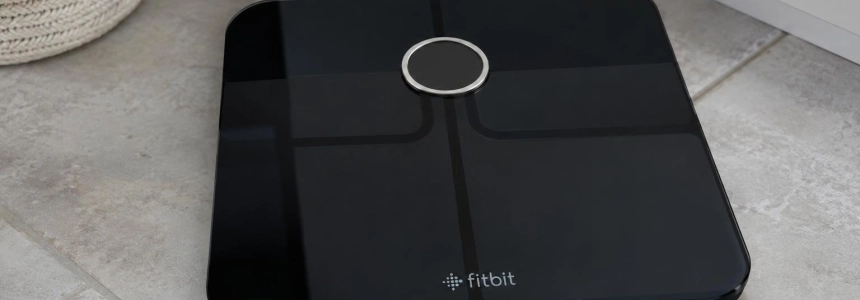
On November 28, 2026, Google Health will stop allowing Fitbit Aria and Aria 2 scales to be paired or paired again, coinciding with version 5.12 of the app. Google says units already linked will continue syncing if they remain paired and previously saved data will not be affected; meanwhile, some owners say they can no longer set them up.
The measure affects Aria and Aria 2 Wi-Fi models, not Aria Air. Gadgets & Wearables reported on November 20 that some users were already seeing a message preventing them from setting up the scale through the web process. Google still lists November 28 as the date of the change, so it is unclear whether those cases signal an earlier lockout for everyone or are due to another issue.
Check which scale you have
If you do not remember the model, Google says you can turn the scale over and remove the battery cover. The number and type of batteries help identify it; Aria 2 also has its name written on the back.
| Model | How to identify it | Affected by the change? |
|---|---|---|
| Fitbit Aria | 4 AA batteries | Yes |
| Fitbit Aria 2 | 3 AA batteries and “Aria 2” on the back | Yes |
| Fitbit Aria Air | 3 AAA batteries | No |
If you have a connected Aria or Aria 2 that is syncing, the practical advice is to keep that setup as it is. Google says scales paired before the deadline will continue syncing as long as they remain paired. However, if the scale is unlinked after the cutoff, you will not be able to pair it again.
What to do now, step by step
- Confirm the model before changing anything. Check the back and the battery compartment. If it is an Aria Air, this restriction does not apply. If it is an Aria or Aria 2, follow the steps below.
- Check whether the scale is still linked. Open Google Health and see whether it appears among your devices. Google's help page says that if you cannot find the scale in the list, it is not linked to your account. If it appears and your weigh-ins are syncing, avoid removing it from your account.
- Do not unlink or reset it. Google warns that an Aria or Aria 2 unlinked on or after November 28 cannot be paired again. Gadgets & Wearables also recommends leaving the setup of a working unit alone, because losing the connection could leave it unable to reconnect.
- Avoid unnecessary network changes. Google explains that changing the network name or password, the provider, or the router may require reconnecting Aria or Aria 2. If the scale is working, do not change those settings just to test it. A network change that requires setting it up again could become a problem once pairing is no longer available.
- If the connection is already lost, do not unlink it as well. First check whether the scale is still listed in Google Health and whether the issue is with the Wi-Fi connection. Google's help page provides reconnection instructions for network changes, but does not explain how to restore pairing when the service blocks it. If a message appears saying that Aria is no longer supported, there is no confirmed solution in the published information.
- Keep the data that has already synced. Google says previously synced history will not be affected by the change. Do not confuse losing the ability to pair the scale with deleting records already saved: according to Google's notice, these are different outcomes.
- If you plan to replace it, distinguish Aria Air. Google confirms that Aria Air is not affected. Its feature comparison also says it does not measure body fat percentage, unlike Aria and Aria 2. Keep that difference in mind if that measurement is one of the things you want.
If the lockout seems to have happened early
Gadgets & Wearables reported that the web setup was already showing some owners a message saying Aria was not supported and could not be paired or appear in the app. Google has not confirmed this earlier cutoff: its help page still lists November 28, 2026, and does not mention an earlier date. So, if your scale is still working, do not unlink it to check whether you can set it up again.
If you have already tried setting it up and cannot proceed, first determine whether the issue is Wi-Fi or whether a compatibility warning appears. Google associates errors such as “NO SYNC” or “WIFI ERR” with connection problems, but the unsupported-device message described by Gadgets & Wearables is different. There is no confirmed fix for this early lockout.
Mistakes to avoid
- Do not unlink the scale as a test. Pairing it again is precisely the feature Google is removing.
- Do not reset Aria or Aria 2 unnecessarily. If the process requires setting it up again, you could lose a connection that still works.
- Do not assume your history will be deleted. Google says previously synced data will not be affected.
- Do not confuse Aria Air with the Wi-Fi models. Google explicitly excludes it from the change, although its measurement features are not identical.
- Do not treat the first lockouts as confirmation of an earlier date for everyone. The early cases were reported by Gadgets & Wearables; Google maintains its November 28 notice.
The immediate decision depends on a simple check: if your Aria or Aria 2 appears as linked and is syncing, leave it as it is. Google expects to maintain syncing for units that remain paired, but will not allow them to be linked again after the connection is lost.
Sources: Google Health Help Center, Gadgets & Wearables, Healthy Cyborg