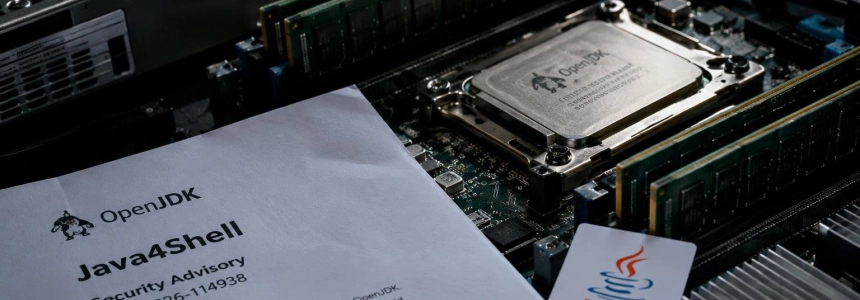
Java4Shell, identified as CVE-2026-114938, is a memory corruption flaw in the OpenJDK Base64 decoder that can lead to remote code execution. It affects certain Java environments on x86-64 processors with AVX-512 VBMI; exposure also depends on the application processing attacker-controlled Base64 data. Oracle released patches on November 17.
Calif demonstrated unauthenticated execution in Keycloak, Jira, Confluence, Jenkins, JFrog Artifactory, and PingFederate; in Kafka Broker, Solr, Elasticsearch, Gerrit, and Spinnaker, the demonstrated execution requires authentication. Not all Java systems are affected: Red Hat states that ARM64 and OpenJDK 8 and 11 do not contain the vulnerable code path described in its advisory.
1. Inventory JVMs, not just applications
Start by locating Java applications and recording the vendor and full runtime version used by each one. The Canadian Centre for Cyber Security recommends including active environments, and Red Hat’s advisory extends the check to runtimes bundled with containers, product installations, and vendor devices.
On systems you can access, check the installed version with:
java -versionThis command reports the JVM used for that invocation; by itself, it does not establish which runtime each service uses. Check the runtime associated with each application, especially if the product or container image includes its own Java. Red Hat identifies OpenJDK 17.0.6 and later, including OpenJDK 21 and 25, as potentially vulnerable if the hardware and usage conditions are also met.
2. Check whether the processor supports AVX-512 VBMI
The vulnerable code path uses AVX-512 VBMI instructions on certain x86-64 processors. Red Hat states that ARM64 and x86-64 processors without this instruction set are not considered affected by this vulnerability. On Linux, you can check for the feature with:
grep -o avx512vbmi /proc/cpuinfo | head -1If avx512vbmi appears, the processor advertises this capability; if there is no output, Red Hat says the system is not known to be affected by this condition. The Canadian Centre for Cyber Security also publishes this check for Linux:
lscpu | grep avx512Use the result together with your Java inventory, not as a substitute for it: the described risk requires an affected runtime, compatible hardware, and an application that reaches the decoder with manipulated data.
3. Identify services that receive Base64 from external sources
First review applications that accept credentials, tokens, file uploads, or other network data encoded in Base64. Red Hat cites HTTP Basic credentials, SAML artifacts, CSRF tokens, and MIME-encoded words as examples; these may be processed before authentication is completed.
The table lists products in which Calif reported remote code execution during its tests. “Unauthenticated” means the demonstrated scenario did not require an account; it does not mean every installation can be exploited in the same way.
| Access required in tests | Applications |
|---|---|
| Unauthenticated | Keycloak, Atlassian Jira, Atlassian Confluence, JFrog Artifactory, Jenkins, and PingFederate |
| Authenticated | Apache Kafka Broker, Apache Solr, Elasticsearch, Gerrit, and Spinnaker |
Calif also demonstrated remote execution in sample applications based on Apache Struts and Spring Boot. The list is not exhaustive, but that does not mean every application built with those frameworks is exposed: what matters is whether it processes attacker-controlled input through the vulnerable decoder.
4. Apply the appropriate runtime update
Install the patch released by the distribution or product vendor. Oracle announced fixes on November 17, and the Canadian Centre for Cyber Security urges users to update to a fixed, supported version. Red Hat says it is accelerating the release of fixes for its affected products; check for updates applicable to your environment.
The Canadian advisory lists the following affected Oracle Java and GraalVM versions. Use them to identify installations that need attention, and consult Oracle’s advisory to determine the applicable fixed version:
| Product | Affected version listed |
|---|---|
| Oracle Java SE 8 | 8u511b33-perf |
| Oracle Java SE 17 | 17.0.21.0.3 |
| Oracle Java SE 21 | 21.0.13.0.3 |
| Oracle Java SE 25 | 25.0.5.0.3 |
| Oracle Java SE 27 | 27.0.1.0.3 |
| Oracle GraalVM for JDK | 17.0.21.0.3, 21.0.13.0.3 |
| Oracle GraalVM Enterprise Edition | 21.3.20.0.3 |
For container images, rebuild once the updated base image is available. Red Hat also warns that products bundling their own JVM must be updated through the method supported by their vendor; do not replace the runtime yourself.
5. If you cannot patch immediately, temporarily restrict the code path
Calif recommends disabling the vulnerable Base64 intrinsics with the JVM option -XX:-UseBASE64Intrinsics. Red Hat considers this the preferred temporary mitigation because it disables that accelerated implementation while preserving other AVX-512 optimizations.
Alternatively, on x86-64 deployments, you can start the JVM with -XX:UseAVX=2, which prevents the use of AVX-512 instructions. Do not apply it on ARM64: Red Hat warns that the JVM does not recognize this option there and will not start. Follow the service’s supported configuration procedure and verify that the process has restarted with the option in effect.
If an Internet-facing application cannot be patched or mitigated, the Canadian Centre for Cyber Security recommends considering isolating it from public networks until it can be fixed. Also prioritize authentication services and other systems accessible from the Internet.
6. Review logs and follow vendor advisories
The Canadian Centre for Cyber Security advises reviewing web server, application, authentication, and endpoint logs for suspicious activity. Also keep an eye on advisories from third parties whose products, devices, or services include Java.
CyberScoop reported that no active exploitation had been reported when it published its coverage; the Canadian Centre for Cyber Security also said it was not aware of active exploitation when it issued its alert. Calif, for its part, confirmed that there is no universal exploit and that each target requires a tailored exploitation path. This does not reduce the priority of patching: unauthenticated remote execution has already been demonstrated in several products.
“That doesn’t mean every Java application is vulnerable or that exploitation will be straightforward. Attackers still need to account for specific hardware, runtime configurations, and application behavior.”
— Gal Elbaz, co-founder and CTO of Oligo Security
Mistakes to avoid
Do not assume all Java is covered because a machine has a version that appears safe or because an application is not on the list of tested products. Verify each runtime, the processor, and the application’s data flow.
Do not confuse an operating system patch with an update to a JVM bundled inside a container or product. Also, do not leave the -XX:-UseBASE64Intrinsics or -XX:UseAVX=2 options in place as a permanent solution: they are temporary measures, and vendors recommend applying the fixed update when it becomes available.
Finally, do not interpret the lack of reported active exploitation in the advisories as a guarantee of future safety. Check which services are exposed, apply the vendor’s patch, and remove the temporary mitigation once the fixed runtime is installed.
Sources: BleepingComputer, CyberScoop, calif.io, Canadian Centre for Cyber Security, Red Hat Customer Portal