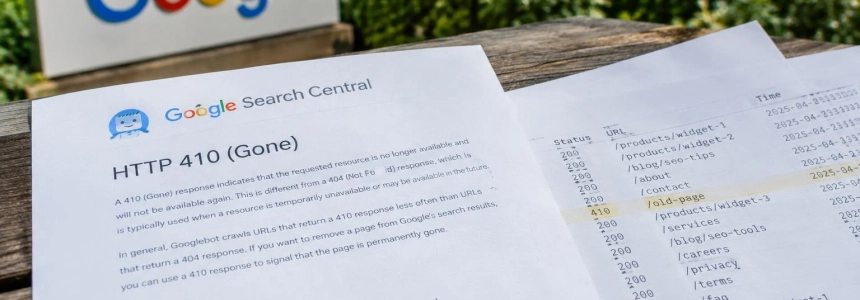
Google says a URL removed with an HTTP 410 status code is generally crawled less often than a 404, although both codes receive the same treatment for indexing purposes. The difference may be useful when removing pages, but it does not change which pages continue to appear in Search: before taking action, check that the URL was intentionally removed and has not been moved.
Google’s guide also says that pages returning 404 or 410 do not reduce a site’s crawl capacity. 404 URLs that Google has already crawled also do not significantly consume crawl budget. It does not specify how much less often URLs with a 410 are crawled.
How to tell whether a URL needs changes
Start by reviewing the 404 errors shown in Search Console and determining which URLs correspond to pages that once existed. Google considers both addresses that never existed—for example, because of a typo—and removed pages to be normal. If a made-up URL receives no significant traffic, it can usually continue returning a 404.
If the page disappeared by mistake or was moved, the situation is different: do not treat it as deleted content. Google recommends fixing the problem when a page should still be available. If it has moved to another address, use a redirect only when an equivalent page replaces it; do not send users to an unrelated page.
For removed pages, decide whether the action makes sense for people who might still visit them, for example through external links. Google presents this decision as a matter of user experience and business needs. If the page and its content no longer exist and there is no similar replacement, you can return a 404 or 410.
Steps for removing URLs correctly
Confirm what happened to each page. Check that it was not deleted by mistake and that the content was not moved to another URL. If it is still on the site, fix the problem preventing access. If there is an equivalent replacement, redirect the old URL to that page; if there is no replacement, do not invent a destination.
Choose between 404 and 410. Both indicate that the page does not exist, and Google treats them the same for indexing. Google says a 410 generally results in less frequent crawling, while it may continue checking a previously crawled 404 URL from time to time. The documentation does not quantify the difference, so there is no guaranteed frequency you can use for planning.
Return the appropriate HTTP status. Configure the server to respond with 404 or 410 for the removed URL, rather than serving a blank page or an error message with a 200 response. Google may classify a page as a soft 404 if it appears to indicate that it does not exist but returns a 200. If the content has moved, reserve the redirect for an equivalent replacement page.
Remove the URLs from your sitemaps. Delete the addresses of pages that are no longer available. Including them in the sitemap does not help keep them out of the index; the sitemap should reflect the URLs you want to present to Google. If the page is still active but should not appear in results, leaving it out of the sitemap is not enough: Google may discover it through links from other pages. Google recommends using
noindexto prevent it from being indexed.Do not block removed URLs in robots.txt. Google needs to crawl them to see whether they return 404 or 410. If you block them, it cannot check the URL’s status code, making it harder to process the removal. Remove the block if you added it specifically to hide those addresses.
Check the results in your logs. Google says you can analyze server logs to see when the crawler requests specific URLs. If you are removing many pages and want to compare the codes, you can assign 410 to one group of similar removed URLs and 404 to another, then observe crawling in those logs. This is a way to evaluate behavior on your own site, not a guarantee that all groups will be crawled the same way.

Mistakes to avoid
Do not redirect everything to the homepage. Sending a nonexistent URL to an unrelated page can confuse users and search engines; Google may treat it as a soft 404. The same warning applies to serving temporary or fake content instead of returning the appropriate status. Redirect only when there is an equivalent replacement.
Do not confuse crawling with indexing. A 410 may reduce how often Google requests a URL again, but it is not treated differently from a 404 when deciding whether to index it. Nor does this mean that a 404 by itself harms the site’s overall ranking: Google says expected 404s and 410s do not trigger a manual action or damage indexing or overall rankings.
Finally, do not expect removing a URL from the sitemap to prevent Google from discovering it: other sites may link to it. For deleted pages, return 404 or 410 and allow Google to crawl them; for active pages that should not appear in Search, apply noindex.
Sources: Search Engine Journal, Search Engine Roundtable, Google for Developers, NewsBreak