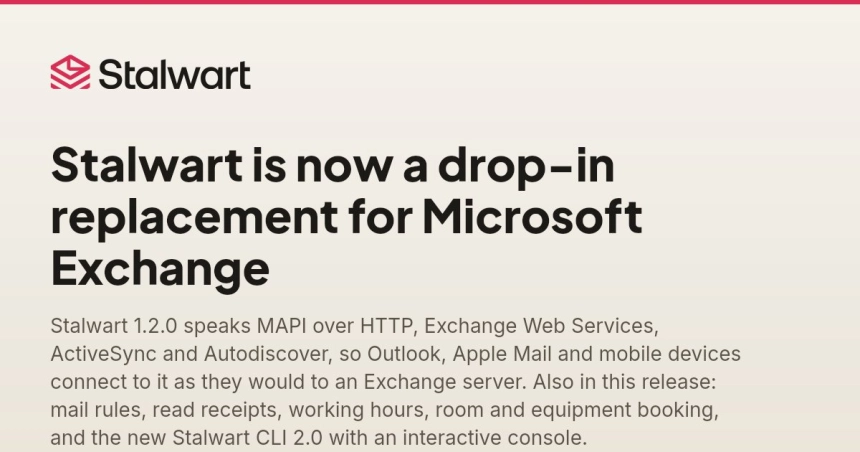
Stalwart 1.2.0 adds support for Microsoft Exchange protocols so Outlook and other clients can connect to a self-hosted mail server without switching applications. The feature is included in the free Community edition, licensed under AGPL, although it does not cover all Exchange capabilities.
The server can change without changing Outlook
Version 1.2.0 was released on November 23, 2026, according to Stalwart’s announcement. It adds MAPI over HTTP, Exchange Web Services (EWS), Exchange ActiveSync, and Autodiscover: the protocols used by different versions of Outlook, Apple applications, and mobile email clients to communicate with Exchange.
The goal is to let an organization move its mailboxes to Stalwart while keeping compatible clients. Classic Outlook for Windows, Outlook for Mac, Apple Mail, and mobile applications can access email, calendars, contacts, tasks, and notes from a single account, provided they use supported protocols. Autodiscover lets the client retrieve its settings using the email address and password.
Stalwart frames migration as a server-first change: the administrator moves the mailboxes and updates the DNS records; afterward, users continue opening Outlook. The project sums up the obstacle it aims to reduce: “The obstacle to leaving Exchange has rarely been the server. It has been the client,” says Stalwart’s maintainer.
The obstacle to leaving Exchange has rarely been the server. It has been the client.
— Stalwart maintainer
Support does not create a separate store. Messages moved from Outlook remain in the same account seen by IMAP or JMAP clients; calendar changes can appear in CalDAV clients, and contacts in CardDAV. Rules created in Outlook are saved as server rules and run when a message is delivered, even if Outlook is closed.
Supported protocols and clients
MAPI over HTTP is the option for classic Outlook on Windows, both in online and cached mode. The implementation includes EMSMDB and NSPI, incremental synchronization, the global address list and offline address book, delegated access, shared mailboxes, rules, reminders, search folders, and read receipts.
EWS covers email, calendars, contacts, tasks, folders, sharing and delegates, availability, inbox rules, automatic replies, name resolution, and notifications. Stalwart announces support for EWS schemas from Exchange 2010 SP2 through Exchange 2016. Outlook for Mac and Apple’s Mail, Calendar, and Contacts applications can use EWS.
ActiveSync supports versions 14.1 and 16.1 for mobile applications and synchronizes email, calendars, contacts, tasks, and notes. It also includes features such as Ping, meeting responses, search, and out-of-office settings. Autodiscover supports the POX, SOAP, and JSON formats.
| Protocol | Clients or use | Specified details |
|---|---|---|
| MAPI over HTTP | Classic Outlook for Windows | Online and cached modes; Outlook 2016 and later |
| EWS | Outlook for Mac, Apple Mail, and other EWS clients | Exchange 2010 SP2 to Exchange 2016 schemas |
| Exchange ActiveSync | Email applications on phones and tablets | Versions 14.1 and 16.1 |
| Autodiscover | Exchange client configuration | POX, SOAP, and JSON dialects |
Linuxiac also mentions Thunderbird and Evolution among the applications that can integrate through EWS. Stalwart documents support for libraries and tools based on these protocols, such as exchangelib. However, the project’s documentation distinguishes between tested and untested clients: it mentions testing with classic Outlook, Apple Mail on macOS, Gmail and Nine on Android, and TbSync for Thunderbird, among others.
The new Outlook is not supported
The new Outlook for Windows does not connect to Stalwart, nor does it connect to self-hosted Exchange servers. According to Microsoft, on-premises Exchange accounts are not supported in that application; its operation is tied to Microsoft’s cloud services.
Stalwart also warns against the alternative of adding an IMAP account to the new Outlook. According to Stalwart, which refers to reports from heise and c’t in November 2023, the application sends Microsoft the server name, username, and password; Microsoft’s cloud then retrieves the email. For an organization that hosts its mailboxes to keep them under its control, handing over those credentials defeats that purpose. The project recommends leaving the “Try the new Outlook” option disabled in classic Outlook.
Outlook for iOS and Android are also not a direct way to access local mailboxes: Stalwart notes that these applications reach them through a Microsoft cloud service and require a hybrid configuration with Exchange Online. For mobile devices, it suggests using native email, calendar, and contacts applications, which connect directly through ActiveSync.
A migration with specific limitations
Stalwart does not reproduce every Exchange feature. It does not offer public folders or archive mailboxes, nor mobile device management or RPC over HTTP, which Outlook 2010 and earlier use. NTLM and Kerberos authentication are also unavailable; the endpoints accept basic authentication and OAuth tokens. For accounts with two-step authentication, the documentation specifies using an app password with Apple and Outlook clients.
The import and export tool Vandelay transfers data from on-premises Exchange and Microsoft 365. For Exchange installed on self-hosted servers, it uses EWS and reads email, calendars, and contacts. For Microsoft 365, it can use Microsoft Graph to import that data and OneDrive files. It can also use EWS with Exchange Online while Microsoft keeps that endpoint available.
Vandelay copies each account to Stalwart using JMAP. The domain is switched over by updating the MX records and client settings; once Exchange protocols are enabled, Autodiscover lets Outlook find the migrated accounts. Stalwart describes a guide that walks through the process, from a test account to the final switchover.
Why Stalwart is targeting a transition
The end of support for Exchange 2016 and 2019 is part of the context. Both versions reached end of support on October 14, 2025, according to Microsoft, which stopped providing technical support, bug fixes, and security updates for them. Stalwart’s announcement says the extended security update program ended in October 2026.
According to Stalwart, Exchange Server Subscription Edition is the only supported on-premises version, but it does not receive the features Microsoft develops for the cloud. The project also notes that new features are being moved to Microsoft Graph and that EWS in Exchange Online began to be phased out in October 2026, with retirement scheduled for April 2027. The retirement of EWS in Exchange Online does not, by itself, remove Stalwart’s support for that protocol in other scenarios.
Stalwart sees Exchange as a transitional stage, not the destination for its development. The project says classic Outlook is reportedly expected to remain supported until 2029 and hopes organizations can migrate the server first and change clients later, at their own pace. It points to clients based on open standards, particularly JMAP, as a possible destination.
An optional module and other changes
The compatibility code adds around 200,000 lines, according to Stalwart. It is separated into crates and can be excluded during compilation using the corresponding Cargo feature. Although official builds include the module, Exchange protocols are disabled by default; the server does not store Exchange-specific metadata until a compatible client uses them.
Version 1.2.0 also adds email rules configurable through the web interface, JMAP, or Outlook. Their conditions cover senders, recipients, subject and body, headers, size, attachments, importance, mailing lists, spam score, dates, and weekly schedules. Actions include moving or copying messages, forwarding them, replying with a template, rejecting them, and marking them as read or as junk mail.
Calendar features now include per-account working hours, availability lookups between users in an organization, and resource accounts for rooms and equipment, with capacity, location, and delegates. The version also adds read receipts compatible with RFC 8098 and JMAP methods described in RFC 9007.
The native FoundationDB client is written in Rust and replaces the dependency on the external libfdb_c library. The release notes indicate compatibility with FoundationDB 7.1 through 8.0 and performance improvements over the previous implementation: between 4.5 and 6.9 times the throughput for point reads under the test conditions, and 2.1 times for key scans. These are figures from the project’s tests, not a performance guarantee for every installation.
For administrators upgrading from an earlier version, Stalwart’s notes call for upgrading the WebUI to version 2.1.1 and adding permissions to the default roles for rules, junk mail lists, calendar settings, and Exchange. Compatibility is enabled by default in the build feature, but disabled at runtime: enabling it and checking client settings will be part of the change.
Sources: Help Net Security, Stalwart, Linuxiac, GitHub, Stalwart, Microsoft Learn