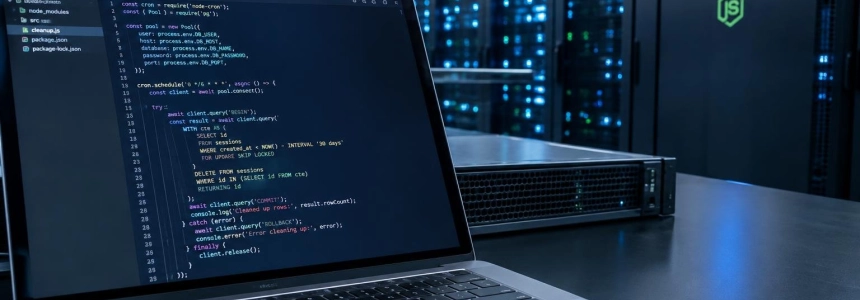
A cron job does not guarantee that a row is processed only once: it merely provides an opportunity to run code. For periodic cleanup in Node.js to be recoverable, the job must select a small batch, claim its rows within a transaction, and delete only those that meet the retention rule. Here, we’ll set up this pattern with PostgreSQL and node-cron.
The database decides which rows to claim; the timer only wakes the worker. The example deletes expired records from a table called webhook_deliveries. Change the name and retention period to suit your case, but keep the conditional claim and per-run limit.
Prepare the cleanup table
The first step is to make the expiration condition explicit. The example table stores an expiration date and a claim marker. The marker prevents one run from confusing eligible rows with rows that are already being processed.
CREATE TABLE webhook_deliveries (
  id BIGSERIAL PRIMARY KEY,
  payload JSONB NOT NULL,
  expires_at TIMESTAMPTZ NOT NULL,
  cleanup_claimed_at TIMESTAMPTZ
);

CREATE INDEX webhook_deliveries_cleanup_idx
  ON webhook_deliveries (expires_at, id)
  WHERE cleanup_claimed_at IS NULL;
The partial index supports searching for expired rows that have not yet been claimed. Don’t make the claim marker a permanent lock: if a process crashes, an old marker must be able to expire so the row can become eligible again. In this example, the claim expires after ten minutes; the maximum batch size is one hundred rows.
Install the scheduler and PostgreSQL access
The node-cron quickstart states that the package requires Node.js 20 or later. We’ll install the scheduler and the PostgreSQL client; the connection is configured using the DATABASE_URL environment variable.
npm init -y
npm install node-cron pg
We’ll use ES modules. Save the following file as cleanup.js and run node cleanup.js with DATABASE_URL configured. The example schedules the task to run every minute; the cron expression does not determine whether two different processes can claim the same row.
import cron from 'node-cron';
import pg from 'pg';

const { Pool } = pg;

if (!process.env.DATABASE_URL) {
  throw new Error('Falta DATABASE_URL');
}

const pool = new Pool({ connectionString: process.env.DATABASE_URL });

console.log('Conexión PostgreSQL preparada');
Claim a batch in a transaction
The database—not a list loaded into memory beforehand—should determine which rows to claim and delete. PostgreSQL lets you select rows with FOR UPDATE SKIP LOCKED: rows locked by another run are skipped instead of making other workers wait. The following query locks a batch, deletes those rows, and returns their identifiers.
async function deleteExpiredBatch() {
  const client = await pool.connect();

  try {
    await client.query('BEGIN');

    const result = await client.query(`
      WITH candidates AS (
        SELECT id
        FROM webhook_deliveries
        WHERE expires_at <= NOW()
          AND (
            cleanup_claimed_at IS NULL
            OR cleanup_claimed_at < NOW() - INTERVAL '10 minutes'
          )
        ORDER BY expires_at, id
        LIMIT 100
        FOR UPDATE SKIP LOCKED
      )
      DELETE FROM webhook_deliveries AS d
      USING candidates AS c
      WHERE d.id = c.id
      RETURNING d.id
    `);

    await client.query('COMMIT');
    return result.rowCount;
  } catch (error) {
    await client.query('ROLLBACK');
    throw error;
  } finally {
    client.release();
  }
}
The limit keeps each attempt bounded; if more rows remain, subsequent runs will continue the work. In this example, cleanup is entirely local to the database, and the deletion is committed within the transaction. If you need to coordinate an external operation—for example, calling an HTTP endpoint—don’t keep it inside this transaction: the network call and the commit do not form an atomic operation.
Connect the batch to the schedule
Now the scheduled callback runs the function and logs how many rows it removed. node-cron immediately starts tasks created with schedule. Its noOverlap option prevents a second run of that task from starting while the previous one is still active in the same process.
async function runCleanup() {
  const deleted = await deleteExpiredBatch();
  console.log(`${new Date().toISOString()} limpieza: ${deleted} filas`);
}

const task = cron.schedule('* * * * *', async () => {
  try {
    await runCleanup();
  } catch (error) {
    console.error('Falló la limpieza:', error);
  }
}, {
  name: 'limpieza-webhooks',
  timezone: 'UTC',
  noOverlap: true,
});

console.log(`Tarea activa: ${task.name}`);
noOverlap only protects this process. If there are multiple copies of the application, each can have its own timer. Locking and SKIP LOCKED prevent them from competing for the same rows while the transaction is in progress, but they do not turn a cron job into distributed coordination or, by themselves, solve the problem of a slow external task.
flowchart TD
  A["node-cron despierta"] --> B["abrir transaccion"]
  B --> C["seleccionar lote vencido"]
  C --> D["bloquear filas disponibles"]
  D --> E["borrar hasta cien filas"]
  E --> F["confirmar o revertir"]
Stop the job when shutting down the process
During a normal shutdown, stop accepting new runs and close the connection pool. The following handler stops the task and waits for the pool to finish closing before exiting.
let shuttingDown = false;

async function shutdown(signal) {
  if (shuttingDown) return;
  shuttingDown = true;

  console.log(`Recibida señal ${signal}; deteniendo tarea`);
  task.stop();

  try {
    await pool.end();
    process.exit(0);
  } catch (error) {
    console.error('Error al cerrar PostgreSQL:', error);
    process.exit(1);
  }
}

process.on('SIGINT', () => void shutdown('SIGINT'));
process.on('SIGTERM', () => void shutdown('SIGTERM'));
Combine these snippets in a single file, placing the pool configuration before the functions and the signal handlers after creating task. This lets the handler stop the task and close the same pool used by the cleanup job.
Failures worth testing
A small batch limits the amount of pending work, but it is no substitute for monitoring. Check what happens if two workers start at the same time, if the process crashes during a run, and if the cleanup cannot empty the table in one cycle. At a minimum, log the rows processed and the outcome of each attempt; a running application does not prove that the work is progressing.
If cleanup requires multiple phases or the state must survive a crash between them, don’t mark rows and delete them separately without a recovery policy. For short tasks like the deletion shown here, the transaction groups selection and deletion. For long-running processing or operational retries, a durable queue pattern may be a better fit, at the cost of maintaining more state and coordination.
Finally, treat expiration and time zone as explicit decisions. The task is evaluated in UTC, and the expiration condition uses the PostgreSQL clock. If the requirement is to retain data for a different period, change the expiration rule, not just the cron frequency. The next cycle will pick up to one hundred available rows again.
Sources: DEV Community, node-cron, node-cron, PostgreSQL Documentation