Language patch drives storage requirement up to 366 GB
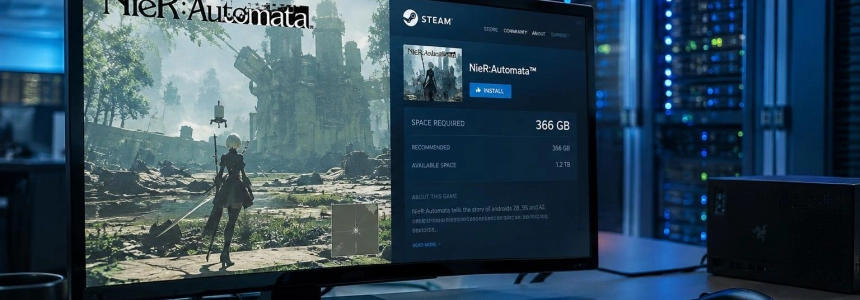
NieR: Automata went from around 50 GB to 366 GB of required space on Steam after an update added support for Korean, Simplified Chinese, and Traditional Chinese. The patch arrived on PC on November 6, and the enormous size does not correspond to new content: the problem affects the space Steam asks for to complete the installation.
The specific figure reported by several outlets is 366.56 GB. AUTOMATON WEST and GamesRadar+ note that this is the amount that may appear when trying to install the game; Vida Extra and IGN España round the requirement to 366 GB. The change is particularly striking because the Steam page still lists 50 GB of available storage in both the minimum and recommended requirements.
The update itself, meanwhile, does not take up hundreds of gigabytes. Eurogamer reports that some users described a download of around 8 GB, and GamesRadar+ also cites that figure in Steam discussions. The increase occurs when calculating the storage needed to install the game and downloadable content all at once.
The full game appears to be counted for every DLC
The explanation that fits the observed sizes is an error in the way Steam accounts for the YoRHa Edition DLC: the size of the base game appears to have been assigned to each piece of downloadable content. When those requirements are added together with the main game, the total exceeds 360 GB. Eurogamer attributes the problem to this error, and AUTOMATON WEST found that all eight DLC items appear with a size equivalent to that of the base game.
Square Enix, however, has not detailed the exact technical cause. The company confirmed that it is investigating the source of the issue and working on a solution. The pattern shown by the downloadable content points to the base game's size being duplicated in the installation calculation, not to the game having gained hundreds of gigabytes of assets. AUTOMATON WEST reports that the installed game and its DLC take up around 40 to 50 GB.
On the Steam store, NieR:Automata Game of the YoRHa Edition is presented as a version that includes the game, DLC, and additional content. The store page lists eight items under DLC, including the 3C3C1D119440927 pack, accessories and appearances for the Pods, as well as wallpapers. Installing all of these together can trigger the inflated requirement.
According to AUTOMATON WEST, the edition had not received a Steam update for five years; the previous one was released on July 15, 2021. The current patch adds the three languages and, according to the notes reported by GamesRadar+, does not announce any other changes. The store continues to list the same 50 GB requirement.
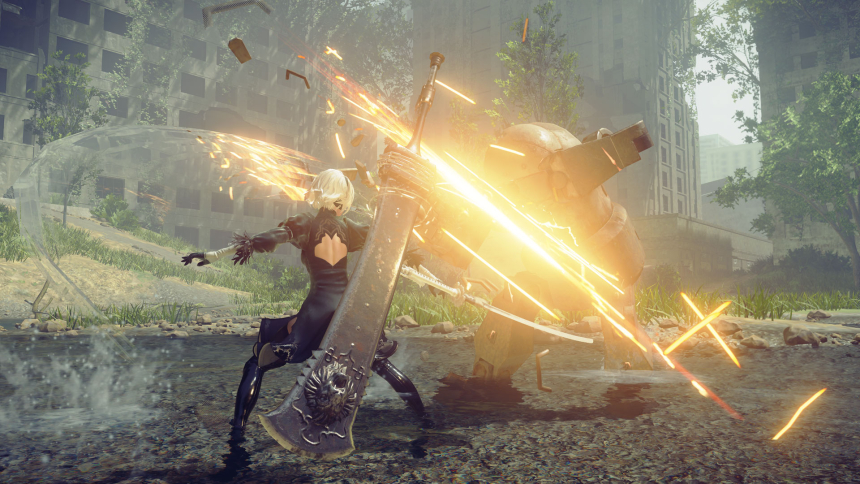
Square Enix advises installing the base game first
Square Enix acknowledged the problem in a post on its Japanese X account. The company said it had confirmed that the Steam version's installation process indicated that more space was needed than expected, that it was investigating the cause, and that it was working on a solution. It also apologized for the inconvenience.
“As a temporary workaround, you can download the base game by unchecking the DLC in Steam → Properties → DLC.”
— Square Enix
The workaround is to open NieR: Automata's properties in the Steam library, go to the DLC section, and uncheck the additional content before installing. This downloads the base game first, using the expected amount of space. AUTOMATON WEST adds that after installation, the DLC can be selected again and downloaded separately; Instant Gaming News reports the same recommendation to uncheck the items one by one.
According to an update from Instant Gaming News, the official NieR account also posted that the team had identified the problem and was working to fix it. The company has not provided a date for the corrective patch in the sources consulted. For now, the advice is to avoid installing the DLC at the same time if Steam requires 366 GB.
Negative reviews and mixed results among users
The error has prompted negative reviews on Steam. IGN España reports complaints from players who could not install or play the game, as well as comments about the space left available for other games. One review quoted by Eurogamer summed up the confusion this way: “Only SquareEnix can turn 40GB into 366GB with 8GB patch”.
Other reviews, reproduced by IGN España, joke that the entire game seems to have been included several times over and criticize the fact that the Steam page still lists a 50 GB requirement. One user wrote that they had to uninstall it and would recommend it once the problem was fixed; another said the size was unacceptable. The complaints do not point to a deliberate expansion of the content: the announced patch is limited to the languages.
Results are not the same for everyone. Vida Extra and Instant Gaming News report user accounts saying they no longer see the problem, while others still encounter abnormal sizes when trying to install the game or update. AUTOMATON WEST distinguishes between the space required during the combined installation—more than 360 GB—and the space occupied by the files once installed, around 40 to 50 GB.
NieR:Automata is available on Steam as well as PlayStation 4, Xbox One, and Nintendo Switch, according to AUTOMATON WEST. The issue described affects PC installation through Steam; the sources do not report an equivalent change in the other versions.
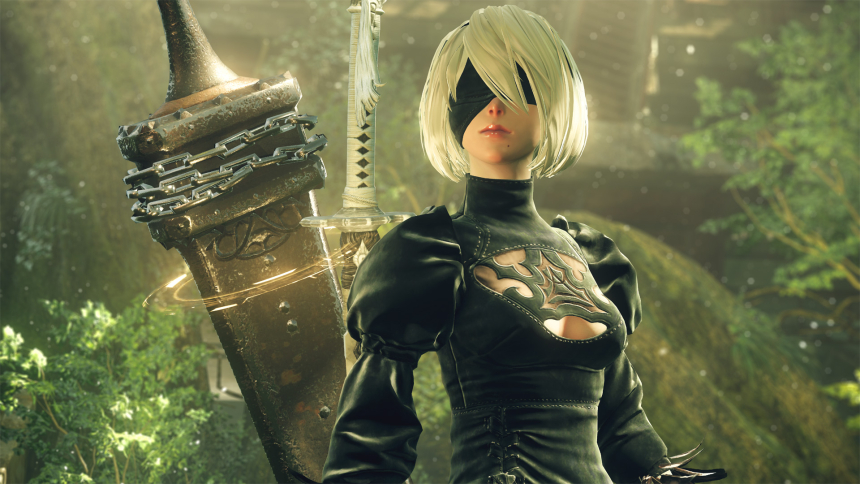
A game with more language options, not more assets
The Steam page now reflects support for Korean, Simplified Chinese, and Traditional Chinese, the languages added by the patch. It also continues to support English, Japanese, French, Italian, German, and Spanish (Spain), with interface, audio, or subtitle availability depending on the language. The update expands the language options but does not change the storage requirement listed on the store.
NieR:Automata tells the story of the androids 2B, 9S, and A2 as they fight against machine lifeforms, according to the Steam description. The Game of the YoRHa Edition brings together the game and its extras, and the installation error has made this combination of content the focus of the issue: with the DLC selected, Steam may calculate a requirement far greater than the space the installed game actually needs.
Square Enix and the development team are still working on a fix. Until it arrives, the official instruction for downloading the base game is to uncheck the DLC in Steam's properties; anyone who wants to add them afterward can do so once that installation is complete.
Sources: Vida Extra, Eurogamer.net, IGN España, AUTOMATON WEST, GamesRadar+, Steam, Instant Gaming News