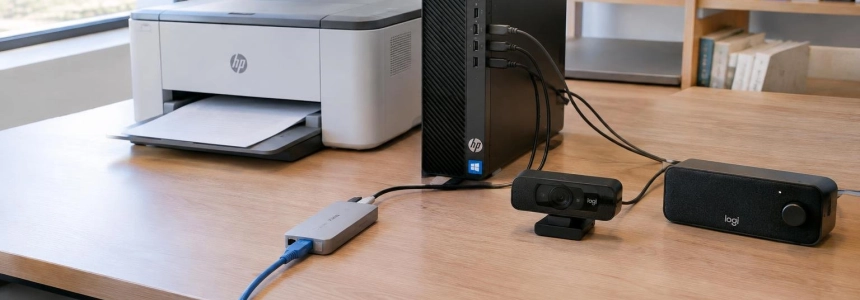
Microsoft is expanding its own class drivers for printers, audio, Ethernet, and cameras in Windows 11, with the goal of reducing the variety of third-party drivers and limiting the code that runs in the system kernel. The company shared progress during Ignite 2026 and plans to use its built-in drivers when the hardware is compatible, not automatically replace all the drivers offered by manufacturers.
The decision addresses a problem that can go beyond a peripheral simply stopping working: a faulty driver operating in kernel mode can crash all of Windows. Microsoft aims to combine common drivers maintained by the company with moving more functions to user mode and applying stricter controls to code that remains in the kernel.
More functions covered by drivers included in Windows
Mehmet Kucukgoz, Windows product lead, explained at Ignite that Microsoft has made more progress with printer drivers and is developing class drivers for new hardware categories. He also cited the SoundWire driver for audio, an update to the USB Ethernet class driver, and work on a MIPI driver for cameras.
For audio, Microsoft specified that the SoundWire Device Class (SDCA) is already available and will be included in Windows. The company has also added a new class driver for the I3C bus, the successor to I2C, replacing older variants. For Ethernet, it updated its USB class driver; for cameras, the MIPI driver is still in development.
A class driver provides basic functions for a category of devices. Windows already includes drivers of this kind: that is why some USB keyboards and mice work when plugged in, without users having to first look for a package from the manufacturer. If a compatible device can use the built-in driver, it can provide those basic functions without a separate implementation.
That does not make a class driver a universal replacement. Manufacturers may offer their own drivers to tailor operation to their products or improve performance. Specific features, such as a peripheral’s lighting controls, are also not necessarily covered by a common Microsoft driver.
The printer plan already has dates
The work on printers is connected to a change Microsoft announced earlier. Its plan to end servicing for legacy third-party printer drivers applies to Windows 11 and Windows Server 2025 and will roll out in stages, according to Microsoft Learn documentation.
Windows 10, version 21H2, introduced built-in support for Mopria-compatible printers through the Microsoft IPP Class Driver, over network and USB connections. Microsoft says this model means manufacturers do not have to provide their own installers, drivers, and utilities for these devices; customization is offered through Print Support Apps distributed and installed from Microsoft Store.
The timeline published by Microsoft sets three milestones for the change. Starting in January 2026, no new printer drivers for Windows 11 or later and Windows Server 2025 or later will be published on Windows Update, although those already published may still be updated on a case-by-case basis. Starting in July 2026, the driver selection order will prioritize the built-in IPP class driver; from July 2027, third-party updates will be blocked except those related to security.
| Date | Measure for printer drivers |
|---|---|
| September 2023 | Announcement of the plan to end servicing for legacy third-party printer drivers. |
| January 15, 2026 | No new drivers for Windows 11+ and Windows Server 2025+ will be published on Windows Update; updates to existing drivers will be reviewed on a case-by-case basis. |
| July 1, 2026 | Windows prioritizes the built-in IPP class driver. |
| July 1, 2027 | Third-party driver updates will no longer be allowed, except for security fixes. |
The plan does not prevent users from installing drivers supplied by manufacturers through separate packages, nor does it block the installation of those that already exist. Microsoft also says it will continue to publish security fixes for the legacy platform while the corresponding Windows version remains within its support lifecycle, and that it does not plan to disable printing features as a result of this change.

Less third-party code in the kernel
The broader initiative is the Driver Quality Initiative (DQI), presented by Microsoft at WinHEC in May 2026 with its hardware partners. Microsoft Learn describes it as a joint effort to improve the quality, reliability, and security of drivers in Windows. The documentation notes that thousands of partners maintain tens of thousands of active driver families across the system’s installed base.
The DQI organizes the work around four pillars: architecture, trust, lifecycle, and quality measurement. For architecture, the goal is to strengthen drivers that need to run in kernel mode and move functions to user mode or to Microsoft class drivers where appropriate. The other pillars cover partner verification, driver maintenance and distribution, and quality measures that go beyond counting crashes.
The difference between the two modes matters for stability. Kernel-mode code shares space with the operating system: a failure in a driver of this kind can crash Windows or expose a vulnerability. By contrast, Microsoft’s plan aims to have more drivers run in user mode, isolated from the kernel, so that a failure can be handled without affecting the entire system.
Microsoft summarizes the strategy in three areas: move drivers out of the kernel when the device stack allows it, replace partner variants with common drivers maintained by Microsoft, and harden code that must remain in kernel mode for performance or other needs. The company associates this approach with fewer crashes and fewer attack vectors, as well as a common update process.
“And the result is fewer third-party drivers in kernel mode, fewer crashes and attack vectors, and safer maintenance.”
— Microsoft
What Microsoft is asking developers to do
Microsoft is also taking this message to those who build hardware and software for Windows. Kevin Sullivan, who works on Windows, urged developers to use the included class drivers whenever possible and to choose user mode when they need to write their own driver. For anything that must remain in the kernel, he recommended applying the hardening measures outlined by Kucukgoz.
The DQI documentation details other areas of work: strengthening partner verification, expanding automated driver analysis, and updating the Windows Hardware Compatibility Program requirements. For the lifecycle, Microsoft plans to improve the Windows Update catalog, retire obsolete or low-quality drivers, make incident analysis easier through symbols, and refine which devices each package targets.
Measurement will also expand beyond crashes. Microsoft includes stability, functionality, performance, power consumption, thermal impact, and security among the signals it wants to evaluate. For manufacturers, the initiative aims to provide clearer criteria on how their drivers affect the real-world user experience.
Manufacturer drivers are not going away
The migration does not mean users should remove the drivers on their computers or that Windows will cover every function of every device. Manufacturer implementations will still make sense when they provide specific features or when a device cannot use the generic driver. Microsoft leaves room for these exceptions and recognizes that developers remain free to choose.
The direction is clear, but coverage will depend on which hardware is compatible with each built-in driver and how work still in development progresses, including the MIPI camera driver. For now, Microsoft has identified the area where it has made the most progress—printers—and set specific dates to limit the maintenance of third-party drivers in that category.
Sources: Windows Latest, Profesional Review, Tech Hub, Microsoft Learn, Microsoft Learn, Windows Central