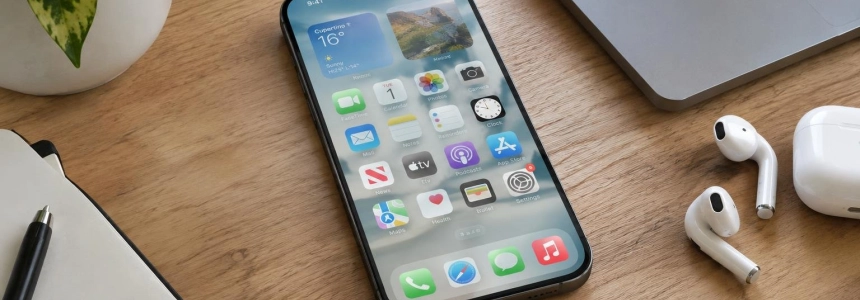
Apple is testing a softer fade along the bottom edge of iPhone navigation bars: instead of abruptly separating them from the list below, the effect creates a gradual transition while scrolling. The test was spotted in the developer beta of iOS 27.3, but remains disabled.
The discovery was shared on X by user pdfu. According to their description, Apple is testing the return of a softer edge effect that appeared in iOS 26. The difference is subtle, but it changes a point of constant contact between the interface and its content: where the floating bar ends and the list moving across the screen begins.
A less defined boundary while scrolling
The comparison posted by pdfu shows two states. With the feature disabled, the bar has a defined bottom edge that visually separates it from the list. When enabled, that line gives way to a more gradual fade. The effect does not remove the bar or change its layout; it alters how its outline is rendered against the content passing underneath.
The test has two conditions described by pdfu and MacRumors: the Liquid Glass tint must be set to 25% or less, and the bar must use the default style. So this is not a universal change for every interface configuration. The behavior is tied to a specific combination of transparency and style.
MacRumors places the feature in the latest iOS 27.3 developer beta, behind an internal flag. It is not available as a setting that any user can enable in Settings. iClarified also mentions the effect among the discoveries in the second developer beta and emphasizes that the flag is disabled, so it is not presented as a change visible during normal system use.
They heard the feedback: Apple is testing the return of iOS 26’s softer scroll-edge effect in navigation bars when glass tint is set to 25% or lower.
— pdfu, X post
From adjustable transparency to the return of the fade
Liquid Glass had already prompted divided opinions within the Apple community. 9to5Mac describes the initial reception as polarized: some people welcomed the redesign, while others considered it a usability problem. According to the outlet, some of the controversy subsided as users had time to get used to it, although that did not mean everyone was satisfied.
Apple responded to criticism with interface changes, including a slider for adjusting transparency. The scale lets users move from a heavily frosted-glass appearance to one that is almost completely clear, rather than limiting customization to two separate appearances. 9to5Mac considers this scale the most significant change in Apple's response to the feedback it received.
MacRumors links that revision to iOS 27: the system introduced changes aimed at improving legibility, including a more uniform background behind content at the top of apps. It also replaced the Clear and Tinted presets with a continuous transparency control. The soft-edge test adds to this series of adjustments, although there is still no confirmation that it will reach users.
The idea of edge effects is part of the design explanation Apple had offered for Liquid Glass. In a WWDC25 session on the design system, Apple described scroll effects as a way to clarify where the interface and content meet, using a subtle blur instead of hard dividers. The company said the soft style is the default and usually works well with interactive controls in iOS and iPadOS.
The scroll effect in Apple's design
In another WWDC25 session, Apple explained that these effects help maintain separation between Liquid Glass controls and the content scrolling beneath them. When a view moves behind a fixed element, the edge gradually fades so that floating controls remain clear. The test spotted by pdfu brings back precisely this softer fade at the bottom of navigation bars.
Apple's documentation also distinguishes between a soft and a hard effect. The soft effect creates a subtle transition; the hard effect marks a more opaque boundary and is mainly reserved for macOS, for cases such as interactive text, controls without a background, or fixed table headers that need greater separation. Apple recommends applying one effect per view and avoiding mixing or stacking the two styles.
In its presentation of Liquid Glass, Apple described the material as a layer of navigation and controls positioned above the content. The company said the material should adapt to its surroundings to preserve legibility and let the content remain visible. In this context, the scroll edge is not an independent decoration: it makes the separation between layers perceptible and reduces the risk of the interface being confused with what is moving behind it.
The new test, however, does not represent a general change in the Liquid Glass philosophy or a full return to the look of iOS 26. What is being tested is a specific variation of the bottom edge of navigation bars, under particular conditions. 9to5Mac notes that author Ben Lovejoy, who generally prefers maximum transparency, likes the softer fade and would like to be able to restore it as an option.
The beta includes other changes, but this one remains hidden
iOS 27.3 beta 2 contains other features under testing. iClarified reports that the release arrived with build number 24C5049d and lists changes for Siri, Calendar, Home, and the TV app, among others. It also mentions daily limits for certain advanced Siri requests and Apple Intelligence features that use models on servers, as well as unlock options for iPhone Duo.
These features appear alongside discoveries that are still incomplete or inactive. iClarified notes that the new weather symbols do not appear to be in use and that the flags for Apple Music album release countdowns are enabled, but the service has not activated them yet. The softer navigation bar fade belongs to that same category of hidden work: it is present in the beta, but is not exposed as a user-facing feature.
Apple testing the effect does not reveal whether it will include it in a future update or whether it will eventually become an optional preference. MacRumors presents both possibilities as open questions. For now, the specific detail is more limited: the flag remains disabled in the developer beta, and the behavior is only intended for default-style bars when the Liquid Glass tint does not exceed 25%.
Sources: 9to5Mac, MacRumors, iClarified, Apple Developer, Apple Developer