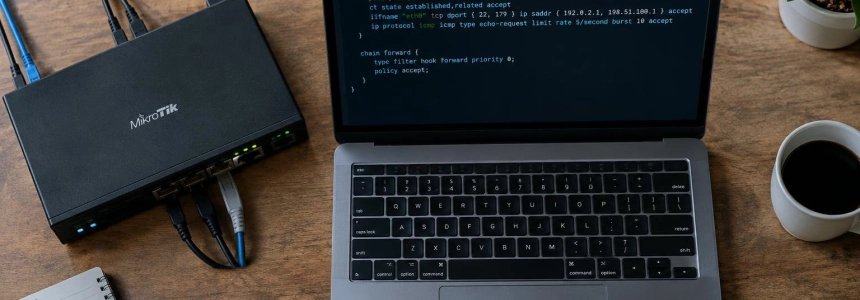
A flood targeting the router’s own address can force its CPU to process traffic that should not reach control and management services. On Linux, an nftables input policy lets you accept what the router needs and drop the rest; traffic that merely passes through the device follows a different filtering path.
The example configures BGP for a neighbor, SSH and SNMP for a management network, and rate-limited ping. It uses 192.0.2.1 and 2001:db8:ffff::1 as the router addresses, 192.0.2.2 and 2001:db8:ffff::2 for the neighbor, and 192.0.2.0/27 and 2001:db8:100::/48 for the management networks. Replace them with the addresses for your environment before applying the rules.
The problem: protecting traffic destined for the router
The key is to distinguish transit traffic from traffic destined for the device itself. In nftables, the chain with the input hook processes packets delivered to the local system; forward handles packets that the system forwards to another host. This policy works only in input, so it is not intended to replace transit rules.
The idea behind control-plane policing (CoPP) is to classify which traffic can reach the CPU and apply different treatment to each class. On a Linux router, the input filter is one way to implement that logic in the firewall. The sequence is: set a deny policy, preserve established connections, allow essential protocols, open services only to authorized sources, and limit echo requests.
flowchart TD
    A["Paquete recibido"] --> B{"¿Va al router?"}
    B -->|"No"| C["Ruta de tránsito"]
    B -->|"Sí"| D{"¿Está permitido?"}
    D -->|"Sí"| E["Aceptar o limitar"]
    D -->|"No"| F["Contar y descartar"]
Create the input policy
1. Declare neighbors and management networks
The sets group the addresses that can initiate routing sessions or manage the device. In the example, BGP is limited to one IPv4 neighbor and one IPv6 neighbor. Management allows SSH from the specified networks and SNMP from the IPv4 management network. Do not leave example addresses in production: configure the real ones before continuing.
2. Allow what is needed and drop everything else
Save this ruleset, for example, as router.nft. The chain’s default policy is drop. First, established or related connections are allowed, invalid states are dropped, and loopback traffic is accepted. Exceptions for neighbor discovery, routing protocols, and management follow.
The ICMPv6 list includes neighbor discovery and network error messages, including packet-too-big. The example does not limit neighbor discovery: restricting it can interfere with address resolution under load. ARP, on the other hand, is not filtered in this inet table; it requires rules in the arp family.
table inet cp {
    set peers4 {
        type ipv4_addr
        elements = { 192.0.2.2 }
    }

    set peers6 {
        type ipv6_addr
        elements = { 2001:db8:ffff::2 }
    }

    set mgmt4 {
        type ipv4_addr
        flags interval
        elements = { 192.0.2.0/27 }
    }

    set mgmt6 {
        type ipv6_addr
        flags interval
        elements = { 2001:db8:100::/48 }
    }

    chain input {
        type filter hook input priority 0; policy drop;

        ct state established,related accept
        ct state invalid drop
        iif lo accept

        # ICMPv6 needed for neighbors and route errors
        meta l4proto ipv6-icmp icmpv6 type {
            nd-router-solicit,
            nd-router-advert,
            nd-neighbor-solicit,
            nd-neighbor-advert,
            packet-too-big,
            destination-unreachable,
            time-exceeded,
            parameter-problem
        } accept
        ip protocol icmp icmp type {
            destination-unreachable,
            time-exceeded
        } accept

        # BGP, OSPFv3 from link-local addresses, and BFD
        ip saddr @peers4 tcp dport 179 accept
        ip6 saddr @peers6 tcp dport 179 accept
        ip6 saddr fe80::/10 ip6 nexthdr 89 accept
        ip saddr @peers4 udp dport { 3784, 4784 } accept

        # Management from authorized networks
        ip saddr @mgmt4 tcp dport 22 accept
        ip6 saddr @mgmt6 tcp dport 22 accept
        ip saddr @mgmt4 udp dport 161 accept

        # Rate-limited ping with burst allowance
        ip protocol icmp icmp type echo-request limit rate 20/second burst 40 packets accept
        meta l4proto ipv6-icmp icmpv6 type echo-request limit rate 20/second burst 40 packets accept

        # Log a small number of drops and count the rest
        limit rate 5/minute log prefix "cp-drop: " counter drop
        counter drop
    }
}
The BGP rules check the source address as well as TCP port 179. The OSPFv3 rule accepts traffic from IPv6 link-local addresses with protocol number 89. For BFD, the example allows UDP from the IPv4 neighbor on ports 3784 and 4784. Adjust these exceptions if your topology uses other protocols or neighbors.
3. Validate before applying
Check the syntax with nft -c -f. The -c option validates the configuration without applying it. Do not load a restrictive filter on a remote router without a recovery method: an error in the SSH rules can lock you out of management access. The original example recommends testing in a virtual lab and applying the rules with a timed rollback.
# Check the file without applying changes
sudo nft -c -f router.nft

# If validation returns no errors, load the rules
sudo nft -f router.nft
Load a rules file with nft -f. Run the second command only after reviewing the allowed addresses and services and preparing a way to restore access if something goes wrong.
4. Inspect counters and test with controlled traffic
After loading the policy, list the ruleset and the specific chain. Counters help identify which rules are receiving traffic and whether drops are increasing. The ping limit accepts up to 20 requests per second with a burst of 40 packets; requests that exceed the limit do not match this accept rule and end up at the final drop.
# Review the loaded ruleset
sudo nft list ruleset

# Examine the rules and their counters
sudo nft list chain inet cp input
Testing should be done from a lab host, not against a production router. A controlled ping -f can generate requests above the limit; while doing so, check from the test environment that the BGP session remains active. The publication providing the example warns that its rules were written based on documentation and were not tested on a real router.
Mistakes that can cut off access
Do not limit transit traffic with this chain: the input hook covers only packets delivered to the router. Filtering forwarded traffic requires a separate policy in forward.
It is also easy to forget that an accept rule must cover every valid source. If the actual BGP neighbor does not match the sets, the default policy will drop it. And if you manage the router over IPv6, make sure your workstation’s source address belongs to mgmt6 before enabling the filter.
Finally, do not treat every protocol as diagnostic traffic. The publication distinguishes routing, discovery, management, and echo traffic: aggressively limiting routing protocols can affect sessions, while ping can use an explicit limit. BGP management can also be supplemented with session protections such as TCP-AO or MD5, TTL security, and maximum-prefix limits; the firewall filter does not replace them.
This policy is therefore centered on a specific question: which services should the router handle, from which sources, and with what limits? Before deploying it outside the lab, confirm that the addresses, protocols, and recovery method match your network.
Sources: DEV Community, Netfilter Project, nftables wiki