Microsoft wants more developers to choose WinUI to create Windows applications, but its own engineers admit that the platform still has bugs and shortcomings. At Ignite 2026, Beth Pan acknowledged that people working with WinUI continue to encounter numerous problems, while the company presented performance improvements and tools to simplify development.
The tension is clear: Microsoft wants to expand the use of WinUI, but it also acknowledges that friction with the platform has led developers to choose cross-platform frameworks or not build Windows applications at all. The issue is not just how interfaces look. For a tool to gain adoption, its users need to be able to build and maintain applications without running into bugs in basic tasks.
A commitment Microsoft does not want to abandon
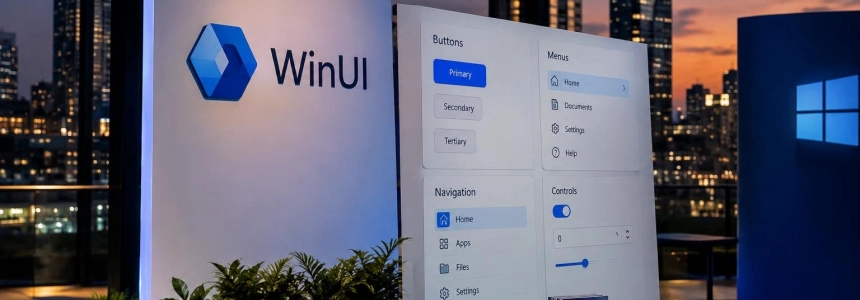
WinUI 3 is the native UI framework Microsoft recommends for new Windows desktop applications. According to Microsoft Learn documentation, it is part of the Windows App SDK and enables development with C# or C++ using XAML. It is also used in parts of the Windows experience and in applications built into the system.
At Ignite 2026, Microsoft called WinUI “the platform choice forward” and championed its input capabilities, Fluent design, and GPU acceleration. Windows Latest also reports that the company does not intend to abandon the framework or replace it with another alternative, and presents it as a viable foundation for both consumer and enterprise applications.
The promise is appealing: a common framework for building modern Windows experiences, with controls and tools from the platform ecosystem. But Microsoft’s ambitions clash with gaps acknowledged by its own engineers. Pan said the team is aware of gaps in the windowing API and is working to close them; she also mentioned progress in input handling, including support for game controllers.
“We’ve heard you that there’s many paper cuts on the WinUI platform. There’s a lot of bugs.”
— Beth Pan, Windows development platform engineer
Performance and controls: improvements with caveats
Microsoft is working on general adjustments to make some WinUI applications lighter and faster by default. Windows Latest reports that the company expects these changes to help reduce startup times and memory usage. This is a priority for the team, although the sources do not specify numerical targets or a timeline for these improvements.
Improving the framework is not just about speed. According to Windows Latest, Microsoft has pointed to the addition of controls that were missing or requested by developers, including TableView, chart controls, and InkCanvas. These components are available in an experimental package, and the company is asking developers to try them in applications and submit feedback.
The experimental label sets a practical limit: having a control available to try does not mean it is already part of a stable foundation for every product. For teams considering adopting these features, the distinction affects how much they can rely on them in an application they need to maintain. The sources do not specify when these components will leave the experimental phase.
The case of InkCanvas shows why the wait matters. Windows Latest dates a developer’s request to learn when the feature would arrive in WinUI 3 to 2022. In 2023, Microsoft said it was investigating pen input for Windows App SDK 1.5; the publication notes that the pen toolbar and canvas appeared together in an experimental release in August 2026. The feature took four years to arrive, and it still did not arrive as a stable component.
WinApp CLI aims to reduce initial friction
Alongside the framework changes, Microsoft introduced WinApp CLI, a command-line tool for creating, building, running, inspecting, testing, profiling, packaging, and signing Windows applications. Profesional Review also highlights tasks such as running and testing, and links the tool to efforts to make working with Windows applications more accessible.
Windows Latest adds that WinApp CLI is designed to work with artificial intelligence agents through skills and extensions backed by Microsoft, so they can find appropriate commands and resources. The tool does not eliminate WinUI’s shortcomings, but it addresses another problem raised at Ignite: getting started with Windows development had become so cumbersome that some teams chose other frameworks or did not publish an application for the platform.
That is the trade-off Microsoft is trying to change. The CLI can make the workflow around applications easier, but it cannot fix the framework’s defects on its own or provide features that are still missing. These are related but distinct fronts: a more convenient development tool can reduce steps and uncertainty, while APIs and controls determine what an application can build and how it behaves.
A keyboard bug and years of waiting
Windows Latest describes an issue recorded in May 2026 in a test application with a simple task: open a file picker using a button and activate it again with Enter. The keyboard could be focused on the application, but the keypress was not detected until the developer clicked inside the window. The outlet says the bug was fixed in an August 2026 update.
The example alone does not prove that all WinUI applications suffer from the same issue, but it illustrates the kind of obstacle that can erode trust: a basic interaction failing in a minimal application. For a team evaluating the framework, the question is not just what controls it offers, but how much extra work is required to verify that common interactions work as expected.
Profesional Review cites another sign of this frustration: Jaylyn Barbee reportedly said that the team had eventually given up, in the context of difficulties getting started with WinUI. The same outlet mentions a bug where Enter did not work in an application whose sole function depended on that action; Windows Latest provides details of the case and notes that it was later fixed.
The consequences for application developers
For developers, Microsoft’s commitment offers a native path with Fluent design, accelerated rendering, and support for C# and C++, according to the official documentation. It also includes new tools and controls that can expand what an application can do. The trade-off is that some parts are still evolving, while acknowledged bugs and API gaps mean each dependency must be evaluated carefully.
For businesses, Microsoft argues that WinUI can scale from consumer applications to enterprise needs. But that ambition will have to be backed by a framework capable of supporting necessary features and delivering reliable behavior; the sources do not quantify the impact of bugs in enterprise environments or detail support guarantees for experimental controls. The performance promise is also still framed as a goal, not as an improvement measured with published figures.
Profesional Review connects the effort to improve WinUI and application performance with a broader Microsoft strategy, and says this is delaying Windows 12. This connection is not developed in the Windows Latest article, which focuses its coverage on Ignite, the tools, and WinUI’s shortcomings.
For now, Microsoft is combining a declaration of continued commitment with work still to be done: performance adjustments, closing API gaps, a more complete CLI, and experimental controls. The platform’s next test will be moving these pieces from announcements and test releases to an experience where basic tasks and long-requested features no longer depend on workarounds.
Sources: Profesional Review, Windows Latest, Microsoft Learn