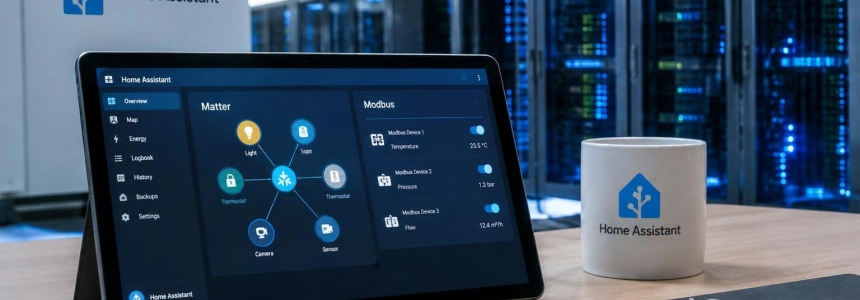
Configuring a Modbus device in Home Assistant no longer has to start with manually writing a register map in YAML. Version 2026.9 introduces an integration-based approach that understands each device’s protocol and lets users select it from the interface. The update also adds a Matter network map, changes to security and activity tools, and a trial of cloud-based voice recognition.
The official announcement was published on September 2, 2026. Home Assistant describes the modernization of Modbus as its favorite change in this release: a less flashy improvement than a new card, but one aimed at reducing a barrier that for years required specific expertise from people who wanted to connect inverters, heat pumps, or energy meters.
Modbus moves from YAML registers to the interface
The YAML-based Modbus integration is not going away: existing configurations will continue to work. What’s new is a way for each device integration to incorporate knowledge of its own registers. Instead of asking users to translate the manufacturer’s protocol into a manual configuration, Home Assistant lets them choose the device during setup.
The difference also affects installations with several devices on the same bus. A Modbus connection is an exclusive resource: only one participant can communicate over it at a time. Until now, two integrations opening separate connections could compete for the bus, and Home Assistant did not allow them to share it. The new system provides integrations with units through a shared connection; when they request the same connection details, their requests are serialized instead of competing for access.
The shared connection does not require a separate configuration or persist as an independent entry. It exists while an integration is using it and closes when the last consuming entry is unloaded. This lets users configure the device—for example, a heat pump—without having to manage the bus that connects it separately.
This work has specific precedents. In July 2026, Paulus Schoutsen explained that YAML configuration shifted the task of understanding a device’s protocol to each user and did not fit with Home Assistant’s broader move toward configuring devices through the interface. He also described a new library, modbus-connection, published on PyPI, which provides a common interface for working with different Modbus implementations. It includes a framework for modeling devices and a pytest plugin, so device libraries can be developed and tested separately from the integrations that use them.
“So we are adding a new way to use Modbus: an integration-based approach, where a device integration owns the device-specific knowledge and the user simply picks their device in the UI, the same as any other integration.”
— Paulus Schoutsen
In 2026.9, the first integrations named for this approach are Fronius, Sofar, and Flexit. Home Assistant’s post identifies Sofar as “Sofar Inverter Modbus”; the release description also notes that the change is intended for devices such as solar inverters and heat pumps. The goal is to move manually maintained configurations to manufacturer-specific integrations that can be added through the interface.
Matter gets its own network map
Home Assistant already offered connection maps for Zigbee through ZHA, Z-Wave, and Bluetooth. Matter had its own visualization in the Matter server, but it was in a separate web interface. Version 2026.9 brings that view into the Matter panel with the “Show map” button, within Home Assistant.
The map distinguishes devices communicating over Thread from those using Wi-Fi and shows routers, including border routers, as well as the relationships between devices. The update description notes that the network information already existed in the Matter server: the change is to make it accessible from the usual interface and provide it with the graphical experience used for other protocols. Domotica Facile also lists signal strength among the visible data.
For anyone trying to track down a communication problem, this representation makes it possible to examine how the Matter device network is composed instead of relying on the server’s separate view. The new feature thus extends a capability already available for other protocols within Home Assistant.
Security: severity-based alerts and favorite access points
The Security panel adds two sections that can be configured from a single editor. The new active alerts area appears only when something requires attention, such as an open door or an activated smoke detector. Users choose which entities can generate alerts and classify them as “Alert” or “Warning.” An open window, for example, can be shown as a warning without being treated the same way as a smoke alarm.
The other section, Favorites, lets users pin the entities they check most often—locks, doors, and sensors, among other devices—to the top.
Home Assistant says the initial proposal came from a community-designed concept by @ricardoantoniocm, including the severity colors and the pulsing animation for items that need attention. The organization also places the work within an opportunity in the Open Home Foundation roadmap. Bringing those alerts to the home dashboard remains planned for a future release.
Home Assistant Cloud, for its part, adds an improvement to help identify login attempts. Previously, requests could appear as local, with failed-access messages from 127.0.0.1. The real IP address is now transmitted, helping distinguish between a user’s own mistake when entering a password and an attempt by someone else. The IP blocking feature, added to the interface in the previous version, can be used alongside this information. Home Assistant also mentions multifactor authentication as an additional safeguard.
Activity explains the chain that caused a change
The Activity page showed what had happened—for example, a light turning on, a door unlocking, or a blind closing—but did not always explain why. Finding out which automation had been involved could require opening it, reviewing its trace, and reconstructing the source of the event.
In 2026.9, selecting a row opens a dialog with the full sequence: what initiated the change, which automations or scripts were involved, and the final change to the entity. The trigger may be a person, a state change, a schedule, an integration, or a restart. The steps in the chain are interactive: users can open the corresponding entity or, in the case of an automation, its trace. Timestamps are accurate to the millisecond, so events occurring within the same second can be ordered correctly.
History and Activity also share a “Sources” panel on the left. From there, users can filter by floors, areas, devices, and entities, as well as by domain, device class, and integration. The selection is remembered for the next visit. On wide screens, the panel stays docked to the side; on narrower screens, it collapses into a pull-out sheet.
The two pages retain different behaviors. History waits for users to select a target before drawing a graph; Activity continues to show all events by default and lets users narrow them down with filters. The date selector has also changed: it is now presented as a single pill with arrows to move forward or backward, and long labels on the History timeline appear above its bar and are truncated to fit.
Cloud voice and card improvements
Home Assistant Cloud is testing a new speech-to-text engine with Soniox. The trial aims to improve recognition of accents, background noise, and languages other than English. Home Assistant explains that this involves adopting a new provider and asks testers to share feedback through Labs. It is available to Cloud subscribers; those without a subscription can use a 31-day trial.
According to Home Assistant, the trial maintains the service’s privacy guarantee: audio is not recorded, stored, or used for training. The organization warns that the feature may not become a permanent addition. To enable it, subscribers should go to Settings, System, and Labs.
The trial follows the launch of Home Assistant Voice Preview Edition, which led some in the community to run private voice assistants at home. The official post notes that recognition in languages other than English and of specific accents remains a challenge for that experience, and presents the new engine as a trial to improve those cases. This is not an announcement of permanent availability: Home Assistant is asking users to evaluate the feature before deciding whether to keep it.
Tile Cards receive more limited changes. They now let users select light effects such as Rainbow, dynamic scenes, and custom effects. They also offer Min, Medium, High, and Max controls for vacuum robots. The Target Humidity option expands its compatibility to supported Climate devices.
Other new features and maintenance schedule
The release includes 13 new integrations, according to Home Assistant’s announcement, as well as improvements to existing integrations. The release post also lists keyboard navigation and sound for charts, civil dawn and dusk automations—golden hour, blue hour, and polar sun—built-in dashboards and MQTT, and a view showing how much space network storage is using.
The full changelog brings together changes to integrations and components, as well as internal adjustments. Identifiable changes include the removal of the VLC integration, improvements for Mikrotik and Reolink devices, and changes related to Z-Wave, Music Assistant, and Teslemetry. The changelog should not be confused with the feature summary: it also includes dependency updates, tests, and maintenance tasks.
After the launch of 2026.9.0, Home Assistant published four maintenance releases: 2026.9.1, on September 5; 2026.9.2, on the 11th; 2026.9.3, on the 18th; and 2026.9.4, on the 27th. The announcement came ahead of IFA Berlin, held from September 4 to 8, 2026. The Open Home Foundation said it would have its own booth in the Smart Home pavilion, Hall 1.2, stand 1.2-153.
In the immediate Security roadmap, bringing active alerts to the home dashboard remains outstanding. For voice, the next step depends on evaluating the Labs trial and subscriber feedback; for Modbus, the new approach leaves the door open to more device-specific integrations.
Sources: Domotica Facile, Home Assistant, Home Assistant, Home Assistant Contributors