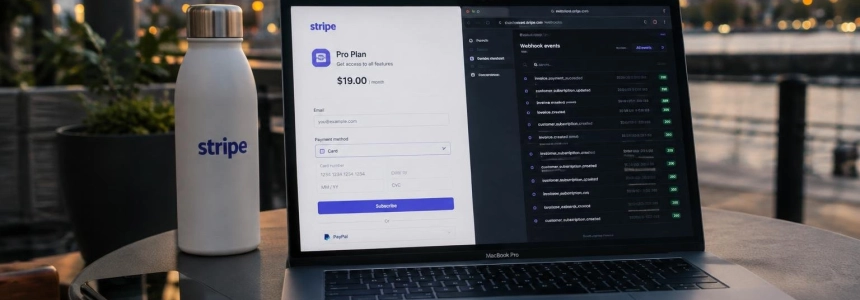
A visit to /dashboard?checkout=success does not prove that a payment has been completed: anyone can type that URL. In a Stripe subscription integration, the plan change must reach the server through a verified webhook; then the app checks its database to decide which features the person can use.
The flow in this example uses TypeScript, Next.js Route Handlers, stripe-node, Prisma with Postgres, and a server-side authentication function called auth(). Stripe’s official Node.js SDK is installed with npm and requires a secret key; Next.js lets you receive these notifications with public Route Handlers. The code assumes that @/auth and @/lib/db already exist in the project.
flowchart TD
A["Usuario inicia Checkout"] --> B["Servidor crea sesión"]
B --> C["Stripe completa el flujo"]
C --> D["Webhook verifica evento"]
D --> E["Base de datos sincroniza plan"]
E --> F["Servidor comprueba acceso"]
Set up Stripe and the data model
Install the SDK and the server-only package to mark the module that contains the secret key. In Stripe, create a product with a recurring price and save its price_... identifier in the server environment. The browser will not choose the price: the Route Handler gets it from an environment variable.
npm install stripe server-only// lib/stripe.ts
import "server-only";
import Stripe from "stripe";
export const stripe = new Stripe(process.env.STRIPE_SECRET_KEY!);The example stores the Stripe customer, subscription, price, and status on the user. A second table stores the IDs of events already received, with a unique key that makes it possible to detect repeated deliveries.
model User {
  id                    String    @id @default(cuid())
  email                 String    @unique
  stripeCustomerId      String?   @unique
  stripeSubscriptionId  String?   @unique
  stripePriceId         String?
  subscriptionStatus    String?
}

model StripeEvent {
  id        String   @id
  type      String
  createdAt DateTime @default(now())
}
Configure STRIPE_SECRET_KEY, STRIPE_PRICE_PRO, and APP_URL in the server environment. The webhook signing secret will be added when the endpoint is configured. The server determines the price: do not accept an amount or price identifier from the client that determines how much is charged.
Create the Checkout session
The browser only needs to call this endpoint and redirect to the returned URL. The handler checks the authenticated session, reuses the Stripe customer associated with the user or creates a new one, and builds a session in subscription mode. Adding the user ID to the subscription metadata makes it possible to associate events with the account later.
// app/api/checkout/route.ts
import { NextResponse } from "next/server";
import { auth } from "@/auth";
import { db } from "@/lib/db";
import { stripe } from "@/lib/stripe";

export async function POST() {
  const session = await auth();
  const userId = session?.user?.id;

  if (!userId) {
    return NextResponse.json({ error: "Unauthorized" }, { status: 401 });
  }

  const user = await db.user.findUniqueOrThrow({ where: { id: userId } });
  let customerId = user.stripeCustomerId;

  if (!customerId) {
    const customer = await stripe.customers.create({
      email: user.email,
      metadata: { userId: user.id },
    });
    customerId = customer.id;
    await db.user.update({
      where: { id: user.id },
      data: { stripeCustomerId: customerId },
    });
  }

  const checkout = await stripe.checkout.sessions.create({
    mode: "subscription",
    customer: customerId,
    client_reference_id: user.id,
    line_items: [{ price: process.env.STRIPE_PRICE_PRO!, quantity: 1 }],
    subscription_data: { metadata: { userId: user.id } },
    success_url: `${process.env.APP_URL}/dashboard?checkout=success`,
    cancel_url: `${process.env.APP_URL}/pricing`,
  });

  return NextResponse.json({ url: checkout.url });
}
In the interface, a button can send a POST to /api/checkout and navigate to url. The success screen is for displaying a navigation confirmation, not for granting access: that authorization depends on the status updated by the webhook.
Verify events and sync the subscription
Stripe signs the exact bytes of the request body. Read the body with req.text() and pass it to constructEvent before treating the content as trusted. Verify the body without parsing it: reading it as JSON and serializing it again can change the bytes and cause signature verification to fail. This route uses the Node.js runtime and returns an error if the signature is invalid.
// app/api/stripe/webhook/route.ts
import { Prisma } from "@prisma/client";
import Stripe from "stripe";
import { db } from "@/lib/db";
import { stripe } from "@/lib/stripe";
import { syncSubscription } from "@/lib/billing";

export const runtime = "nodejs";

export async function POST(req: Request) {
  const body = await req.text();
  const signature = req.headers.get("stripe-signature");
  if (!signature) return new Response("Missing signature", { status: 400 });

  let event: Stripe.Event;
  try {
    event = stripe.webhooks.constructEvent(
      body,
      signature,
      process.env.STRIPE_WEBHOOK_SECRET!
    );
  } catch {
    return new Response("Invalid signature", { status: 400 });
  }

  try {
    await db.stripeEvent.create({ data: { id: event.id, type: event.type } });
  } catch (error) {
    if (
      error instanceof Prisma.PrismaClientKnownRequestError &&
      error.code === "P2002"
    ) {
      return new Response("Already processed", { status: 200 });
    }
    throw error;
  }

  try {
    if (event.type === "checkout.session.completed") {
      const checkout = event.data.object as Stripe.Checkout.Session;
      if (checkout.mode === "subscription" && checkout.subscription) {
        const subscriptionId = typeof checkout.subscription === "string"
          ? checkout.subscription
          : checkout.subscription.id;
        await syncSubscription(subscriptionId);
      }
    }

    if (
      event.type === "customer.subscription.created" ||
      event.type === "customer.subscription.updated" ||
      event.type === "customer.subscription.deleted"
    ) {
      const subscription = event.data.object as Stripe.Subscription;
      await syncSubscription(subscription.id);
    }
  } catch {
    await db.stripeEvent.delete({ where: { id: event.id } }).catch(() => {});
    return new Response("Handler failed", { status: 500 });
  }

  return new Response("ok", { status: 200 });
}
The events table prevents the same ID from being processed twice. If synchronization fails, the handler deletes the deduplication record and returns an error so Stripe can retry. To sync, retrieve the current subscription from Stripe instead of reconstructing its status by applying events one by one: they may arrive out of order.
// lib/billing.ts
import "server-only";
import { db } from "@/lib/db";
import { stripe } from "@/lib/stripe";

export async function syncSubscription(subscriptionId: string) {
  const subscription = await stripe.subscriptions.retrieve(subscriptionId);
  const item = subscription.items.data[0];
  const customerId = typeof subscription.customer === "string"
    ? subscription.customer
    : subscription.customer.id;

  await db.user.update({
    where: { stripeCustomerId: customerId },
    data: {
      stripeSubscriptionId: subscription.id,
      stripePriceId: item?.price.id ?? null,
      subscriptionStatus: subscription.status,
    },
  });
}
This synchronization stores the status and price of the subscription’s first item. Checkout and subscription events keep this data up to date when a subscription is created, updated, or deleted. Repeated events do not duplicate changes because the table uses the event ID as its primary key.
Restrict Pro features and add the portal
Centralize the access rule. Here, only subscriptions with an active or trialing status and a price that matches the configured one are considered Pro. The handling of past_due is outside this rule; if the application should grant a grace period, change the criterion here, not in isolated components.
// lib/plan.ts
const proPrices = new Set([process.env.STRIPE_PRICE_PRO!]);

type PlanUser = {
  subscriptionStatus: string | null;
  stripePriceId: string | null;
};

export function isPro(user: PlanUser) {
  return (
    (user.subscriptionStatus === "active" ||
      user.subscriptionStatus === "trialing") &&
    !!user.stripePriceId &&
    proPrices.has(user.stripePriceId)
  );
}
Perform the check on the server, alongside the protected resource. Hiding a button in a client component does not block a direct request to the page or an API.
// app/dashboard/reports/page.tsx
import { redirect } from "next/navigation";
import { auth } from "@/auth";
import { db } from "@/lib/db";
import { isPro } from "@/lib/plan";

export default async function ReportsPage() {
  const session = await auth();
  const userId = session?.user?.id;
  if (!userId) redirect("/login");

  const user = await db.user.findUniqueOrThrow({ where: { id: userId } });
  if (!isPro(user)) redirect("/pricing");

  return <main>Reports for {user.email}</main>;
}
Apply the same condition to Server Actions and Route Handlers that perform paid work. Middleware can help with redirects, but it should not be the only access check: verify permissions where the resource is read or modified.
To let each customer manage their subscription, create a portal session on the server. Enable the necessary features in Stripe’s Customer Portal settings; customer changes will be synced again through the events already handled by the webhook.
// app/api/portal/route.ts
import { NextResponse } from "next/server";
import { auth } from "@/auth";
import { db } from "@/lib/db";
import { stripe } from "@/lib/stripe";

export async function POST() {
  const session = await auth();
  const userId = session?.user?.id;
  if (!userId) {
    return NextResponse.json({ error: "Unauthorized" }, { status: 401 });
  }

  const user = await db.user.findUniqueOrThrow({ where: { id: userId } });
  if (!user.stripeCustomerId) {
    return NextResponse.json({ error: "No customer" }, { status: 400 });
  }

  const portal = await stripe.billingPortal.sessions.create({
    customer: user.stripeCustomerId,
    return_url: `${process.env.APP_URL}/dashboard/billing`,
  });

  return NextResponse.json({ url: portal.url });
}
Test locally and common errors
To test webhooks locally, log in with Stripe CLI and forward events to the route. The CLI provides its own signing secret: use that value locally, not the one for the test or production endpoint. Each endpoint has its own secret, and Vercel environment variables for Preview and Production should be kept separate.
stripe login
stripe listen --forward-to localhost:3000/api/stripe/webhook

# En otra terminal
stripe trigger customer.subscription.updated
A test run can complete Checkout in test mode, check that the user row changed, open the portal, and cancel. It is also useful to resend an event from the Dashboard and check that its ID is not processed a second time. Stripe recommends using the unparsed body to verify signatures; Next.js documents that a request body can only be read once.
If the webhook does not arrive, check that global authentication does not redirect that route to the login page and that there are no URL redirects: Stripe does not follow webhook redirects. If signature verification fails, check that the secret matches the environment. And if access is granted from the success URL or only hidden on the client, move the decision to the webhook and the server-side check.
With these components, Stripe receives the subscription request, the webhook confirms and syncs the status, and Next.js applies the permission when serving the protected feature. The success screen informs the user; the database and server-side check determine access.
Sources: DEV Community, Vercel Academy, GitHub, Next.js